
For UK businesses, advertising on Google Maps is about far more than just getting your name seen. It’s your direct line to high-intent customers the very moment they search for something ‘near me’. It’s how you turn digital visibility into actual footfall, phone calls, and new business.
Why Google Maps Ads Are Your Local Marketing Superpower
Think about the last time you needed a local service. Chances are, you pulled out your phone, opened Google Maps, and typed in exactly what you were looking for. This is precisely what your potential customers are doing every single day.
They aren't just casually browsing; they have an immediate need and are actively hunting for a solution. Advertising in Google Maps puts your business directly in their path at that critical decision-making moment. It’s the difference between hoping customers stumble upon you and guaranteeing they see you first.
Capitalise on High-Intent Searches
Unlike other types of ads that interrupt what someone is doing, Maps ads respond to it. When a person searches for "wedding venue near me" or "emergency plumber in Bristol," they are signalling a direct and often urgent need.
Your ad showing up at the top of those results isn’t an annoyance; it’s a helpful, timely solution. It’s this context that makes every click and every call so incredibly valuable.
The numbers back this up. For local businesses, Google Maps has become an indispensable tool. As of 2026, 65% of UK small-to-medium enterprises (SMEs) are running active Google Ads campaigns with a strong Maps component. That’s a noticeable jump from 58% back in 2024, showing just how effective the platform is at creating that hyper-local visibility for businesses like wedding venues or construction firms targeting specific postcodes.
Drive Real-World Actions
The goal of local advertising isn’t just clicks; it’s tangible results that you can see and feel in your business. Google Maps ads are built from the ground up to deliver exactly that. They encourage people to take immediate, valuable actions that contribute directly to your bottom line.
A well-run campaign can deliver:
- Directions requests: Guiding potential customers straight to your showroom, office, or event space.
- Phone calls: Letting users call you with a single tap, perfect for booking appointments or getting a quick quote.
- Website visits: Sending qualified traffic to specific landing pages where they can get more details or fill out a contact form.
For any local business, a direction request isn't just a click. It’s a potential customer on their way to your door. Measuring these actions is the key to understanding your true return on investment.
This sharp focus on real-world outcomes is what sets Maps advertising apart from broader brand campaigns. It’s a direct line to revenue. What’s more, a strong presence on Maps turbocharges your other marketing. Making sure your foundational online presence is solid is key; our comprehensive https://www.bare-digital.com/local-seo-checklist/ can walk you through it. This synergy between paid ads and organic optimisation creates a dominant local search presence that’s incredibly difficult for competitors to challenge.
Building a Solid Foundation for Your Maps Ads
Before you even think about spending a single penny on Google Maps ads, you have to get your foundations right. It’s a step that far too many businesses skip in their rush to get live, and it’s precisely why their campaigns end up costing a fortune with little to show for it.
Think of it this way: on Google Maps, your Google Business Profile is the ad. It’s your digital shopfront, and it’s often the very first thing a potential customer sees. A half-finished, unloved profile doesn’t just look sloppy; it actively puts people off, sending them straight to your competitors.
Perfect Your Google Business Profile
A polished Google Business Profile (GBP) builds instant trust and credibility. For a local service business like a wedding venue or a construction firm, this isn't just a nice-to-have; it's non-negotiable. It all starts with high-quality, professional photos. Show off your best work, your premises, and your team. Give people a genuine feel for who you are and what you do.
Next, you have to be absolutely precise with your service areas. Don't just put "London." Specify the exact postcodes or boroughs you actually cover. This tells Google exactly where to show your business for those critical 'near me' searches, making sure your ads hit the right local audience and you aren't wasting money on clicks from outside your patch.
A complete profile needs to have:
- Accurate NAP: Your Name, Address, and Phone number must be 100% consistent everywhere it appears online.
- Services List: Detail every single service you provide. This is how you show up for specific searches like "emergency roof repair in Leeds."
- Customer Reviews: Actively ask for and respond to every review. They're a massive trust signal for both searchers and Google's algorithm.
A fully optimised GBP is the absolute prerequisite for effective advertising on Google Maps. It directly impacts your Ad Rank, how often you show up, and ultimately, how much you pay for each click.
To get a clear picture of where you stand, it's always worth running a proper check. You can use a dedicated Google Business Profile audit tool to quickly spot any weak points that need fixing before you launch.
Link Your Accounts for Maximum Power
With your profile in top shape, the next critical job is to connect it to your Google Ads account. This is a common stumbling block, but it's the step that unlocks the most powerful features for local advertising. Without this link, your ads simply can't integrate properly with the Maps interface.
This connection is what enables location assets (the feature previously known as location extensions). It’s what allows your business address, a map, and the distance to your location to appear right there with your ads, making them instantly more relevant to local searchers. This is how you get those all-important "directions" and "call" buttons that drive immediate action.
As you can see in the Performance Max interface here, this is where you manage these assets. By linking the accounts, your GBP information flows directly into your campaigns, allowing Google's AI to serve your ads across Maps, Search, and YouTube for maximum local impact.
More importantly, this linkage is what makes store visit tracking possible. For businesses with a physical location, this is invaluable. Google uses signals like user location history (for those who have opted in) to estimate how many people saw your ad and then visited your premises. This is how you prove the real-world impact of your ad spend.
When planning your campaigns, it helps to understand what other local businesses are spending. Reviewing local marketing benchmarks, including details like typical advert prices, can help you set a realistic budget. Mastering these two fundamentals—a perfect profile and a linked account—is the only way to build a campaign that actually delivers a positive return.
Launching Your First Google Maps Ad Campaign
Right, let's get into the practical side of things. With a solid foundation in place, it's time to roll up our sleeves and actually build your first local campaign, one specifically designed for advertising in Google Maps. The whole process now runs through Google's Performance Max (PMax) campaign type, which uses its AI to find customers across every Google channel, including Maps.
The journey kicks off by picking the right goal in your Google Ads account. You need to tell Google exactly what you're trying to achieve, and in this case, it’s all about driving real-world actions, not just clicks on a website.
Choosing Your Campaign Objective
When you set up a new campaign, Google will offer you a bunch of different goals. For any local business, the one that really matters is "Local store visits and promotions". Selecting this tells the PMax algorithm to chase the actions that lead to physical footfall, like direction requests and phone calls—the lifeblood of a local business.
This objective is the engine of your whole Google Maps advertising strategy. It makes sure the AI is focused on finding people in your area who are showing all the signs that they’re ready to visit a business just like yours. This is how you tap into that incredibly powerful 'near me' search intent we've been talking about.
From there, you’ll need to confirm which specific Google Business Profile locations you want to promote. This is exactly why linking your accounts earlier was so crucial. If you manage multiple locations, like a group of care homes or a chain of cafes, you can choose to group them all into one campaign or create separate campaigns for each.
A smart starting point is to group your locations by region. For instance, a wedding venue group might create one campaign for its two venues in the Cotswolds and a separate one for its single venue in Surrey. This gives you much better control over your messaging and budgets.
Setting a Smart Budget and Location
One of the first questions I always get is, "How much should I be spending?" There’s no magic number, but you can definitely start smart. A sensible initial budget for a small UK business is usually somewhere between £10–£20 per day. This is enough to start gathering data and testing the waters without a huge financial commitment.
When you set this daily budget, the campaign will aim to spend this amount on average over the month. Think of the first 4-6 weeks as a pure data-gathering exercise. The goal is to learn, not necessarily to see an immediate flood of new customers.
Alongside your budget, you'll define your geographic targeting. While your GBP location provides the physical anchor, you can fine-tune your reach.
- Radius Targeting: You can simply tell Google to target everyone within a set radius—say, 15 miles—around your business address. This is a great, straightforward starting point.
- Postcode Targeting: For more precision, you can target specific postcodes. A Manchester-based interior designer, for example, might target affluent postcodes like M20 (Didsbury) and WA15 (Hale) where their ideal clients are likely to live.
Pro Tip: Don't set your location radius too wide at the beginning. It's far better to dominate a smaller, more relevant area than to spread your budget too thinly over a massive one. You can always expand later once you see what's working.
This simple diagram shows the core ad setup process, flowing from your profile, through the linking stage, and into creating the campaign itself.
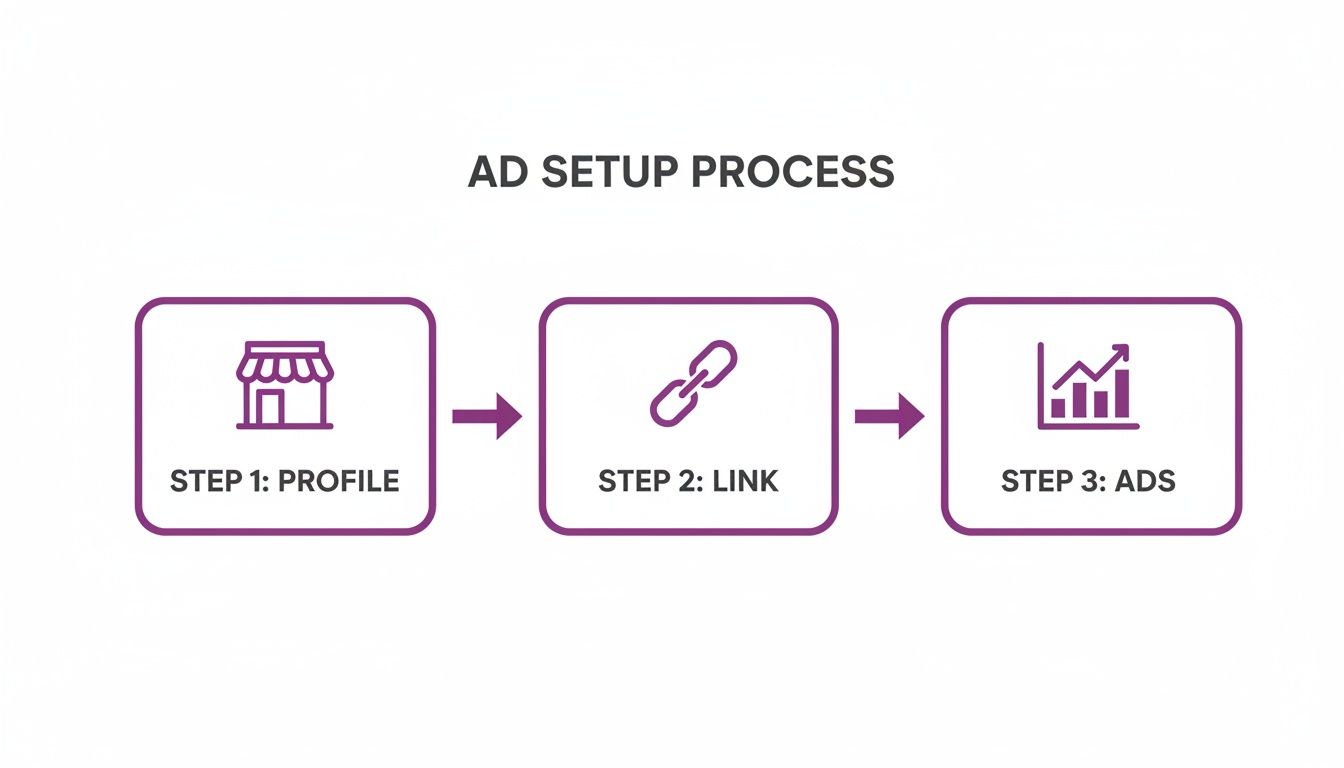
Each step builds on the last, reinforcing just how essential a well-optimised profile is for any successful campaign.
Creating Powerful Asset Groups
Okay, this is where the real magic happens. An asset group is a collection of creative 'ingredients' that you feed to Google—things like headlines, images, videos, and logos. The PMax algorithm then mixes and matches these assets to automatically build ads that fit perfectly across Search, YouTube, Display, and, most importantly for us, Google Maps.
Think of yourself as a chef providing high-quality ingredients to a master cook (the AI). The better your ingredients, the better the final dish will be.
Your asset group should include:
- Headlines: A mix of short, punchy text (up to 30 characters) and longer headlines (up to 90 characters). Be sure to include your main keywords like "Funeral Directors in York" or "Book Your Wedding Tour."
- Descriptions: Longer text that expands on what you offer. Use this space to highlight what makes you unique.
- Images: High-resolution, professional photos are an absolute must. Show off your premises, your products, your team at work, and happy customers. Avoid generic stock photos at all costs.
- Logos: Your company logo in various sizes.
- Videos: A short, 15-30 second video can have a massive impact on performance. A simple walk-through of your venue or a client testimonial works wonders.
The more high-quality assets you provide, the more combinations the AI has to test, and the faster it will learn what resonates with your local audience. This is your chance to put your best foot forward and show searchers exactly why they should choose you.
Making sense of all the data your Google Business Profile throws at you can be a challenge, but you can learn more by checking out our guide to generating an insightful GBP report. With a well-structured campaign and compelling creative assets, you're all set to launch with confidence and turn your advertising in Google Maps into a powerful source of local leads.
Advanced Targeting and Bidding Strategies
Getting a local campaign live is one thing. Making it genuinely profitable is something else entirely. This is where you move beyond the default settings and start making smart, strategic decisions about your budget and who you're targeting.
The initial setup is just a starting point. True success with Google Maps ads comes from telling Google’s AI exactly what success looks like for your business. It's about adding a layer of considered strategy on top of the automation.
Choosing the Right Bidding Strategy
While a Performance Max campaign handles a lot of the bidding heavy lifting, you're still in the driver's seat when it comes to setting priorities. The default is often "Maximise conversion value," but for most local businesses, focusing on a more specific action gets far better results.
To get the most out of your ad spend, you need to understand the different Google Ads bidding strategies. This knowledge is what lets you align your budget with your most important business goals.
You can set up custom conversions to teach the algorithm what you value most. Think about these two classic scenarios for local businesses:
- Goal: More Footfall. If you run a café or a retail shop, getting people through the door is everything. Here, you'd give a higher value to "store visits" as a conversion. This tells the PMax algorithm to hunt for users whose online behaviour suggests they're likely to visit a physical location.
- Goal: More Phone Enquiries. A service business, like a plumber or a solicitor, lives and dies by the phone ringing. In this case, you’d make "calls from ads" your priority conversion. The system will then optimise to find people most likely to tap that call button.
This isn't about ignoring other actions. It's about giving the AI a clear North Star. By signalling your main priority, you guide the machine towards delivering the outcomes that have the biggest impact on your bottom line.
Your bidding strategy should be a direct reflection of your business model. Don't just accept the default. Think about the single most valuable action a customer can take and tell Google to go after it.
Refining Your Location Targeting
Basic radius targeting is fine for getting started, but advanced location targeting is what gives you a real competitive edge, especially in dense urban areas. It lets you focus your ad spend with surgical precision.
Think beyond a simple circle on a map. For a high-end kitchen designer based in London, targeting the entire city would be incredibly wasteful. Their ideal clients are probably concentrated in a handful of affluent boroughs.
Here’s how to get more granular:
- Postcode Targeting: Instead of a wide radius, you can upload a list of specific postcodes. Our kitchen designer could choose to only target SW3 (Chelsea), SW7 (South Kensington), and NW3 (Hampstead), focusing their budget on high-value prospects.
- Custom Polygons: If your service area has irregular boundaries—perhaps defined by drive times or natural features like a river—you can draw custom shapes directly onto the map in Google Ads. This is perfect for ensuring you don't advertise to customers you can't realistically serve. This is particularly useful in the healthcare sector, where clinic service areas can be very specific; our guide to SEO for healthcare explores similar local targeting concepts.
This level of precision stops you from wasting money on clicks from outside your service area and helps improve your conversion rates, as every person who sees your ad is geographically qualified.
Leveraging Audience Signals
The final piece of the puzzle is giving the AI better information about who your best customers are. PMax campaigns use audience signals to guide their initial learning phase and ongoing optimisation. Think of it as giving the algorithm a head start.
Providing signals based on your own business data is incredibly powerful.
You can create audiences from:
- Your Website Visitors: People who have already been on your site are a high-value group. You can create an audience of all visitors, or even get more specific by targeting people who visited your "contact us" page or a particular service page.
- Your Customer List: You can securely upload a list of past customers (like email addresses or phone numbers). Google will then find these users—or users who look just like them—and prioritise showing them your ads. This is brilliant for encouraging repeat business.
By feeding the AI these high-quality signals, you help it find your ideal customers much faster. This shortens the campaign's "learning phase" and leads to more efficient and effective advertising on Google Maps.
Measuring What Matters for Local ROI
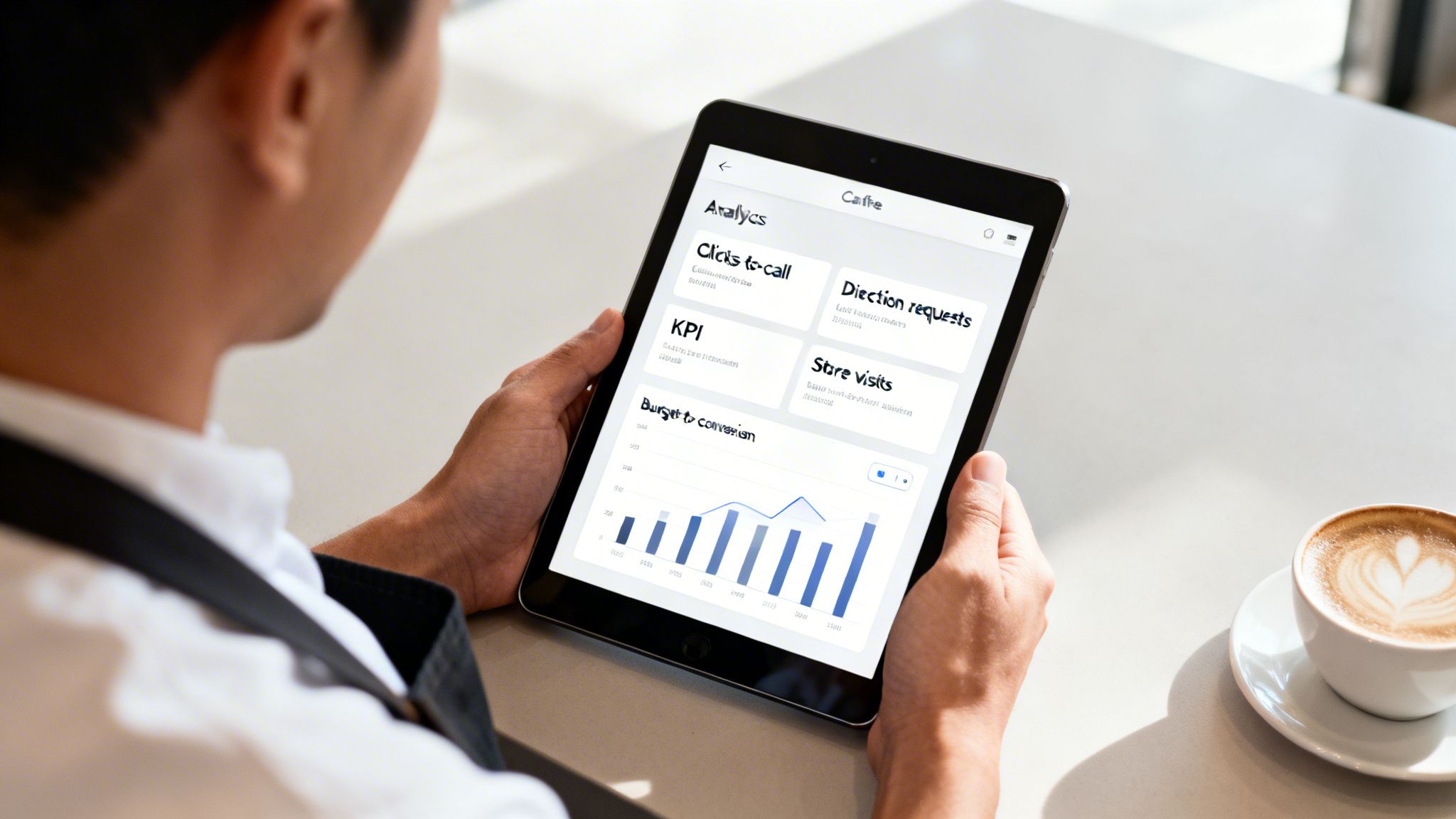
Running ads is one thing, but knowing if they’re actually putting money back in your pocket is the whole point. So, let’s answer the big question: "Is my investment actually paying off?" It's all too easy to get distracted by vanity metrics like impressions and clicks, but those numbers don't pay the bills.
True success with local advertising comes from tracking the actions that directly lead to someone becoming a customer. That means shifting your focus to the key performance indicators (KPIs) that represent a real person taking a real step towards your business.
Focus on Action-Oriented KPIs
The Google Ads dashboard can feel like a data overload, but you need to know where to look. Instead of getting hung up on how many people saw your ad, concentrate on how many people acted on it.
Your most important metrics should be:
- Clicks-to-call: This tracks every time someone taps the call button on your ad. For any service business, this is pure gold—a direct, high-intent enquiry from someone who needs you now.
- Direction requests: This shows how many people asked Google Maps for directions to your front door. It’s a powerful signal that someone is planning an in-person visit, turning a digital tap into physical footfall.
- Website clicks: While not always the main goal, tracking clicks to specific, high-value pages (like a 'Book a Tour' or 'Get a Quote' page) is still crucial for measuring online conversions driven by your Maps ads.
The real magic of advertising in Google Maps is its power to drive these real-world actions. Every direction request or phone call is a tangible lead, and tracking them is the only way to calculate a genuine return on your ad spend.
Understanding Store Visit Conversions
For businesses with a physical shop, the "store visit" conversion is an incredibly powerful, if slightly misunderstood, metric. This is how Google estimates the number of people who saw or clicked your ad and then visited your location within a 30-day window.
Now, it's not an exact science. Google uses aggregated, anonymised data from users who have Location History enabled on their accounts. It then applies statistical modelling to estimate the total visits your ad campaigns have generated.
Although it’s an estimation, it’s an invaluable directional tool. It helps you connect the dots between your online ad spend and your offline revenue, proving that your campaigns are literally driving people through your door. For any eligible business, enabling store visit tracking is essential.
Understanding your true return on investment is a complex but vital task. You might find our guide on calculating self-storage ROI for SEO provides a useful framework for thinking about this.
A Sample UK Small Business Budget
Let's make this real. Imagine you run an independent coffee shop in a busy part of a UK town. You decide to dip your toe in the water with Google Maps ads, setting a modest budget to see what happens.
Here’s a practical look at what a small budget can achieve and what the numbers actually mean for your business.
Sample UK Small Business Budget & Projected KPIs
| Metric | Monthly Estimate (Example) | What It Means for Your Business |
|---|---|---|
| Total Ad Spend | £300 (£10/day) | A controlled, entry-level investment to gather data and prove the concept. |
| Direction Requests | 45 | You guided 45 potential customers, who were already nearby, directly to your shop. |
| Clicks-to-Call | 15 | You received 15 direct phone calls, likely for group bookings or questions about opening hours. |
| Impressions | 20,000 | Your pin and business name were shown 20,000 times to relevant local searchers. |
| Cost Per Action | £5.00 | Each tangible action (a call or direction request) cost you just a fiver. |
In this scenario, a simple £300 monthly spend generated 60 direct, high-intent actions—either a phone call or someone asking for directions. If just a handful of those people came in and made a purchase, the campaign has easily paid for itself.
This simple calculation allows you to move beyond guesswork. You can start making data-driven decisions about your marketing budget and prove a clear return on your investment.
Your Google Maps Ads Questions, Answered
When you start digging into Google Maps advertising, a lot of questions pop up. It's a powerful tool, but it's easy to feel a bit lost in the details. To cut through the noise, we've rounded up the most common questions we hear from UK businesses, giving you the straight answers you need to get started.
How Much Should I Spend on Google Maps Ads in the UK?
This is the big one, isn't it? While there's no single magic number, a sensible starting point for a small local business is around £10-£20 per day. That works out to a monthly budget of £300-£600. This is usually enough to get your ads running, gather some initial data, and see what's working without breaking the bank.
Of course, your perfect budget depends on a few things. The level of competition in your industry is a massive factor. A solicitor in central London will face much higher costs than a photographer in a small town. The size of the area you're targeting and your business goals also play a big part.
Our advice? Start modestly. Run your ads for a month or two, keep a close eye on the results, and then make a decision. Scale up your spending based on what actually drives phone calls and gets people through your door.
Do I Need a Website to Advertise on Google Maps?
Technically, you can run ads that just send people to your Google Business Profile. But honestly, this is a strategy we’d almost never recommend. Having a professional website is absolutely critical if you want to get the best possible results from your ad spend.
Think of your GBP as the enticing window display that gets someone to stop and look. Your website is the actual shop where they can browse, get all the details, and decide to buy.
Your website is where you can go into detail about your services, show off your work, share testimonials, and really build credibility. We see it time and time again: ads that point to a well-built, location-specific page on a website almost always convert better. The GBP hooks them, but it’s your website that seals the deal.
A very common and costly mistake is to rely only on a Google Business Profile for your ads. Your website provides the depth and trust needed to turn a casual click into a paying customer.
Why Are My Competitors Always at the Top of Maps?
Seeing the same competitors hogging the top spots in Google Maps can be incredibly frustrating. When we dig into it, their success usually boils down to a combination of three things.
- A Strong Organic Foundation: Their Google Business Profile is probably perfectly optimised. They will have also invested in their wider local SEO, earning great reviews, building consistent business listings (citations), and having a website Google sees as an authority.
- They're Paying to Be There: Those prominent "Sponsored" pins and the top search results don't appear by magic. They are running paid ads for that guaranteed visibility.
- Proximity: Google’s results are hyper-local. If a user is physically closer to your competitor when they search, that competitor gets a natural head start for that specific search.
The best way to fight back is with a two-pronged attack. First, you need to perfect your own Google Business Profile and local SEO to compete organically. Second, you run your own smart, targeted ad campaigns to guarantee you show up for your most valuable searches, regardless of what the competition is up to.
At Bare Digital, we specialise in helping UK businesses cut through the complexity of local search. If you want to turn your Google Maps presence into a predictable source of leads and sales, we're here to help.
Get your free local SEO health check and see how you rank against your competitors