

Yes, google business listings free is a real thing. Not a trial, not a cut-down teaser, and not something that only works if you buy ads.
That matters more than most owners realise because in the UK, Google Business Profiles are a cornerstone of local SEO, with millions of active listings as of early 2025. Optimized free profiles then boost local search visibility by an average 37%, and UK businesses in the Google Local 3-Pack capture 44% of clicks from map-based results, according to SQ Magazine’s Google Business Profile statistics.
For a local business, that’s not a nice extra. It’s your front window on the busiest street in town, except that street is Google Search and Google Maps.
A lot of businesses still treat their profile like a directory citation. Set it up once, add a phone number, forget about it. That’s usually where they lose ground to smaller, faster competitors who keep their listing current, answer reviews, upload fresh photos, and make it easy for customers to act without visiting a website.
The Most Powerful Free Marketing Tool You Already Have
Google Business Profile is free, and for most UK small businesses it’s the most impactful free asset available.
The reason is simple. Buyers don’t always start on your website. They start on Google, type a service plus a place name, or just use a “near me” search, then decide from the search results who looks trustworthy, nearby, and active.
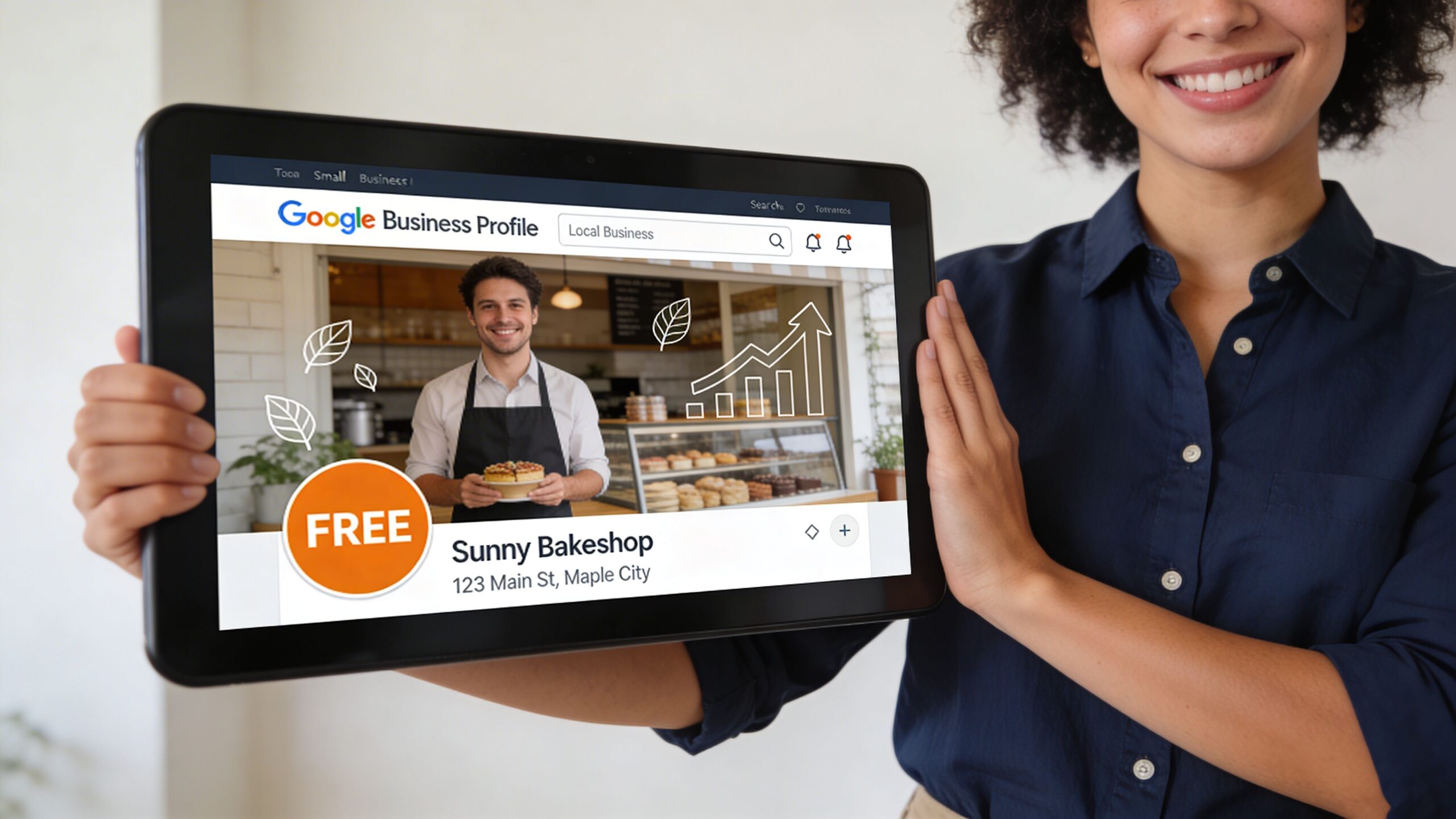
An unclaimed or neglected profile creates a strange mismatch. You may run a solid business offline, but online you look half-open. Wrong hours, thin service details, no recent photos, unanswered reviews. Customers don’t wait around to investigate. They tap the next result.
Free doesn’t mean low value
Some owners assume that because Google doesn’t charge for the listing, it must be minor. It isn’t.
Google gives this space away because it improves Google’s own product. Searchers want accurate local results. Google wants to keep them inside Search and Maps. A complete, verified profile helps both sides.
That’s why the “free” part can be misleading. The tool costs nothing. The opportunity cost of ignoring it is high.
Practical rule: If local customers can call, visit, book, or request directions, your Google Business Profile deserves the same attention as your homepage.
For service businesses, the profile often becomes the first conversion point. Someone searches a trade, sees your reviews, checks your area, confirms you’re open, and calls directly from the listing. No website journey. No long research phase.
What neglect looks like in practice
A weak profile usually has the same symptoms:
- Partial information. Services are missing, categories are too broad, and opening hours are outdated.
- No signs of life. Old photos, no posts, no review responses.
- Low trust signals. Inconsistent contact details or confusing location information.
- No local relevance. Nothing on the profile helps Google connect the business with the areas it serves.
If your competitors are using the profile properly, “free” becomes the wrong question. The question then becomes whether you’re prepared to leave visibility and enquiries on the table.
Understanding Your Digital Shop Front
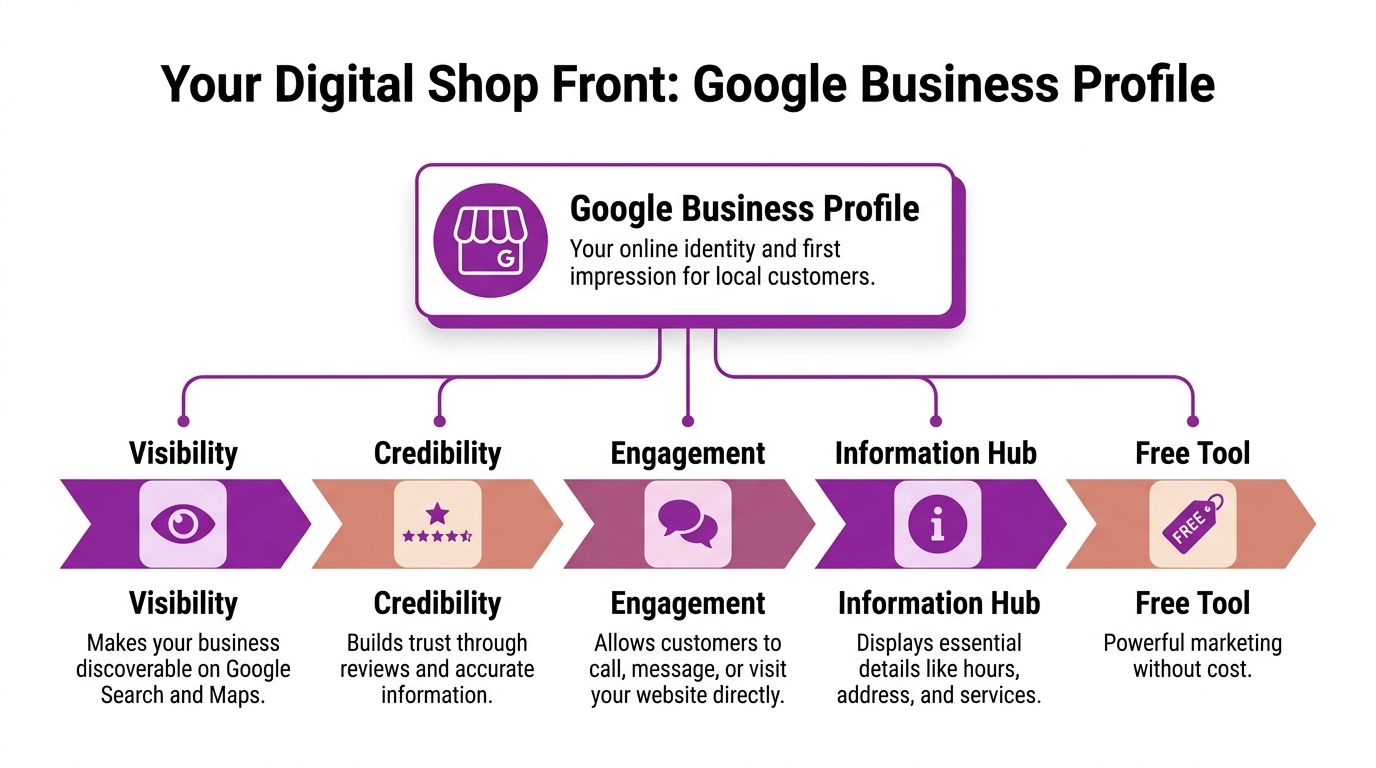
Think of your Google Business Profile as your digital shop front.
A shop front doesn’t just display your name. It tells people whether you’re open, what you sell, whether the place looks credible, and whether it’s worth walking in. Your profile does the same job on Google Search and Maps.
Where your profile appears
A well-maintained profile feeds information into several places customers already use:
- Google Maps
- The local results area on Search
- Your branded knowledge panel
- Mobile search results where quick actions matter most
This is why profile quality affects more than appearance. It affects discoverability, trust, and action.
The Local Map Pack captures approximately 32% of all clicks on Google Search Engine Results Pages, which means businesses outside that cluster lose nearly one-third of potential qualified local traffic, according to Adplorer’s analysis of Google’s Local Map Pack.
Why Google offers this for free
Google wants reliable local information at scale. If searchers can quickly find a relevant business, confirm details, and take action inside Google’s ecosystem, they stay on the platform.
That’s the trade-off. You get highly visible real estate at no charge. Google gets fresher business data and a better user experience.
For business owners, the practical takeaway is straightforward. Every field you complete helps Google understand what you do, where you operate, and when your listing should appear.
What a strong digital shop front includes
The basics still matter most:
| Element | Why it matters |
|---|---|
| Business name | Confirms identity and brand recognition |
| Primary category | Helps Google match you to the right searches |
| Address or service area | Establishes local relevance |
| Phone number | Creates a low-friction contact route |
| Hours | Prevents lost leads from uncertainty |
| Photos | Show proof that the business is real and active |
Those basics become much easier to assess if you run your profile through a proper audit. A tool such as this Google Business Profile audit tool can help spot missing fields, weak signals, and simple fixes before they start costing you visibility.
Most owners don’t have a visibility problem first. They have a profile clarity problem. Google can’t rank what it can’t confidently understand.
The profile is not separate from SEO
A lot of businesses split local SEO into two boxes. Website over here. Google profile over there. That’s a mistake.
Your profile and your wider local presence support each other. Category selection, service wording, area relevance, and accurate business details all help reinforce the same local signals. If the website says one thing and the profile says another, Google gets mixed signals and customers do too.
What You Get For Free And Where The Limits Are
Once Google verifies your profile, you gain access to a set of tools that most small businesses underuse.
That’s where the true value sits. A free profile with no activity is just a listing. A free profile used properly becomes a working sales asset.
According to Essential Marketer’s guide to Google Business Profile free features, post-verification features include Posts, Messaging for real-time enquiries, and Q&A, and these features generate engagement signals that Google interprets as business activity and relevance.
The free features worth using
Posts
Posts are the closest thing to a mini noticeboard inside your listing.
Use them for updates, seasonal offers, new services, event dates, or time-sensitive messages. They won’t replace a content strategy, but they do signal that the business is active and current.
Good use:
- announcing a new service area
- highlighting a seasonal menu item
- sharing a recent project photo with context
Bad use:
- copying generic ad copy
- posting once every six months
- stuffing the text with awkward keywords
Messaging
Messaging reduces friction. A customer can ask a quick question without opening your website, hunting for a contact form, and waiting.
That’s useful for trades, venues, healthcare providers, and service firms where customers often want one fast answer before they commit. Availability, pricing range, service area, lead times. If you enable messaging, someone needs to monitor it.
Q&A
Q&A is one of the most overlooked features in the profile.
It lets common buying questions surface where customers are already deciding. Parking, appointment rules, access, emergency callout areas, wheelchair access, payment options. If those details matter to your customers, they belong here.
Reviews and review responses
Reviews are public proof. Responses are public customer service.
A profile with thoughtful responses looks managed. A profile with no responses can look absent, even if the reviews are strong. The goal isn’t to sound polished. It’s to sound present, professional, and useful.
Photos and videos
Fresh visual content does two jobs. It helps customers judge quality, and it shows Google the listing isn’t dormant.
For local businesses, the best images are usually practical, not over-produced:
- exterior shots so visitors recognise the site
- team photos
- before-and-after work
- service process images
- interior atmosphere
- product close-ups where relevant
What these features don’t do
A Google Business Profile is powerful, but it has limits.
It isn’t a full website
You can’t build deep service pages, explain complex offers properly, or control the user journey the way you can on your own site. If your business has multiple service lines, nuanced pricing, or needs stronger conversion copy, the profile can only carry part of the load.
You don’t control the platform
Google can suggest edits, users can ask unexpected questions, and profile elements can change over time. That makes the profile valuable, but not fully owned.
Design control is limited
You can improve clarity, not brand experience. Photos, text fields, categories, and updates help, but you’re still working inside Google’s framework.
A good profile shortens the path to enquiry. It doesn’t replace every part of digital marketing.
Where owners get stuck
The common failure point isn’t setup. It’s maintenance.
Owners claim the listing, fill in the basics, then stop. The profile gradually goes stale. Hours drift. New services never get added. Reviews sit unanswered. Photos age badly. Competitors who look more current start winning attention.
That’s the core trade-off with google business listings free. The platform doesn’t charge you, but it does expect ongoing input if you want strong results.
From Unlisted To Unmissable Your Optimisation Plan
A profile usually moves through two stages. First, you secure control of it. Then you make it worth clicking.
That sounds basic, but a lot of businesses never get past stage one.

Claim and verify it properly
Google verifies profiles through a multi-channel system that can include postcard, phone, or email verification. The method varies by business and situation.
Verification is not admin for admin’s sake. It’s the point where you gain control over edits, features, and profile management.
A few practical points matter here:
Use your real business details
Don’t improvise with alternate names, tracking numbers, or inconsistent address formats.Avoid rushed edits during verification
If you keep changing core details, you can create delays or trigger extra checks.Be precise with your service model
If you visit customers at their premises, set that up clearly. If customers visit you, your address details need to be correct.Keep your login ownership organised
Use a business-controlled Google account, not a former employee’s personal login.
Build the profile around buyer intent
Once verified, move straight to the fields that shape visibility and clicks.
New Media’s Google Business Profile statistics report that verified UK profiles with complete service details see 19% more website visits, and those with correct primary categories achieve 17% stronger local visibility.
That tells you where to focus first.
Primary category
This is one of the most important choices in the entire profile.
Be specific. A wedding venue should choose the category that best matches how customers search. A construction firm should avoid vague labels if a more precise category fits. The wrong primary category sends Google in the wrong direction.
Services
Don’t leave the services section thin.
Add real service lines in plain English. If you’re a plumber, list the core jobs you want to be found for. If you’re a photographer, separate weddings, commercial shoots, portraits, and event work where relevant. This helps both discovery and click quality.
Description
Your description should explain what you do, where you work, and who you help. Keep it human.
Don’t write it like a mission statement. Write it like a useful introduction. A customer should understand your offer in seconds.
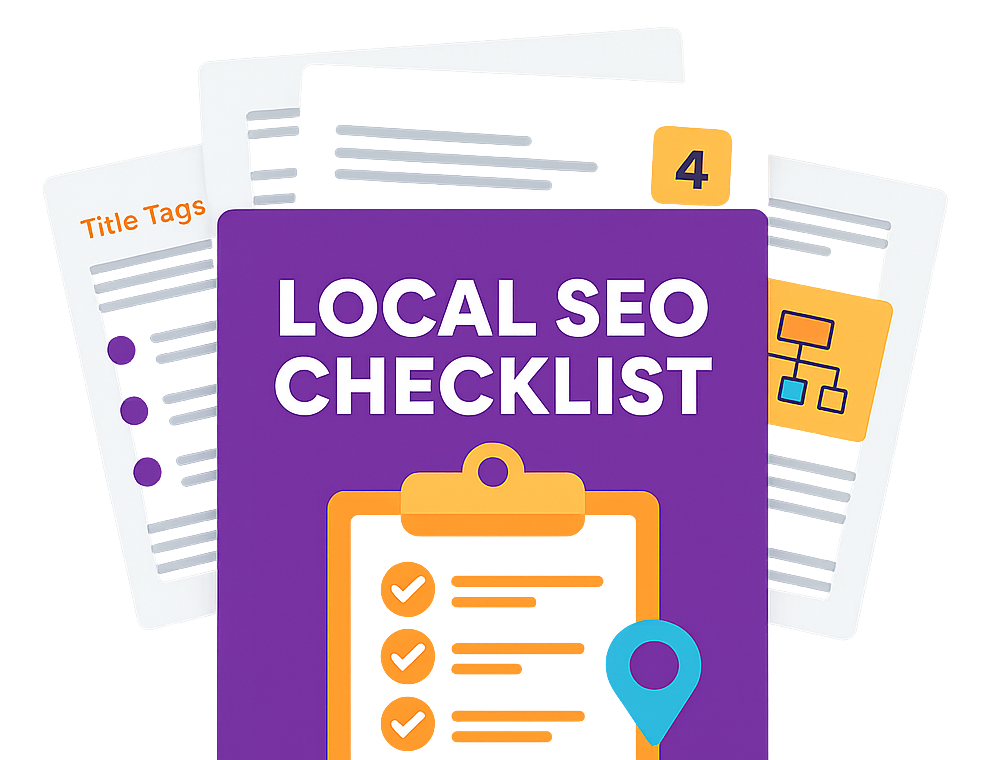
For businesses tightening their broader local setup, this local SEO checklist is a useful companion to the profile work.
Add proof, not filler
Photos, attributes, opening hours, and review responses are where many profiles start looking real.
Use photos that answer customer doubts. Can they find the building. Does the place look reputable. Does the team look professional. Does the finished work match the promise.
Keep the practical fields current:
- opening hours
- holiday hours
- contact number
- booking links where relevant
- service areas
- accessibility and payment attributes if they affect customer choice
A short walkthrough can help if you’re setting this up for the first time:
Field note: The fastest wins usually come from fixing wrong categories, adding services properly, and replacing weak photos with images that make the business look current.
Create a workable routine
Optimisation isn’t a one-off task. It’s a maintenance habit.
A simple operating rhythm works better than bursts of activity followed by silence:
Weekly
Check for review responses, customer questions, and unexpected profile edits.Monthly
Add new photos, update posts, review service wording, and confirm hours.Seasonally
Refresh key images, update offers, and review whether categories and attributes still match the business.
This is also where many owners hit the first ceiling. The profile is still free, but the time cost starts to climb. If you’re in a competitive market, “set and forget” won’t hold position for long.
Managing Multiple Locations Without The Headaches
One location is manageable. Five locations start to expose cracks. Twenty locations turn small inconsistencies into a ranking problem.
That’s where free access to Google Business Profile stops feeling simple.

The NAP problem gets bigger fast
For multi-location businesses, the biggest operational issue is usually NAP consistency. That means keeping your business name, address, and phone number aligned across Google, Bing, Apple Maps, and other directory sources.
According to W3era’s discussion of NAP consistency challenges, conflicting or outdated address formatting and postcode variations can fragment local rankings and dilute visibility across branches.
This shows up in familiar ways:
- one branch uses “Road” while another uses “Rd”
- different phone numbers route to the wrong office
- old addresses remain live in secondary platforms
- nearby locations end up cannibalising each other with overlapping details
Why manual management breaks down
A single profile can be updated by hand without much drama. Multi-location management is different because every change has consequences elsewhere.
If head office updates opening hours but branch data in other platforms stays stale, trust drops. If one clinic changes categories without a consistent plan, local relevance becomes uneven. If franchisees improvise naming conventions, brand clarity disappears.
Multi-location local SEO fails subtly. No single mistake looks dramatic, but together they blur Google’s understanding of which branch should rank where.
What scalable management looks like
At scale, you need process before you need tactics.
A sensible setup usually includes:
- A master record for approved business names, addresses, phone numbers, hours, and categories
- Defined ownership so someone signs off on edits
- Branch-level rules for naming and service descriptions
- Regular audits to catch drift before it spreads
Google’s Business Profile API can help larger organisations manage updates more efficiently, and reporting tools can make branch-level visibility easier to track. For owners who want a clearer view of what’s happening across locations, a GBP report is one way to surface gaps, duplicates, and weak spots.
The moment your locations start competing with each other, DIY becomes less about effort and more about risk. You’re not just maintaining listings. You’re managing a local data system.
When To Manage In-House Versus Hiring An Agency
A free profile doesn’t mean zero complexity.
For some businesses, handling it in-house is perfectly sensible. For others, DIY starts costing more in missed leads, slow execution, and inconsistent local visibility than the agency fee would.
The tipping point usually isn’t “we can’t log in and update hours”. It’s “we need this channel to produce dependable revenue, and we can’t manage it properly alongside everything else”.
DIY works well when
In-house management makes sense if your setup is simple and your expectations are realistic.
That usually means:
- one location
- a clear service offer
- someone on the team can check the profile regularly
- local competition isn’t overwhelming
- you’re happy to learn the basics and maintain them
For an owner-managed business with one branch, one phone number, and a small local radius, keeping the profile tidy is often enough to create a visible lift.
Agency support makes sense when
The case for outside support gets stronger when local SEO becomes operational rather than occasional.
Common triggers include:
- multiple locations or service areas
- recurring issues with duplicate listings or NAP conflicts
- stronger competitors in Maps and local organic results
- no internal time for reviews, posts, photo management, and audits
- a need to connect profile work with landing pages, keyword targeting, and wider SEO reporting
At that point, the profile stops being a standalone asset. It becomes part of a broader local acquisition system.
DIY Management vs. Agency Partnership A Comparison
| Aspect | DIY Management | Agency Partnership (e.g., Bare Digital) |
|---|---|---|
| Cost | No direct management fee, but internal time cost is real | Requires budget |
| Speed of setup | Fast for one simple profile | Faster for complex rollouts and recovery work |
| Consistency | Depends on owner discipline | Usually process-led and easier to scale |
| Strategy depth | Often limited to basics | Can connect profile work to broader local SEO |
| Multi-location control | Hard to maintain over time | Better suited to structured location management |
| Reporting | Often manual and partial | Easier to tie activity to lead and visibility trends |
| Risk management | Higher chance of drift, missed edits, and neglected reviews | More structured monitoring and maintenance |
The key decision point
If your profile only needs occasional upkeep, DIY is fine.
If you’re relying on local search to feed sales teams, booking calendars, or high-value enquiries, DIY tends to break down. Not because owners are careless. Because local SEO is repetitive, detail-heavy, and easy to push down the list.
That’s where specialist support earns its place. Not by replacing the free tool, but by making sure the tool works as part of a larger search strategy. If you’re already thinking beyond the profile itself, a local service partner such as Bare Digital’s SEO services in Cambridge shows the kind of work that sits around GBP management, including local rankings, on-page fixes, location pages, and ongoing reporting.
If your Google profile is bringing in leads, it’s no longer an admin task. It’s part of your sales pipeline.
Your Next Steps To Local Search Dominance
Start with the obvious move. Claim your profile if you haven’t already. If you have, audit it like a customer would.
Check the category, services, hours, photos, review responses, and contact details. Then ask a harder question. If someone found this listing today, would they feel confident enough to call you?
The free part is only the entry point. The advantage comes from keeping the profile accurate, active, and aligned with how people search locally.
That also means treating reviews and referrals as connected, not separate. If you want practical ideas for turning customer advocacy into more visible local trust signals, these word-of-mouth marketing examples give useful ways to think about how recommendations spread before someone ever lands on your website.
If your setup is simple, do the basics well and keep going. If you’re managing more locations, more competition, or higher-value enquiries, measure the channel properly. A practical next step is to benchmark what local visibility might be worth against lead value and margin. This self-storage ROI calculator for SEO is niche by sector, but the thinking behind it is useful for any business trying to connect search visibility with revenue.
Common Questions About Free Google Listings
Is a Google Business Profile really free?
Yes. Claiming and managing the profile is free. You don’t need to run Google Ads just to have a listing.
Do I need a website as well?
Usually, yes. The profile can generate calls and actions on its own, but it doesn’t replace a proper website for detailed services, stronger conversion content, and full brand control.
How long does it take to see movement after optimisation?
It varies. Some fixes improve clarity quickly, such as correcting categories, hours, and services. Broader gains usually depend on consistency, competition, and how actively the profile is maintained over time.
What if someone else already controls my listing?
That happens often. In most cases, you can request access or start a claim process through Google. The key is to get ownership under a business-controlled Google account, not a former staff member’s login.
Can service-area businesses use Google Business Profile?
Yes, as long as the business setup matches how you operate. The profile needs to reflect whether customers visit you, you visit them, or both.
What’s the most common mistake?
Leaving the profile half-finished, then assuming it’s done. Local visibility usually comes from accurate details, good category choices, complete services, fresh photos, and steady management.
If you want a clearer view of how your local search presence is performing, start with Bare Digital. A proper review of your Google Business Profile, local rankings, and on-site signals can show whether a few DIY fixes are enough or whether you’ve reached the point where expert support will turn visibility into measurable enquiries.