
If you're running a small business, your website probably sits in one of two categories right now. It either looks dated and doesn't bring in enough enquiries, or it technically exists but behaves more like an online leaflet than a sales tool.
That's the gap most owners feel. You know people search online before they call, visit, or book. But knowing you need a site isn't the same as having one that helps you win local business.
That matters because many firms are still behind on the basics. In the UK, 71% of small businesses without a website say lack of time or expertise is the main barrier, while businesses that invest in professional web design report up to 53% greater chances of overall business growth. At the same time, only 62% of UK SMEs had a functional website as of late 2022 according to the figures compiled here: small business website statistics.
Small businesses web design isn't really about colours, fonts, or a prettier homepage. It's about building a site that shows up locally, earns trust fast, and turns nearby searchers into calls, bookings, and sales.
The Blueprint for a Local Lead-Generating Website
A good local website starts before design starts.
Too many small businesses pick a template, write a few paragraphs, upload some photos, and hope Google does the rest. That approach usually creates a site that looks passable but doesn't answer the questions a local customer has in the first few seconds.

Start with one primary conversion goal
Your website needs a job. One main job.
For a plumber, that might be phone calls. For a wedding venue, it may be brochure downloads or viewing enquiries. For a photographer, it could be contact form submissions for date availability.
If you try to push every action equally, the site becomes unfocused. Visitors hesitate when they're given too many paths.
Use this simple order:
- Pick the main action. Call, book, request quote, or submit form.
- Choose the backup action. If they won't call, maybe they'll fill in a short form.
- Remove distractions. Anything that doesn't support those actions gets pushed down or removed.
Practical rule: if a visitor lands on your homepage and can't tell within moments what you do, where you work, and how to contact you, the page isn't ready.
Map the local customer journey
A local buyer rarely starts on your About page.
They start with intent. That might be "emergency electrician near me", "wedding photographer York", or "funeral director in Leeds". Then they compare a few options quickly.
Your site needs to match that behaviour. Build pages around what people need at that point:
- Immediate clarity. Your services, towns covered, and contact method.
- Trust signals. Reviews, accreditations, real photos, and evidence of completed work.
- Low-friction next step. A visible call button, short form, or booking action.
A simple navigation structure works best. Keep it tight. Home, Services, Areas We Cover, About, Reviews or Case Studies, and Contact is enough for most local firms.
Put local intent into the structure
The strongest local websites are organised around demand, not internal company logic.
That means one page for each key service. It often also means one page for each important town or area. In this arrangement, design starts supporting local SEO rather than getting in the way of it.
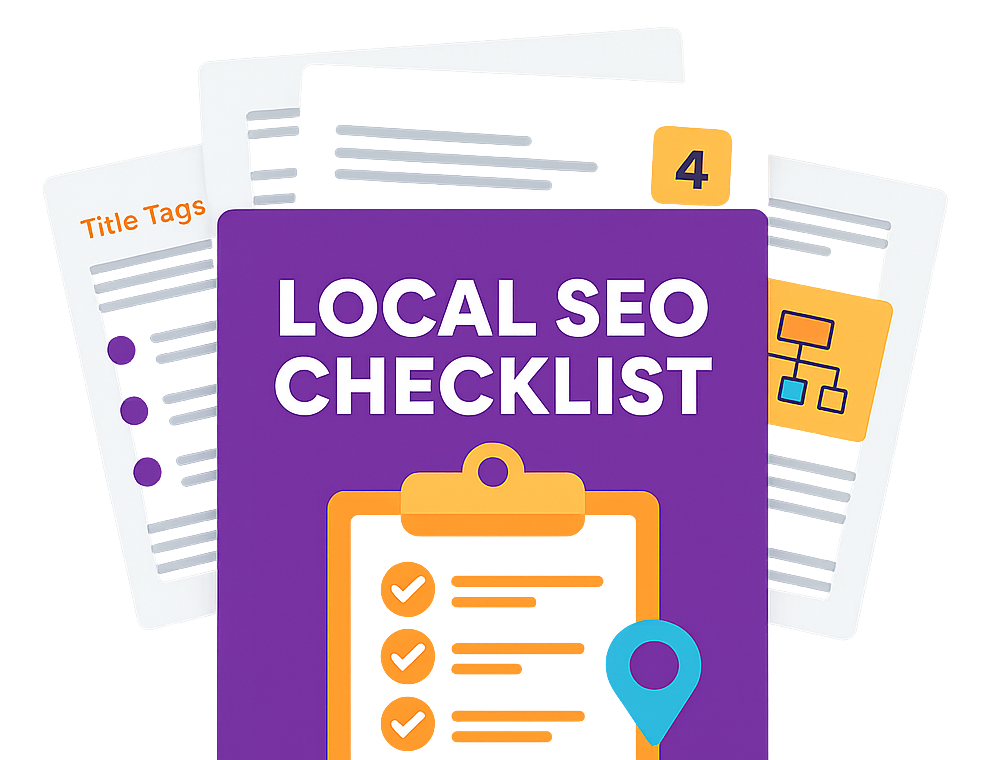
If you want a practical second opinion on what should be in place before a redesign, this local SEO checklist is a useful framework. It helps you catch the basics many builds miss.
It's also worth understanding the importance of good website design for your business, especially if you've been thinking of design as a cosmetic upgrade rather than a commercial asset.
Build the wireframe around questions
Before any developer touches the site, sketch the page order around real buyer questions:
| Customer question | What the page should show |
|---|---|
| Do you cover my area? | Service area, towns, map references |
| Can I trust you? | Reviews, real imagery, credentials |
| Can you solve my problem? | Clear service pages, examples, FAQs |
| How do I contact you? | Click-to-call button, form, email, opening hours |
That blueprint saves time later.
It also stops the classic small business mistake of redesigning a site that looks more polished but still doesn't produce enough local leads.
Designing for Trust and Local Conversions
Most local visitors make a snap judgement.
They don't analyse your branding in a formal way. They decide whether your business feels credible, local, and easy to contact. If the design feels clumsy, outdated, or awkward on mobile, many leave before they even read your offer.
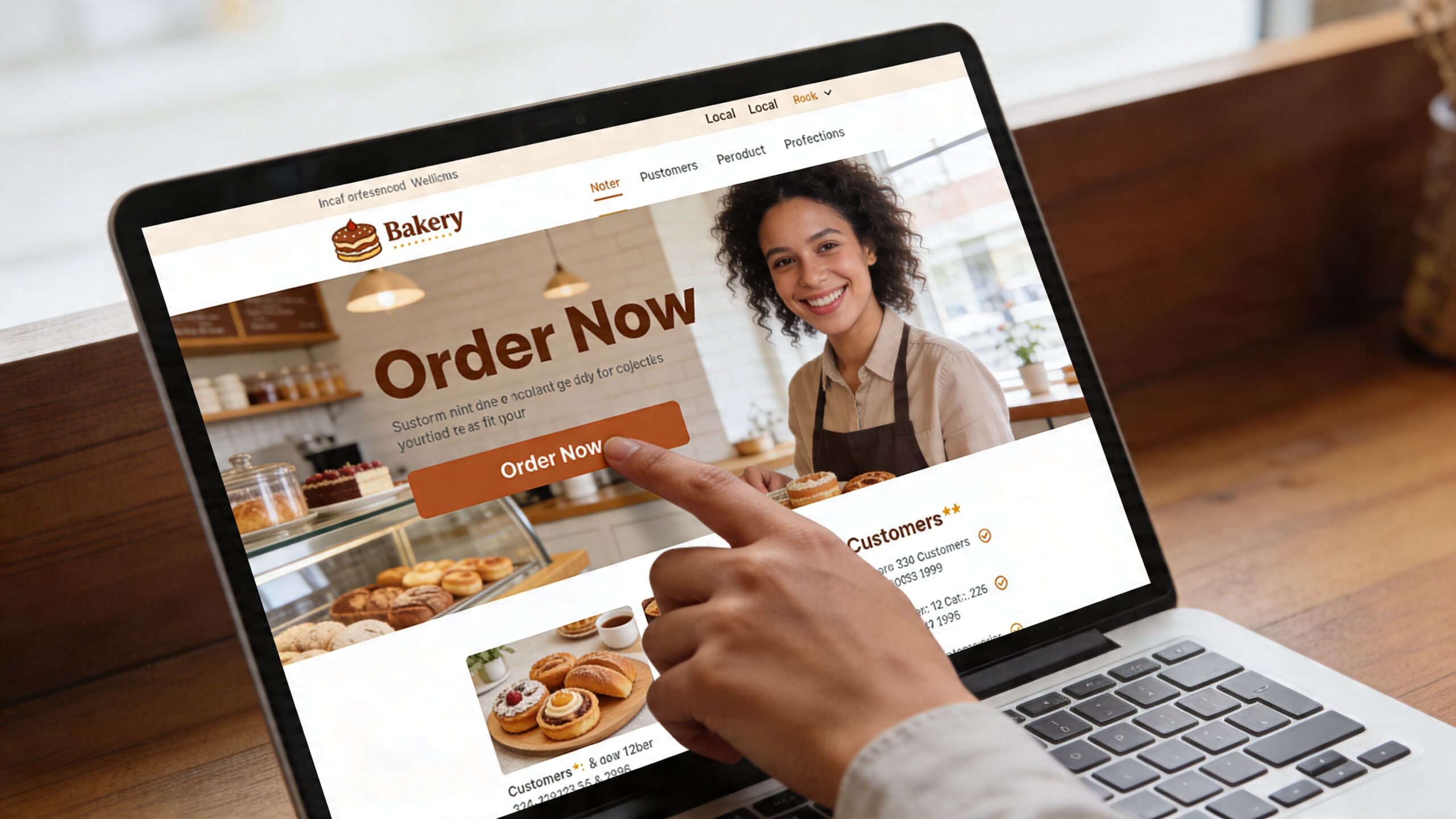
According to these website design best practices, 75% of users judge a business's credibility by its website design, and 57% won't recommend a business with a poorly designed mobile site. The same source recommends starting mobile-first from a 320px viewport and using touch targets of at least 44×44 pixels.
Trust comes from specifics
Local trust isn't built with generic claims like "high quality service" or "customer focused team". Every competitor says that.
It comes from details people can verify quickly.
For a local service business, your design should show:
- A real local phone number. Put it in the header and make it tappable on mobile.
- A visible address or service area. Even if you travel to clients, say where you're based.
- Real photos. Your team, vans, premises, completed projects, venue spaces, or recent work.
- Proof near the CTA. Reviews, certifications, trade memberships, or recognised partners next to enquiry buttons.
A plumber in Reading shouldn't use anonymous stock images of someone holding a spanner. A caterer shouldn't lead with a vague slogan and a giant slideshow. Local buyers want evidence, not decoration.
Make mobile easy for thumbs
Small businesses web design now lives or dies on mobile usability.
A mobile-first approach changes practical design decisions. Buttons need space around them. Forms need fewer fields. Menus need to be obvious. Phone numbers should be one tap away. If a visitor has to pinch, zoom, or hunt for your contact details, you lose momentum.
Use this mobile checklist:
- Keep forms short. Name, contact details, and one short message field is enough for most first enquiries.
- Use one clear CTA per screen. "Call now", "Get a quote", or "Check availability" works better than a cluster of equal options.
- Write short paragraphs. Dense text blocks feel heavier on phones.
- Keep sticky elements useful. A sticky call button can help. A sticky banner that hides content usually hurts.
A good mobile layout feels obvious. People shouldn't need to learn how to use it.
Design CTAs that match intent
Buttons fail when they ask for too much too soon.
If someone searches for an emergency service, "Call now" is right. If they're comparing wedding venues, "Download brochure" or "Book a viewing" usually fits better. If they're browsing photography styles, "Check availability" often beats "Buy now".
Conversion thinking matters. If you want a deeper look at page-level improvements, these Conversion Rate Optimization best practices are worth reviewing.
Here's a quick comparison:
| Business type | Weak CTA | Stronger CTA |
|---|---|---|
| Plumber | Submit | Call for a fast quote |
| Caterer | Learn more | Check menu and availability |
| Photographer | Contact us | Check your date |
| Accountant | Click here | Book a consultation |
For niche local businesses, the same principle applies. A visual brand such as a portrait studio has different user intent from a trades firm. That's why service-specific SEO and design thinking matter, especially on pages like this guide to SEO for photographers.
Use video and layout to reduce doubt
Video can help if it answers real questions. It shouldn't exist just to fill space.
A short explainer, studio tour, team introduction, or walkthrough of your process can settle concerns before a visitor gets in touch.
This kind of visual content works best when the page around it is already doing the basics well.
What usually doesn't work
A lot of local websites underperform for the same reasons:
- Oversized hero sections that push contact details below the fold.
- Too many menu items that leave people unsure where to click.
- Template copy that could describe any business in any town.
- Overdesigned pages with animations, pop-ups, and sliders that add noise.
Clean design doesn't mean plain. It means every element earns its place.
When trust is high and taking action feels easy, local conversions tend to follow.
Powering Your Site for Speed and Local Search
A slow website wastes demand you've already earned.
Someone finds you in search, taps through, waits, gets irritated, and leaves. That isn't a design problem in the visual sense. It's a performance problem, and it directly affects leads.
The commercial cost is hard to ignore. These web design statistics say slow-loading sites cost the UK economy an estimated £2 billion annually in missed sales. The same source notes that 54.8% of traffic comes from mobile, where average load times can hit 27.3 seconds, and that a 1-second delay in page load time can lead to a 20% drop in conversions.
What actually makes a site feel fast
Most owners think speed means "smaller images". That's part of it, but it's not the full picture.
Google looks at a group of user experience signals called Core Web Vitals. The names sound technical, but the business meaning is simple:
| Metric | Plain English meaning | Why it matters |
|---|---|---|
| LCP | How quickly the main content appears | Visitors can start engaging sooner |
| FID | How quickly the page responds to interaction | Buttons and forms feel usable |
| CLS | How much the layout jumps while loading | People don't misclick or get frustrated |
If your header shifts while someone tries to tap "Call now", that hurts both usability and trust.
The speed fixes that usually matter most
For local sites, a handful of changes usually produce the biggest gains.
- Compress images properly. Use modern formats such as WebP where possible and avoid uploading huge originals from a phone or camera.
- Limit bulky scripts. Too many plugins, chat widgets, tracking tools, and animations slow the page before the user sees anything useful.
- Use reliable hosting. Cheap hosting often creates inconsistent load times, especially at busy periods.
- Cache static assets. Browsers should not have to fetch every file from scratch on every visit.
- Keep themes lean. Fancy multipurpose themes often ship with features you don't need but still pay for in speed.
Key decision: every plugin, app, or visual effect should justify its impact on speed and enquiries.
CMS choice is a business decision
Small firms often ask whether to use WordPress, Squarespace, Wix, or a custom build. The right answer depends less on brand preference and more on who will maintain the site after launch.
Here's the practical trade-off:
| Platform type | Strength | Weak point |
|---|---|---|
| WordPress | Flexible, scalable, strong SEO control | Can get bloated if poorly managed |
| Squarespace or Wix | Easier editing for non-technical teams | Less freedom for advanced builds |
| Custom-coded build | Full control over functionality | Higher maintenance burden |
If your business needs lots of location pages, ongoing content, and SEO control, WordPress is often a sensible fit when it's built properly. If your needs are simpler and your team wants ease of editing, a well-structured no-code platform may be enough.
The wrong choice is the one you can't maintain. A site that no one updates becomes stale quickly, and stale local sites usually lose ground.
Technical foundations you shouldn't skip
Some technical choices look minor during a build and become expensive later.
Make sure your site has:
- HTTPS enabled
- Clean URL structure
- Logical internal linking
- No orphan pages
- A crawlable navigation
- Mobile-first page templates
- Basic image alt text
- Clear heading structure
None of that is glamorous. All of it matters.
A fast local website doesn't need exotic development. It needs discipline. Strip out what isn't helping, keep the structure clean, and treat performance as part of sales, not as an afterthought for developers.
Dominating Local Search with On-Page SEO and Google Business Profile
Local visibility comes from alignment.
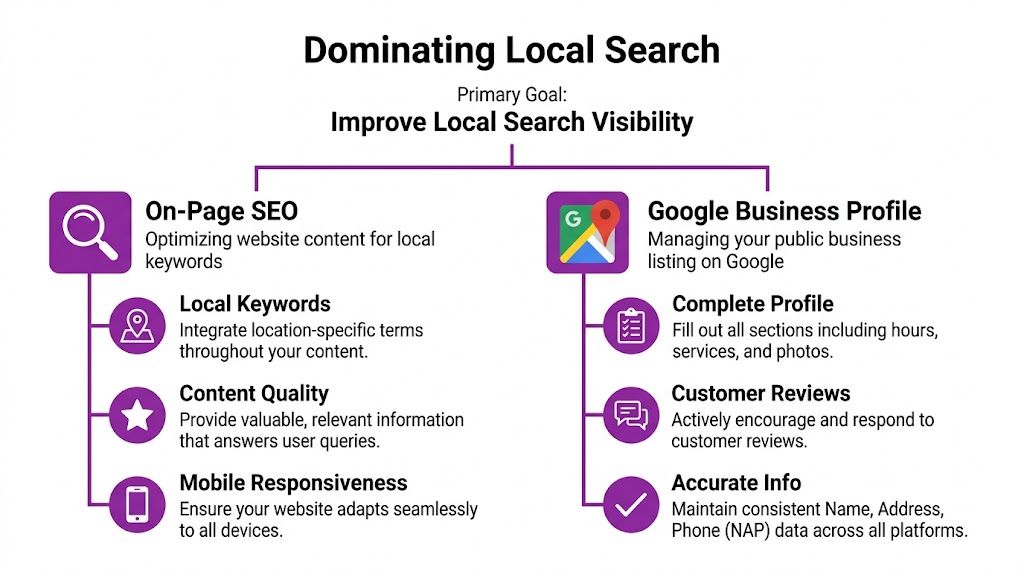
Your website, your Google Business Profile, your reviews, and your location signals all need to point in the same direction. If they do, Google gets a clearer understanding of what you offer and where you offer it. If they don't, rankings become harder to win and even harder to hold.
Write pages for what people actually search
A local service page should target a real search pattern, not a slogan.
That means using wording people type, such as service plus place. An emergency trades business might need town-led phrases. A premium creative business may need service-led phrases with area context. The exact keyword mix changes by sector, but the principle stays the same.
Your key page elements should line up:
- Title tag with service and location
- H1 heading that mirrors the main intent
- Body copy that explains the service clearly
- Internal links to related services and areas
- CTA that matches the page purpose
Keep it readable. Pages written only for search engines tend to underperform with real people, and that usually shows up in poor conversions.
Make your Google Business Profile support the site
Many businesses treat their site and Google Business Profile as separate assets. That's a mistake.
A strong profile should reinforce your website, and your website should reinforce your profile. Use the same business name, address details, phone number, service descriptions, and location references consistently.
That includes:
- Linking the correct landing page from your profile, not always the homepage.
- Embedding map context where appropriate on the website.
- Highlighting reviews from Google on relevant pages.
- Matching service categories and page topics so there is no disconnect.
If you're unsure how well your profile supports your website right now, this Google Business Profile audit tool can help you spot gaps.
The best-performing local sites don't just rank. They confirm every trust signal a searcher saw in Google before the click.
Use schema and review signals properly
Technical local SEO often gets skipped because it isn't visible to the owner. Google still uses those signals.
According to these small business website statistics, websites that embed schema markup for local business using JSON-LD can gain enhanced rich snippets in search results. The same source says that a mobile PageSpeed Insights score over 90, combined with positive reviews, makes 87% of users trust the business more, with ranking gains compounding over 3 to 12 months.
That matters because schema helps search engines interpret the facts on your site more reliably. For a local company, that usually means marking up the business name, address, phone, opening hours, and service type.
A simple local on-page workflow
If you want a clean process, use this order:
| Step | What to do | Why it matters |
|---|---|---|
| Keyword mapping | Assign one main topic to each page | Stops pages competing with each other |
| Metadata | Write unique titles and descriptions | Improves relevance and click appeal |
| Location reinforcement | Mention service areas naturally | Confirms local intent |
| NAP consistency | Match business details everywhere | Builds trust with users and Google |
| Schema markup | Add local business structured data | Helps search engines understand context |
Common mistakes that hold local sites back
The usual problems are fixable:
- One generic service page trying to rank for every town.
- Homepage-only optimisation with thin service content elsewhere.
- Mismatched profile links that send users to weak or irrelevant pages.
- Inconsistent business details across the site and listings.
- No review integration even when the business has strong customer feedback.
Good local SEO doesn't feel separate from design. The page should reassure the visitor while also making the page topic, place, and action obvious to Google.
That overlap is where small businesses web design becomes commercially useful.
Building Authority with Location-Specific Landing Pages
A homepage can't do every job.
If you serve multiple towns, postcode areas, or districts, one broad page usually leaves money on the table. Local search intent is specific. Google knows the difference between someone searching for a service in Cambridge and someone searching for the same service in Ely.
That's why location-specific landing pages matter. They give each area its own relevant doorway into your business.
Why generic service pages often stall
Many businesses create a single service page and list ten or twenty towns in one paragraph. That may feel efficient, but it rarely creates a strong local signal.
A page called "Roof Repairs" is useful. A page called "Roof Repairs in Guildford" is usually better suited to someone searching for that exact need in that exact place.
The gap is still large in the market. A 2025 UK Federation of Small Businesses report referenced here says only 52% of UK SMEs have websites optimised for local search, with service sectors like trades and hospitality at 38%. It adds that this leads to 25% fewer local leads compared to optimised peers.
What makes a strong location page
The page must be unique enough to deserve its place on the site.
That doesn't mean writing a novel for every town. It means including details that prove relevance.
A good location page usually includes:
- The core service and the town name in the title, heading, and opening copy
- Specific service information specific to the type of customer in that area
- Real proof points such as reviews, project examples, or testimonials from nearby clients
- Travel or coverage clarity so the visitor knows you serve them
- A direct CTA that fits the page intent
For service businesses, local FAQs help too. Answer practical questions about availability, response times, types of jobs taken on, or whether site visits are offered in that area.
Think in clusters, not isolated pages
The smarter approach is to build service-location clusters.
Instead of one weak area page and one weak services page, create a structure where the homepage links to service pages, service pages link to area pages, and area pages link back to relevant services. That creates a stronger topical and geographic network.
For example:
| Core service | Supporting local page |
|---|---|
| Wedding photography | Wedding photographer in Cambridge |
| Architectural design | Architect in Saffron Walden |
| Catering | Event caterer in Chelmsford |
| Funeral services | Funeral director in Bury St Edmunds |
This structure helps both users and search engines. People land on a page that matches exactly what they searched. Google sees a cleaner connection between service, geography, and site architecture.
If you want to see how an area-led service approach can be positioned, a page like SEO services Cambridge shows the kind of local commercial targeting that area pages need.
Local landing pages work best when they say something real about the area, the service, and the next step.
Avoid thin copy and cloned pages
The common failure is duplication.
Changing only the town name across a set of pages doesn't create local authority. It creates weak pages that feel interchangeable. Users notice. Search engines usually do too.
Write each page as if it needs to win one local customer on its own merit. If a town matters commercially, it deserves unique messaging, examples, and proof.
That approach takes longer, but it creates pages that can rank, convert, and scale with the business.
Measuring Performance and Continuously Optimising
A small business site can look polished, rank for a few local terms, and still produce disappointing leads.
I see this a lot with UK service businesses. The owner has invested in a redesign, traffic is up, but the phone is not ringing any more often. The problem usually sits between visibility and action. The site gets found, but it does not make the next step clear enough, easy enough, or trustworthy enough for local visitors ready to buy.
That is why performance needs to be measured against enquiries, not opinions.
Track the actions that lead to revenue
Page views have some use, but they do not tell you whether the website is helping the business grow. A local lead generation site should track the points where a visitor signals buying intent.
Focus on actions such as:
- Phone number clicks
- Contact form submissions
- Appointment or booking requests
- Direction requests
- Clicks from key local landing pages
- Enquiries from organic search
Google’s own small business performance guidance supports this approach. Measuring conversions such as calls, form completions, and other lead actions gives a much clearer view of whether your website is doing its job.
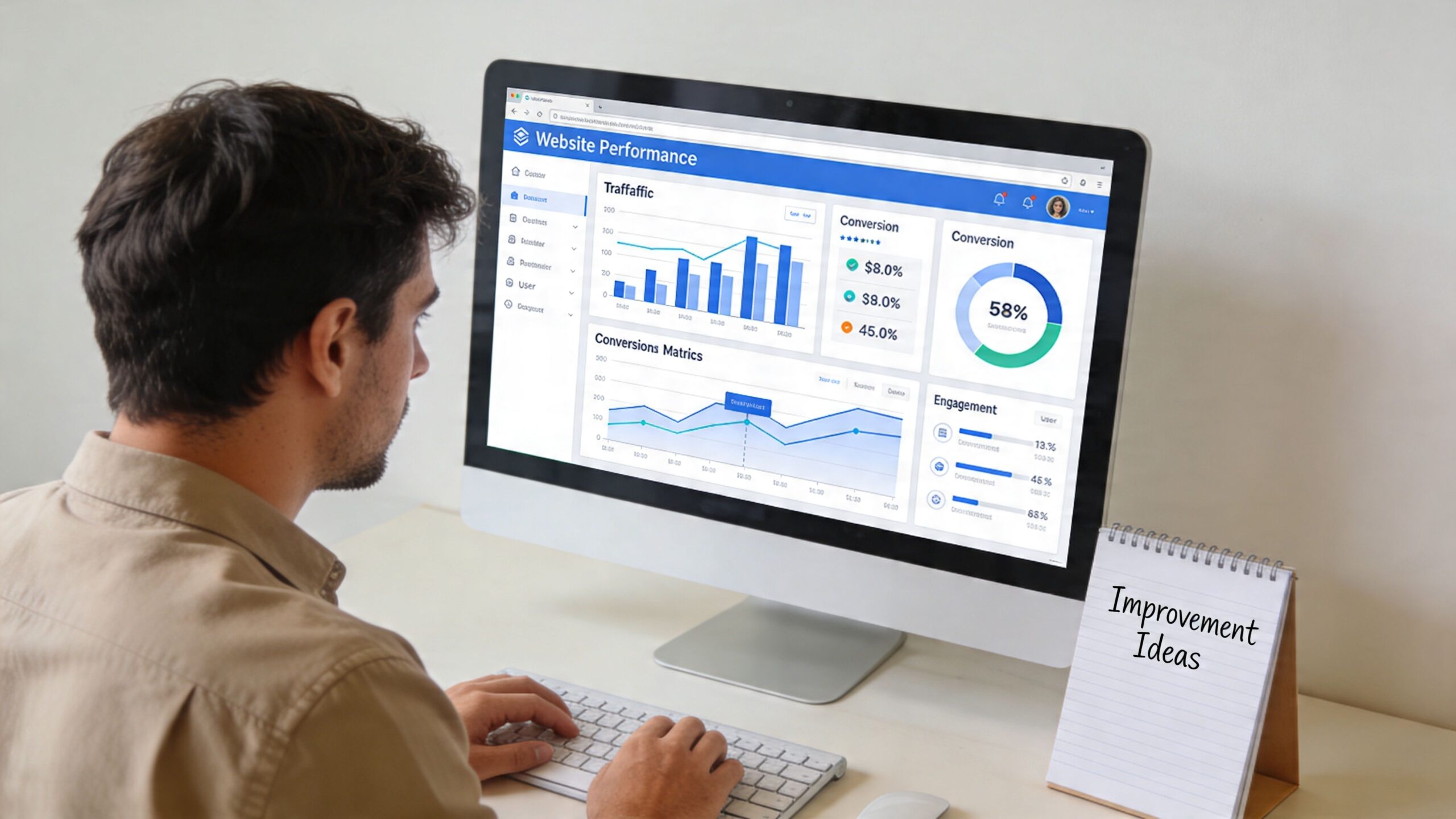
For local SEO, that also means looking at where those actions come from. A visitor landing on your "plumber in York" page and calling within 30 seconds is far more valuable than a general blog visit from outside your service area. Treat local landing page conversions as commercial signals, not just marketing metrics.
Build a reporting routine you will actually use
A simple monthly review beats an overbuilt dashboard that nobody checks.
Use Google Analytics 4 and Google Search Console first. If calls matter to your business, add call tracking. If Google Business Profile is a major lead source, review website clicks, calls, and direction requests there as well. That gives you a more complete view of how your local presence works across search results, maps, and the site itself.
Check a short list regularly:
- Which pages generate enquiries
- Which towns or service areas convert best
- Which calls to action get clicked
- Which pages lose visitors before contact
- Which search queries bring local buying intent
Considering trade-offs is key. Not every page needs the same attention. A low-traffic page can wait. A service page that ranks well for a valuable local term but fails to convert needs work now.
Improve one friction point at a time
The fastest gains usually come from targeted changes, not full redesigns.
If users reach a page but do not enquire, examine the likely friction. The phone number may be buried. The form may ask for too much. The page may mention the service but not the location clearly enough. Trust signals may sit too far below the fold. In some cases, the traffic is wrong because the page ranks for broad terms that do not match what the business sells.
Make one meaningful change, then measure it.
That could mean shortening the form, rewriting the main heading to match local search intent, adding proof near the contact section, or improving the mobile call button. For businesses that want to forecast what better visibility could mean in pounds and leads, this self storage SEO ROI calculator shows the wider principle well. Tie SEO and design changes back to commercial outcomes.
Treat optimisation as part of operations
Good local websites are maintained like sales assets.
Review search queries. Check whether Google Business Profile visits turn into site actions. Watch which area pages assist conversions, even if they are not the final page before contact. Revisit underperforming pages every quarter and ask a simple question: does this page help a nearby customer choose us today?
If a page ranks and still fails to convert, visibility is only part of the job. The page needs to remove doubt, show local relevance, and make contact easy.
The small businesses that get steady returns from web design usually are not the ones chasing the flashiest layout. They are the ones measuring real lead signals, spotting weak points early, and improving the pages that bring in local business.
Common Web Design Questions for Small Businesses
A lot of small business owners hit this point after the first version of the site goes live. The website looks decent, but calls stay flat, quote requests are patchy, and it is hard to tell whether the problem is traffic, trust, or the site itself.
These are the questions that usually come up next.
Should I build the site myself or hire a professional
A DIY builder can work for a very simple business with one service, one location, and modest growth targets.
It becomes limiting once the website needs to rank locally, support multiple services, handle location pages properly, connect cleanly with Google Business Profile, and turn visits into leads. I often see DIY sites that look tidy but have weak page structure, thin service content, poor internal hierarchy, and limited control over technical SEO settings. Fixing those issues later often costs more than getting the build right at the start.
How much should a small business website include at launch
Launch the pages that help people buy.
For most UK small businesses, that means a homepage, individual service pages, an about page, a contact page, and trust-building content such as reviews, accreditations, case studies, or local proof. If you serve more than one town or borough, plan location pages early. They do not all need to go live on day one, but the site structure should allow for them without a rebuild.
How long does it take to see results
Some gains show up quickly.
If the business already gets traffic, stronger calls to action, clearer service pages, and better contact paths can improve lead volume within weeks. Local SEO usually takes longer because Google needs time to crawl, assess, and trust the site, especially in competitive trades and service areas. The right benchmark is not instant rankings. It is whether the site is set up to win more local searches and convert that demand month after month.
Should I prioritise looks or conversions
Prioritise results.
Good design still matters because people judge credibility fast, especially on mobile. But a small business website has a job to do. It should help a local customer confirm you cover their area, understand what you offer, trust the business, and contact you without friction. Google’s own guidance on creating helpful, reliable, people-first content supports the same principle. Pages should serve the visitor first, not chase appearance alone.
What should I ask before approving a redesign
Ask practical questions tied to revenue and visibility:
- Will this layout help local customers contact us faster on mobile
- Does each core service have its own page with clear local intent
- Can visitors see where we work without searching for it
- Does the design leave space for reviews, accreditations, and real proof
- Can we update content, service areas, and offers ourselves
- Are calls, forms, and quote requests being tracked properly
- Will this structure support future location pages and Google Business Profile traffic
If the agency or freelancer cannot answer those clearly, pause the project.
A redesign should give you a site that is easier to rank, easier to manage, and better at turning nearby searchers into enquiries.
If you want a website that does more than look nice, Bare Digital helps UK businesses turn local search visibility into enquiries and sales. Their team focuses on the parts that move the needle: local SEO, Google Business Profile optimisation, location landing pages, technical fixes, and transparent reporting that ties work to outcomes.