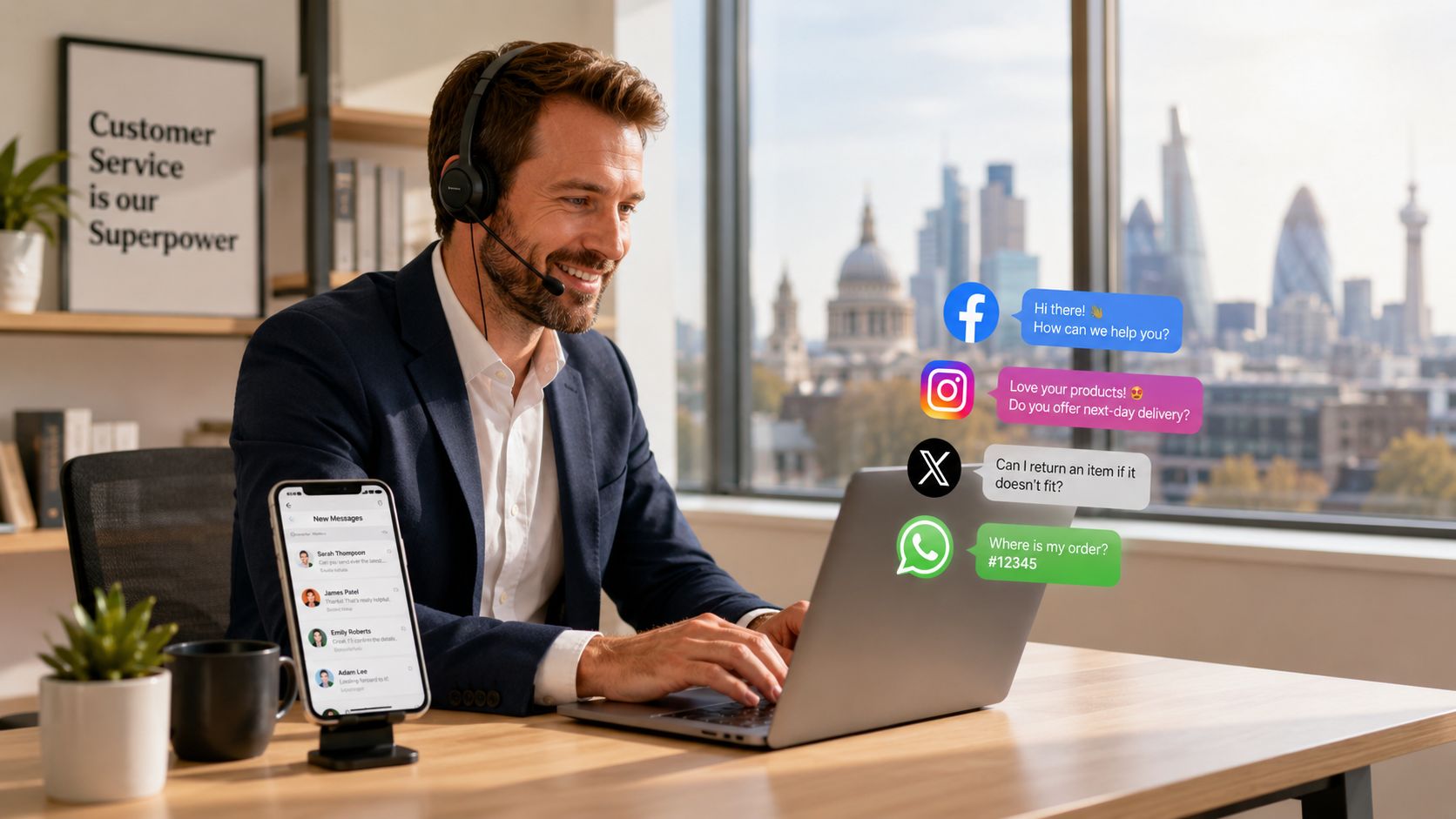

A customer sends an Instagram DM asking if you can fit them in tomorrow. Another leaves a frustrated Facebook comment because nobody answered the phone. A third praises your team in a local community group, but nobody from your business sees it until days later.
Many UK small businesses now experience this reality. Social channels aren't sitting off to the side as a branding extra. They're acting like your reception desk, complaints line, referral engine, and public noticeboard all at once.
If you run a venue, practice, trade business, studio, or multi-location brand, social media customer service affects far more than customer satisfaction. It shapes whether people trust you enough to enquire, whether they leave a review, and whether your local search presence feels active and reliable. That's why this matters for SEO as much as service.
Why Social Customer Service Is No Longer Optional
A lot of owners still treat social as a place to post photos, share offers, and occasionally answer comments. That model is outdated. Customers now use social platforms to ask pre-sales questions, chase updates, complain publicly, and check whether a business is responsive before they ever visit the website.
That shift matters because social media use in the UK is no longer niche. Ofcom's 2024 research, cited in this breakdown of social media customer service trends, shows that 79% of UK online adults used social media weekly. The same research highlights how channel preferences vary by age, including 72% of 25 to 34-year-olds using WhatsApp weekly. For local businesses, that means support expectations are already built into the platforms customers use every day.
A wedding venue is a good example. A couple may browse your Instagram before they ever call. If they ask whether a peak-season date is available and hear nothing back, they won't separate “marketing” from “service”. They'll assume the business is slow, disorganised, or hard to deal with. That same hesitation affects visibility later because unreturned messages often become missed enquiries, weaker review flow, and a thinner reputation footprint around your brand. That's especially relevant in sectors where trust drives local search performance, such as SEO for wedding venues.
What customers actually read from your responsiveness
People don't just read your reply. They read your business.
They notice whether you answer basic questions without friction, whether you stay calm when someone is unhappy, and whether your public replies sound like a human being or a pasted script. Those signals shape conversion in a local context because nearby customers often compare several similar businesses quickly.
Practical rule: Every unanswered social enquiry is both a service failure and a reputation signal.
Why this supports local growth
Handled well, social media customer service does four useful things for a local business:
- Builds trust early: Quick, clear replies reduce uncertainty before a prospect commits.
- Protects public reputation: A visible, measured response to a complaint can stop one unhappy post from defining your brand.
- Surfaces buying intent: Questions about availability, pricing, location, and lead time often arrive in DMs before a formal enquiry.
- Creates review opportunities: A customer who gets a helpful answer on social is often the same person willing to leave a positive Google review later.
The businesses that get value from social aren't always the loudest. They're usually the ones that respond consistently and treat social as an operating channel, not a side task.
Building Your Digital Listening Post
Most businesses miss social service problems for one simple reason. They only watch the notifications they happen to receive.
That isn't enough. Customers often mention your business without tagging you, ask for recommendations in local groups, or describe the problem instead of naming your company directly. If you want social media customer service to help local growth, you need a listening setup that works like a digital front desk.

Start with what you can monitor today
You don't need an enterprise stack to listen properly. For many small businesses, the first pass is simple and effective if it's organised.
Set up monitoring around these four buckets:
- Direct brand mentions: Watch tagged comments, DMs, Story mentions, Facebook comments, Messenger enquiries, and WhatsApp Business messages.
- Untagged business references: Search your business name manually on Facebook, Instagram, and X. Include common misspellings.
- Local service phrases: Track searches such as your service plus town, postcode district, or “near me” style wording. This helps you spot intent even when your brand isn't named.
- Competitor conversations: Review what customers praise or complain about on nearby competitors' pages. It often exposes gaps in your own response process.
Free and low-cost options that work
If budget is tight, start with native platform tools and basic alerts.
| Setup level | What to use | Best for |
|---|---|---|
| Basic | Instagram notifications, Facebook Page inbox, WhatsApp Business alerts | Solo operators and very small teams |
| Practical | Google Alerts, saved searches, shared inbox habits, spreadsheet logging | Businesses with recurring enquiries |
| Scaled | Buffer, Agorapulse, Hootsuite, Sprout Social, Mention | Teams handling volume across multiple channels |
Google Alerts won't catch everything on social, but it can still help with web mentions, branded searches, and some reputation monitoring. Native app notifications are clunky, yet they're far better than silence if someone in the business is assigned to review them.
For businesses trying to connect social activity with local visibility, it helps to pair this with a regular check of your Google Business Profile performance. A Google Business Profile reporting view makes it easier to compare what customers ask on social with what they search on Google.
Listen for patterns, not just problems
Significant value comes when you stop seeing each message as a one-off interruption.
If five people ask whether parking is available, that's not merely a social task. It's a content gap on your website and likely on your Google Business Profile. If people keep asking whether you cover a nearby town, that's a local landing page signal. If complaints cluster around response delays, that points to staffing or process.
A useful companion resource is this guide to maximizing customer advocacy, which frames listening as a way to identify the moments that turn ordinary customers into vocal supporters.
Don't just monitor your name. Monitor the questions, frustrations, and local phrases that sit around your service.
Designing Your Response and Escalation Workflow
Speed matters on social, but speed without structure usually creates worse outcomes. One person replies too casually, another ignores messages they don't understand, and a third promises something operations can't deliver. That's how small issues become visible trust problems.
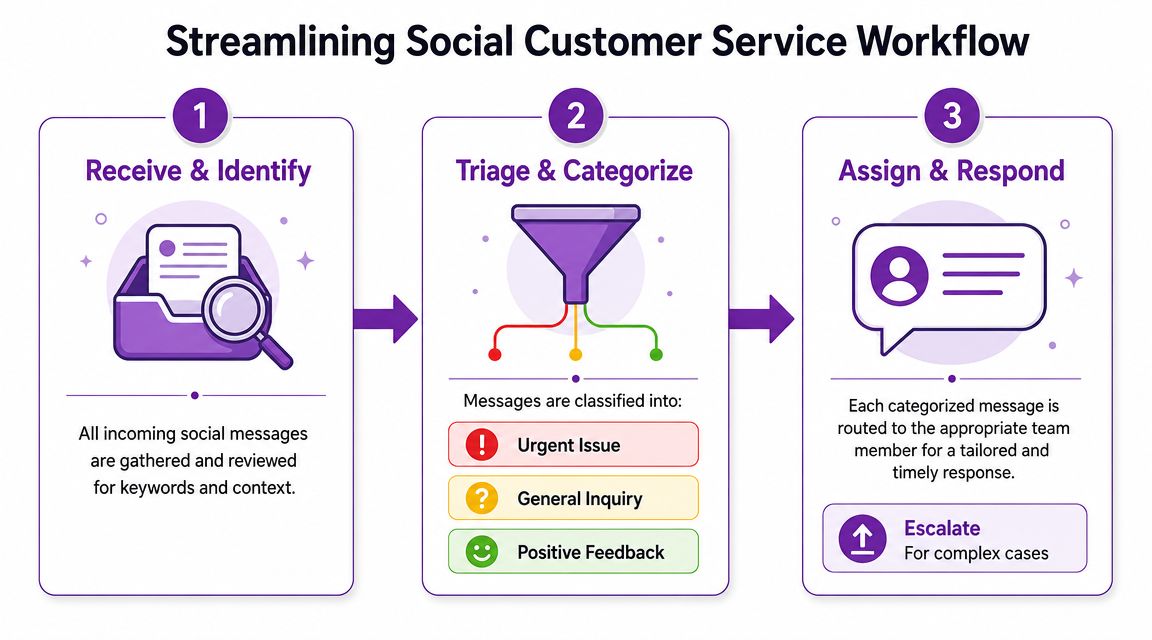
A workable setup is simple. Every incoming message needs three decisions made fast. What is it? Who owns it? Does it need escalation?
Use a three-part handling model
The most defensible service benchmark is a tiered one. McKinsey advises businesses to acknowledge service-related posts within 15 minutes, resolve basic queries within 60 minutes, and set a 24 to 48 hour target for complex complaints. It also recommends centralising messages and tracking first response and resolution separately.
That distinction matters. A quick “we're looking into this” is not the same as solving the issue.
Here's the model that works for most SMEs.
Acknowledge
Every service-related message gets a rapid first touch, confirming the customer has been seen and setting the next expectation.
Examples include:
- “Thanks for flagging this. We're checking it now and will update you shortly.”
- “Sorry you've had this experience. I'm looking into it and will message you directly.”
This stage protects trust in public view. It also buys your team time without leaving the customer ignored.
Triage
After acknowledgement, categorise the message. Keep the categories tight so the team can use them consistently.
| Category | Typical examples | Usual owner |
|---|---|---|
| General enquiry | Opening hours, pricing range, availability, location | Front desk, admin, marketing support |
| Complaint | Delay, booking issue, poor experience, billing concern | Manager or trained service lead |
| Positive feedback | Praise, recommendation, thank you message | Social lead or admin |
The key is not to overcomplicate it. If a message involves money, safety, personal data, or reputational risk, push it up the chain quickly.
Escalate
Escalation is where many businesses fall apart because nobody knows who is allowed to decide what.
Create clear rules around:
- Refunds or goodwill gestures: Who can approve them.
- Sensitive sectors: Who handles healthcare, funeral, or safeguarding-related communication.
- Legal or policy risk: Who reviews accusations, threats, or serious complaints.
- Public visibility risk: Who steps in if a post starts attracting wider local attention.
A social inbox should never depend on one heroic employee who knows everything. It needs rules other people can follow under pressure.
Plan for volume spikes before they happen
One of the biggest gaps in general advice is staffing during spikes. Local businesses often discover this too late. A delayed delivery run, booking error, staff shortage, or local incident can flood the inbox in minutes.
When volume jumps, use a temporary service posture:
- Pin or post an update if many people are asking the same question.
- Assign one person to public replies and one to DMs if possible.
- Use approved holding responses so the first acknowledgement stays fast.
- Pause non-essential posting until service demand drops.
- Log recurring issues so management can fix the root cause, not just answer messages.
This is also where centralisation helps. If Instagram DMs, Facebook comments, and Messenger all sit in separate places, the team loses time switching tabs and duplicating work.
For teams that struggle with negative comments specifically, this guide for creators on responding to comments is useful because it focuses on de-escalation and public tone, not just canned replies.
Keep public and private handling distinct
A good rule is to solve what you can in public, then move personal details into private channels.
A public response shows you're taking ownership. A private follow-up protects customer data and gives you room to resolve the issue properly. Once resolved, a short public close-out can reassure everyone else watching.
What doesn't work is deleting criticism, going silent after the first reply, or dragging a long argument through comments. Those choices rarely protect reputation. They usually confirm the customer's frustration.
Mastering Your Tone and Using Templates Wisely
Two businesses can answer the same question in the same amount of time and get very different outcomes. The difference is often tone.
Social media customer service is public. Even when the issue is small, people judge how you sound. If your replies feel cold, defensive, or copied from a legal handbook, customers assume the actual experience will be similar.
Tone is part of the service
A local business doesn't need to sound quirky or overly casual. It does need to sound clear, calm, and human.
That's especially important in trust-heavy sectors. A dental clinic, home care provider, or funeral director should never reply the way a fashion retailer might. The right tone depends on customer context, not what sounds clever in the moment. Businesses operating in sensitive sectors already know that trust is fragile online, which is why local visibility work in areas like healthcare SEO depends so heavily on credibility signals.
Here's a simple contrast.
Generic reply
“Please send us a direct message with your details and we will investigate accordingly.”
Better reply
“Sorry you've had to chase this. Please send us a direct message with your booking name and we'll look into it today.”
The second version does three things better. It acknowledges the frustration, asks for a specific action, and sounds like a person.
Build a small template library
Templates save time. They also create consistency when multiple people reply across platforms.
Useful template categories include:
- Booking and availability: For date checks, lead times, and appointment requests.
- Location questions: Parking, access, service areas, and directions.
- Pricing and estimate replies: Enough detail to help, without turning comments into long quote threads.
- Complaint acknowledgement: Calm holding replies that show ownership before a fuller investigation.
- Thank-you messages: For praise, recommendations, and tagged customer content.
That said, templates should be starting points, not finished replies.
The best template is half written. It gives your team a safe structure, then leaves room to personalise the response.
Know when not to use one
Sensitive situations need custom writing. If someone is upset about a cancelled appointment, poor care experience, bereavement-related service, or repeated failure to get a response, a rigid script usually makes things worse.
Use a fully personalised reply when:
- emotions are high,
- the customer has already contacted you before,
- the issue involves vulnerability or privacy,
- or the complaint is visible in a local group where others are watching closely.
A useful internal standard is this. Keep templates for speed, but require the responder to edit the opening sentence, the action line, and the sign-off every time. That small change keeps replies from sounding robotic.
Choosing Tools and Integrating with Local SEO
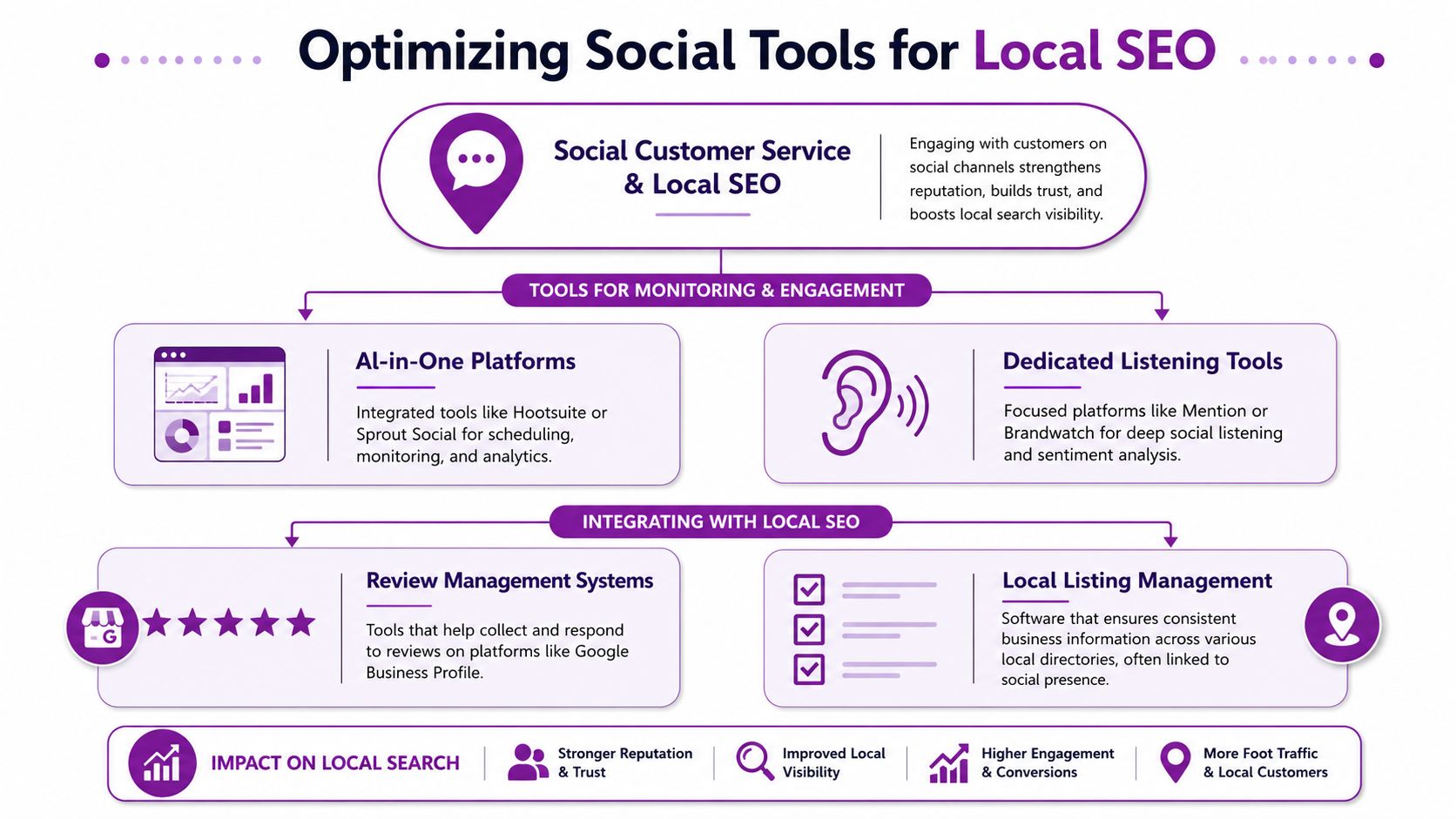
Most discussions about social media customer service stop at inbox management. That's useful, but incomplete. For a local business, the smarter play is to turn good social interactions into assets that strengthen search visibility.
That's where local SEO comes in.
Pick tools based on coordination, not hype
Native inboxes are fine when message volume is low and one person owns the work. They become messy once multiple team members reply, locations share responsibility, or you need a record of what happened.
A simple comparison helps.
| Option | Strength | Weakness |
|---|---|---|
| Native platform inboxes | Free, immediate, easy to start | Fragmented, weak for teamwork, easy to miss context |
| All-in-one social tools such as Buffer, Agorapulse, Hootsuite, Sprout Social | Centralised queues, assignments, saved replies, reporting | Ongoing cost, setup discipline required |
| CRM-linked support setup | Strong history and customer context | More complex, usually better once process is mature |
The right choice depends less on company size and more on operational discipline. A small business with one shared queue and clear ownership often outperforms a larger team using expensive software badly.
Turn praise into review opportunities
A positive Facebook comment or Instagram DM should not be the end of the interaction.
If someone thanks you publicly after a problem is solved, that's often the best moment to ask for a Google review. Keep it polite and low-pressure. A message such as “Glad we could sort that for you. If you have a moment, we'd really appreciate a Google review” feels natural because the service experience is fresh.
This helps local SEO in a practical way. Better review flow supports trust, gives future searchers more reassurance, and keeps your Google Business Profile active with recent customer feedback.
Mine social questions for Google Business Profile improvements
Your social inbox tells you what customers need before they buy. That makes it a strong source for local search optimisation.
Use recurring social questions to improve:
- Google Business Profile Q&A topics: If people repeatedly ask about parking, access, booking lead times, or service areas, answer those themes clearly on your profile content and supporting pages.
- Business description and service wording: Customers often use different language from the terms businesses prefer internally.
- Location landing page content: Repeated queries about nearby towns can point to gaps in local intent coverage.
- Review request timing: A resolved service interaction is often a better prompt than a generic follow-up email.
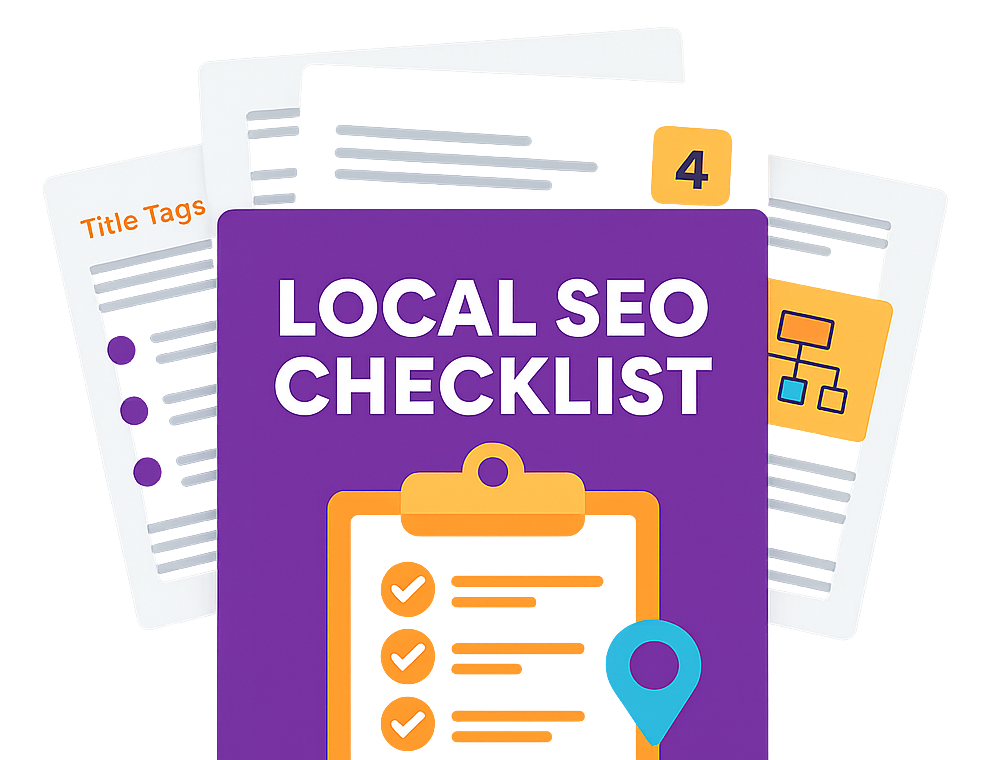
For businesses tightening these local signals, a local SEO checklist helps connect platform activity, profile completeness, review generation, and area targeting into one process.
Use social proof where customers actually search
There's a practical loop here.
A customer asks a question on social. You answer it well. That reply exposes a common concern. You then improve your site, profile content, and review strategy around the same issue. Future customers find the answer earlier, trust the business faster, and need less reassurance.
That's why social media customer service shouldn't sit under “content” or “community management” alone. It belongs close to whoever owns local lead generation.
Measuring What Matters for Local Business Growth
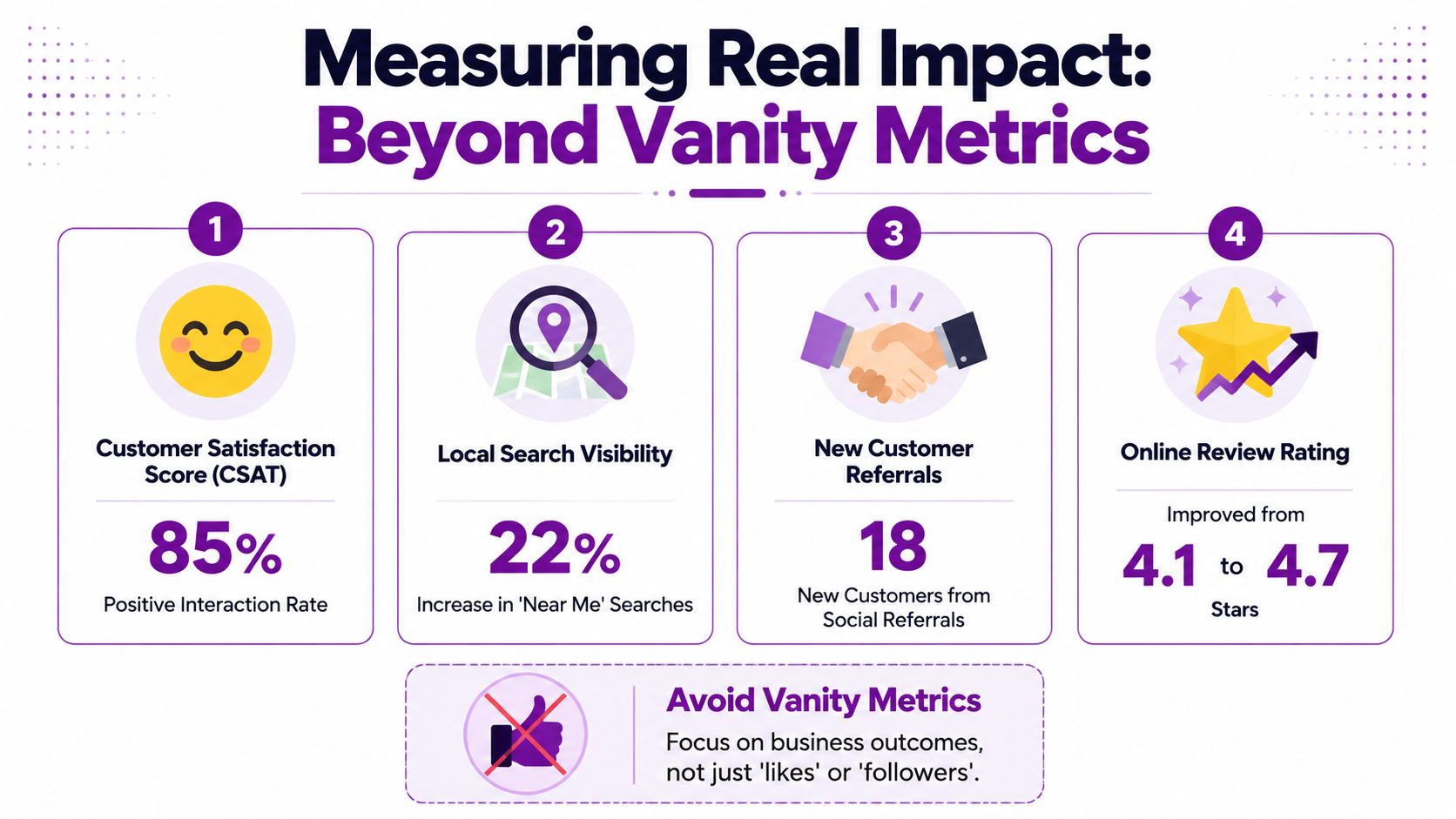
If you only track likes, reach, and follower growth, you'll miss the business value of social media customer service. Those numbers can look healthy while the inbox is slow, complaints drag on, and enquiries leak away.
The better approach is to measure service performance and business outcomes together.
Drop vanity metrics from the centre of your dashboard
Uncommon Insights warns that measuring only vanity metrics is a common failure, and recommends combining response speed, response rate, customer satisfaction, and conversion outcomes on a fixed review cadence. That advice is especially useful for local businesses because social activity rarely drives value through a single click.
Someone might discover you on Instagram, ask a question in Messenger, read your Google reviews later, and convert through branded search a week after that. Last-click thinking won't capture that journey.
A simple scorecard for SMEs
You don't need a complex BI setup. Start with a short monthly dashboard.
| Metric | What it tells you | Why it matters locally |
|---|---|---|
| First response time | How fast you acknowledge enquiries or issues | Shapes trust in public and private channels |
| Resolution time | How long it takes to actually solve the issue | Reveals whether your workflow is effective |
| Response rate | Whether messages and comments are being handled consistently | Prevents missed leads and unanswered complaints |
| Customer satisfaction | Whether the interaction felt helpful to the customer | Supports review generation and repeat business |
| Conversion outcome | Whether social conversations lead to calls, bookings, enquiries, or review requests | Connects service to revenue |
A simple customer satisfaction check can be as basic as a short follow-up asking whether the issue was resolved. The format matters less than consistency.
Review the data on a fixed cadence
Monthly works for most small businesses. Weekly can help if volume is high or if several people share responsibility.
Use the review to answer practical questions:
- Are replies fast but resolutions slow?
- Are complaints concentrated around one service issue?
- Are positive interactions turning into reviews?
- Are certain platforms creating work without producing enquiries?
- Do recurring questions point to weak content on the site or Google Business Profile?
If the same question appears in your inbox every week, that's not just a support issue. It's an SEO and conversion issue too.
When reputation has already taken a hit, social replies alone won't solve it. In those cases, a broader approach to review repair and customer communication helps. This rebuilding customer trust after bad reviews resource is worth reading because it focuses on recovery steps after public feedback has already gone wrong.
To tighten the connection between reputation, profile performance, and local visibility, a regular Google Business Profile audit tool can show where service signals and profile signals aren't lining up.
The businesses that get the most from social don't treat it as a soft channel. They run it like an operational system. They measure whether people were answered, helped, satisfied, and nudged towards the next trust action. Often that means a review, a repeat visit, or an enquiry that starts on Google.
If your business needs help turning social conversations, Google Business Profile activity, and local search intent into more enquiries, Bare Digital can help you build a clearer local SEO strategy around the channels customers already use.