
You've probably seen this play out already. Your business has a decent website, your services are clear, your photos are solid, and customers like working with you. Yet when someone searches for your service in your town, Google seems to favour competitors that look less established than you are.
That gap often comes down to clarity. Search engines can read your page, but they don't always interpret it the way a human does. If your address, hours, service type, and location details aren't structured properly, Google has to infer too much. That's where schema markup for local business becomes useful. It gives your site a machine-readable layer that spells out exactly what the business is, where it operates, and which page represents which location.
For UK businesses, that matters even more when you have multiple branches, town-specific pages, seasonal hours, or service areas that don't match a traditional shopfront model. The difference between a homepage, a branch page, and a service-area landing page isn't just a content issue. It's a structured data issue too.
Why Your Business Is Invisible in Local Search
A common example is the wedding venue with a beautiful site that doesn't surface well for location-led searches, or the trusted plumber covering several nearby postcodes whose pages barely register outside branded searches. The website isn't the obvious problem. The issue is that Google may not be getting a clean, structured version of the business details that matter locally.
Local visibility depends on consistency across several signals. Your page content matters. Your Google Business Profile matters. Your location pages matter. But if the site itself doesn't clearly identify a branch, a service area, or a venue as a local entity, Google has to fill in the blanks.
That's why structured data often becomes the missing piece. It doesn't replace strong local SEO, but it helps search engines process what your business is in a far more direct way.
If you're tightening the broader location strategy around town pages, branch pages, and “near me” intent, this guide to geographic optimization for local SEO is a useful companion read. For a wider audit of the basics that support local rankings, a practical local SEO checklist helps uncover the usual gaps.
What this looks like in practice
A local business owner usually assumes Google can piece things together from a header, footer, and contact page. Sometimes it can. Often it can't do it reliably.
Here's where problems usually show up:
- Generic pages: The page talks about services, but doesn't clearly describe a real-world location.
- Mixed signals: One phone number appears in the footer, another in the schema, and different hours sit in a profile or directory.
- Wrong page intent: A homepage gets marked up like a branch page when it's really a brand page.
- Thin location context: Town pages target local terms but don't identify an actual place-based entity.
The businesses that win local search most consistently usually make their location data boringly clear.
Schema isn't magic. It's precision. And for many UK businesses, that precision is what stops a well-built site from staying effectively invisible in the searches that should already be sending enquiries.
What Local Business Schema Actually Does
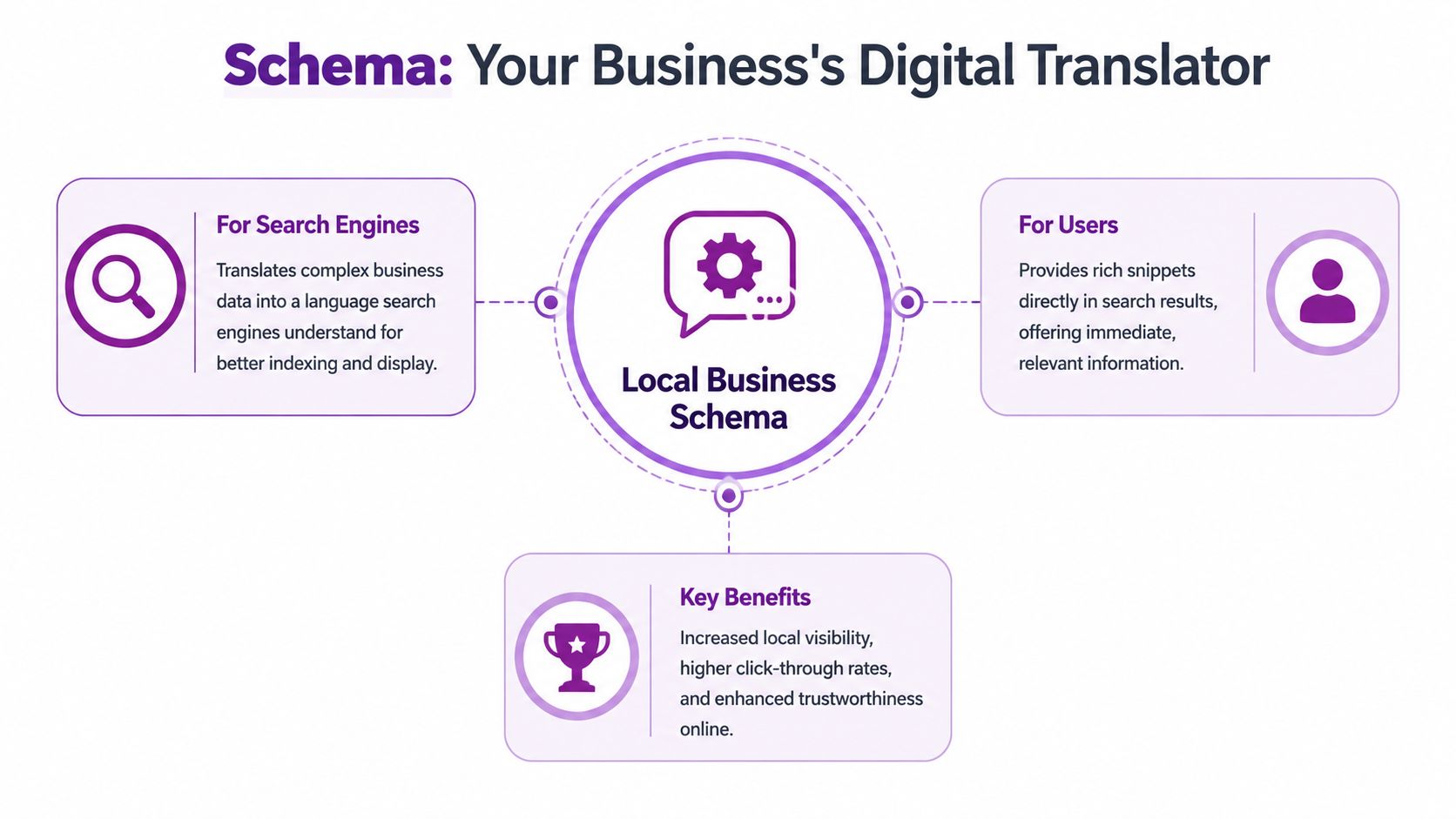
Schema markup for local business is best understood as a translator. Your page already contains information a customer can read, such as your address, phone number, opening hours, and service details. Schema turns that human-readable content into structured data that search engines can interpret with less guesswork.
It describes a place, not just a brand
This is the point many business owners miss. Schema.org defines LocalBusiness as the broad class for physical businesses such as a restaurant branch, bank branch, medical practice, club, or bowling alley, which makes local business schema about place-based entities rather than generic brands. Google's documentation reinforces that by recommending the most specific subtype and allowing multiple types as an array. In practice, that means a UK wedding venue, funeral home, or home-care provider can give search engines much clearer context than a generic organisation page, which helps how location, service category, and operating details are interpreted in local search, as outlined in Schema.org's LocalBusiness definition.
A local caterer and a food blog may both talk about menus, events, and bookings. Schema helps search engines distinguish one from the other.
If you want a quick plain-English refresher on terminology, Keyword Kick's schema glossary is a handy reference without being overly technical. If you're also trying to compare on-site structured data against your local profile signals, a GBP reporting workflow can help spot mismatches.
What schema does well, and what it doesn't
Schema helps with interpretation. It doesn't override poor local SEO, and it doesn't guarantee a rich result. But it does improve the quality of the data your site gives to search engines.
Consider this:
| What schema helps with | What schema doesn't do |
|---|---|
| Clarifies business type | Replace a weak Google Business Profile |
| Specifies address and hours | Guarantee rankings |
| Connects a branch page to a parent brand | Fix thin or duplicate location pages |
| Supports clearer local entity understanding | Compensate for inaccurate business details |
Practical rule: If the detail isn't visible and true on the page, it shouldn't appear in your schema.
That one rule prevents most schema problems. When the markup reflects the page accurately, it strengthens your local SEO setup instead of creating another layer of confusion.
Key Schema Properties That Boost Local SEO
The most useful local schema isn't the longest script. It's the one that matches the page precisely and includes the fields that remove ambiguity.
Start with the fields that prove the location
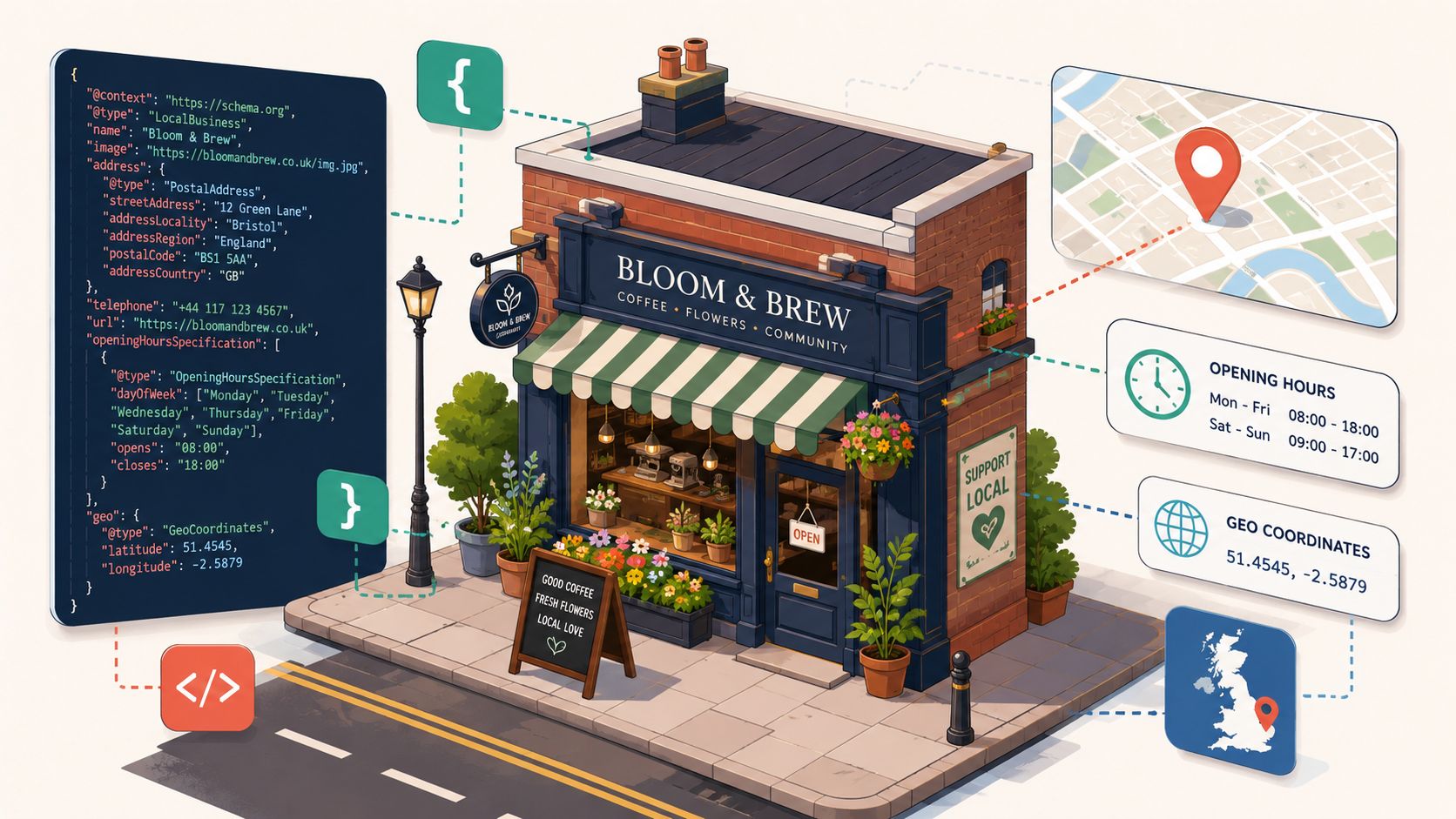
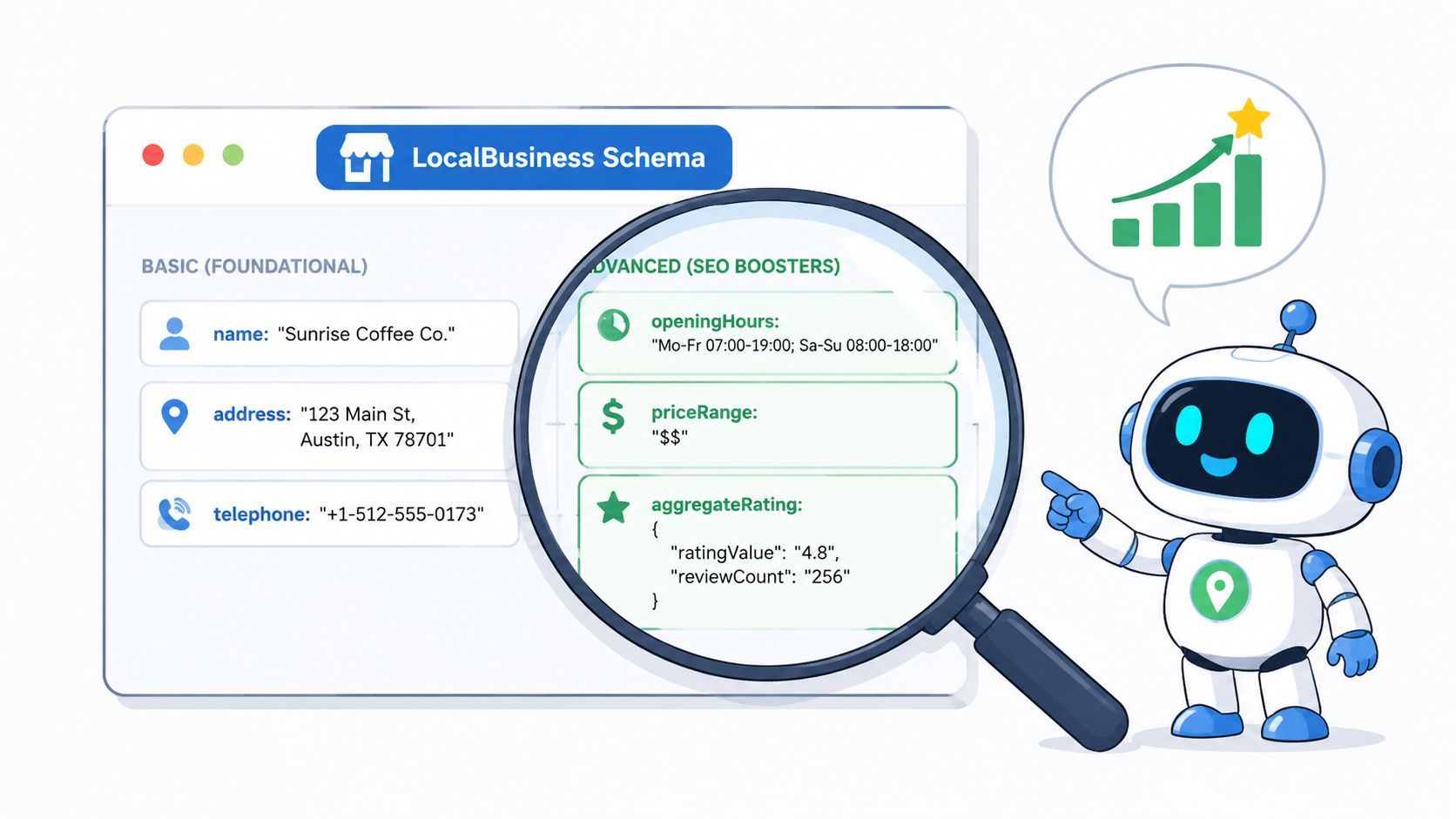
Google's local business documentation says a local business should be marked up as a LocalBusiness type and that the most specific subtype should be used where possible. It also notes that this markup can help pages appear in a unique Google Search result. For UK businesses, that makes schema especially relevant for multi-branch organisations in sectors such as healthcare, hospitality, and financial services, because each location can be represented with its own address, phone number, hours, and seasonal closure dates. Google also explicitly includes fields such as openingHoursSpecification.validThrough, which is useful for UK businesses with defined holiday shutdowns or seasonal trading changes, as shown in Google's local business structured data documentation.
The essential fields are usually straightforward:
namefor the trading name shown on the pageaddressfor the actual branch or premises addresstelephonefor the customer-facing contact numberurlfor the canonical page representing that business entity
Those are the basics. The stronger implementations go further.
The properties that add useful context
A good local markup setup often includes the following:
openingHoursSpecificationfor detailed opening times, including day-level differencesgeowhen you want to reinforce map precision for a fixed locationsameAsfor official profile URLs that confirm the entity identity- Specific subtype selection such as a more precise business category instead of defaulting to broad
LocalBusiness
For UK businesses with holiday closures or reduced winter trading, openingHoursSpecification is often underused. If you run a venue, clinic, or branch with seasonal availability, schema transitions from theoretical to operational.
A short explainer helps if you want to see the broader mechanics in action:
UK formatting matters more than people think
Address structure is one of the first places local schema goes wrong. For UK businesses, the markup should mirror the same address conventions used on the page and in local citations. That means using a complete address with addressLocality, addressRegion, postalCode, and addressCountry, along with UK-relevant identifiers where available such as vatID, taxID, duns, or leiCode. Schema.org supports these fields, and structured data guidance emphasises accurate, visible information such as name, address, URL, logo, telephone, and opening hours. In practice, the operational issue is simple: when the markup matches the visible content and listings, the page is easier to validate and less likely to break through inconsistency, as discussed in Yoast's local business listings guidance.
If your branch page says one thing and your schema says another, Google has no reason to trust the markup.
That's why the best property selection isn't about adding everything. It's about adding the right fields with exact alignment to the page.
Practical JSON-LD Templates for UK Businesses
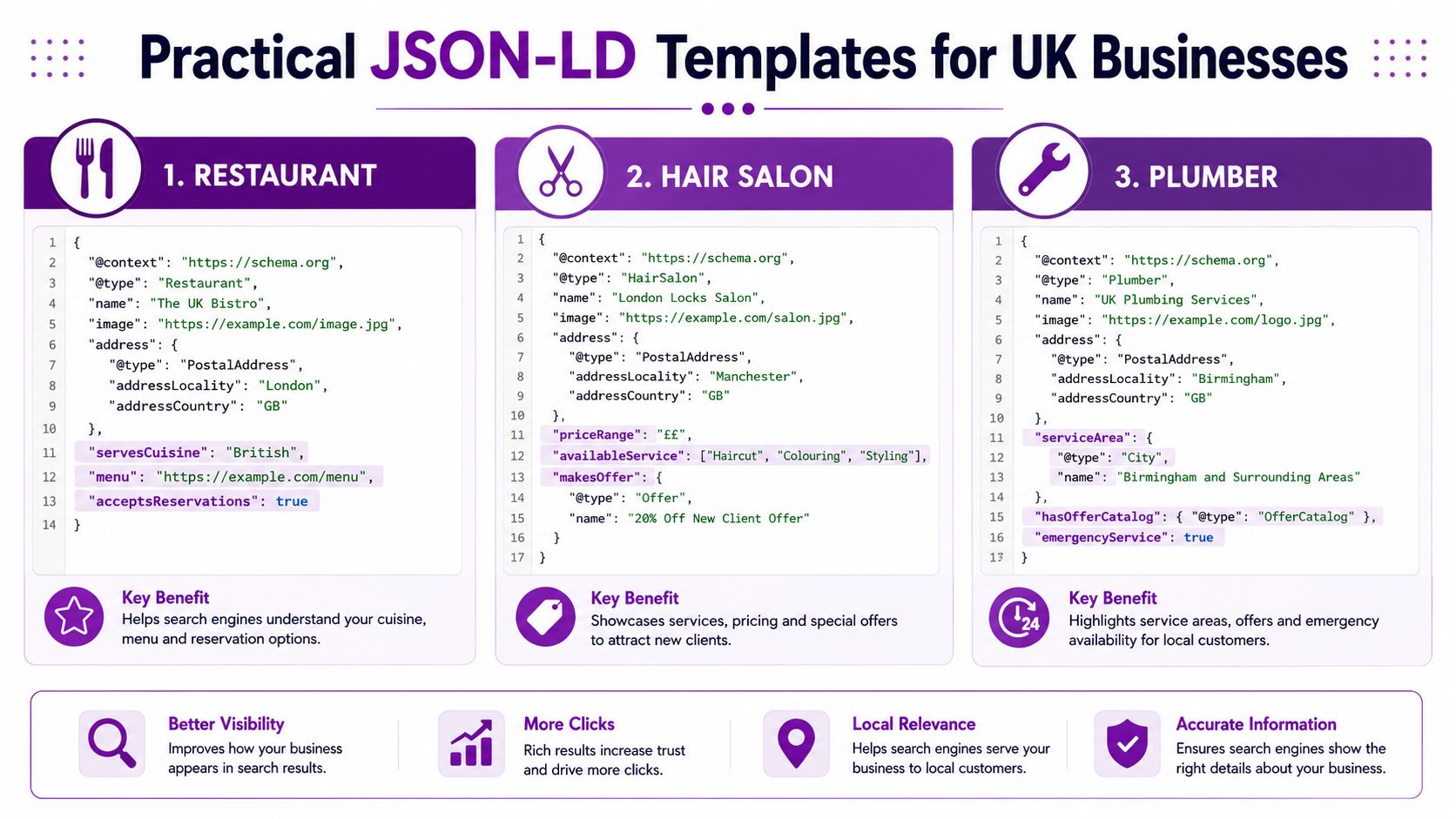
JSON-LD is the cleanest format for most websites because it's easy to place in the page head or via a tag manager, and it keeps the structured data separate from the visible HTML. The examples below are practical starting points. Replace the placeholder details with the information that already appears on the page.
If you're working on a venue site, this SEO guide for wedding venues pairs well with the venue template below because venue businesses often need both local and event-layer markup.
Single-location business
This works for a business with one public-facing premises, such as an architect in Bristol or a salon in Leeds.
{
  "@context": "https://schema.org",
  "@type": "ProfessionalService",
  "@id": "https://www.example.co.uk/#business",
  "name": "Example Architecture Studio",
  "url": "https://www.example.co.uk/",
  "telephone": "+44 117 000 0000",
  "address": {
    "@type": "PostalAddress",
    "streetAddress": "10 Example Street",
    "addressLocality": "Bristol",
    "addressRegion": "England",
    "postalCode": "BS1 1AA",
    "addressCountry": "GB"
  },
  "openingHoursSpecification": [
    {
      "@type": "OpeningHoursSpecification",
      "dayOfWeek": ["Monday", "Tuesday", "Wednesday", "Thursday", "Friday"],
      "opens": "09:00",
      "closes": "17:30"
    }
  ],
  "sameAs": [
    "https://www.instagram.com/example",
    "https://www.facebook.com/example"
  ]
}
What to edit:
@typeshould be the most specific fit available.@idshould stay unique and stable.sameAsshould only include official profiles that represent the business.
Multi-location brand
Implementations often become messy. Each location page should describe that location, not the whole company.
{
  "@context": "https://schema.org",
  "@type": "MedicalClinic",
  "@id": "https://www.example.co.uk/manchester/#location",
  "name": "Example Care Clinic Manchester",
  "url": "https://www.example.co.uk/manchester/",
  "telephone": "+44 161 000 0000",
  "address": {
    "@type": "PostalAddress",
    "streetAddress": "25 Example Road",
    "addressLocality": "Manchester",
    "addressRegion": "England",
    "postalCode": "M1 1AA",
    "addressCountry": "GB"
  },
  "parentOrganization": {
    "@type": "Organization",
    "@id": "https://www.example.co.uk/#organisation",
    "name": "Example Care Group",
    "url": "https://www.example.co.uk/"
  }
}
Keep each branch page separate. Don't recycle the same @id across locations. Don't point every branch to the homepage URL.
One branch page should describe one branch. That sounds obvious, but it's where many multi-location sites go wrong.
Service-area business
For a plumber, electrician, or locksmith who visits customers but doesn't receive them at a public office, be careful. If the page doesn't represent a walk-in location, a broad Organization or suitable subtype may be safer than pretending there's a public branch.
{
  "@context": "https://schema.org",
  "@type": "Plumber",
  "@id": "https://www.example.co.uk/#business",
  "name": "Example Plumbing Services",
  "url": "https://www.example.co.uk/",
  "telephone": "+44 121 000 0000",
  "areaServed": [
    {
      "@type": "City",
      "name": "Birmingham"
    },
    {
      "@type": "City",
      "name": "Solihull"
    },
    {
      "@type": "AdministrativeArea",
      "name": "West Midlands"
    }
  ]
}
Use this only if the page content clearly states the service area. Don't mix a hidden address into the markup if customers can't visit it.
Venue with event markup
A venue page can carry local business schema and also reference a specific event on the same site, such as an open day or wedding fair.
{
  "@context": "https://schema.org",
  "@graph": [
    {
      "@type": "WeddingVenue",
      "@id": "https://www.examplevenue.co.uk/#venue",
      "name": "Example Hall",
      "url": "https://www.examplevenue.co.uk/",
      "telephone": "+44 1904 000000",
      "address": {
        "@type": "PostalAddress",
        "streetAddress": "1 Country Lane",
        "addressLocality": "York",
        "addressRegion": "England",
        "postalCode": "YO1 1AA",
        "addressCountry": "GB"
      }
    },
    {
      "@type": "Event",
      "@id": "https://www.examplevenue.co.uk/open-day/#event",
      "name": "Wedding Open Day at Example Hall",
      "url": "https://www.examplevenue.co.uk/open-day/",
      "location": {
        "@id": "https://www.examplevenue.co.uk/#venue"
      }
    }
  ]
}
This approach works well when the event has its own page and the venue entity is clearly referenced as the location. It keeps the relationship between business and event explicit instead of vague.
Deploying and Testing Your Schema Markup
Once the code is ready, the next job is simple in theory and often untidy in practice. You need to place the markup on the correct page, make sure it isn't duplicated by a plugin, and validate what Google can read.
Three common deployment methods
The right method depends on your website stack and how much control you need.
- WordPress plugin route: Tools such as Yoast or Rank Math can handle the basics well, especially for single-location sites. The trade-off is less control over page-specific edge cases.
- Manual placement: Adding JSON-LD directly into the page head gives the cleanest control. This is often the best option when different page types need different entity logic.
- Google Tag Manager: Useful when development access is limited, but it needs careful testing so you don't end up injecting the wrong schema on the wrong template.
A practical testing workflow
Before you publish, format the JSON properly so commas, brackets, and quotation marks are clean. If you need a quick syntax check before using Google's tools, this online JSON formatter and validator is useful for spotting broken structure.
Then test in two stages:
- Schema Markup Validator checks whether the structured data is valid schema syntax.
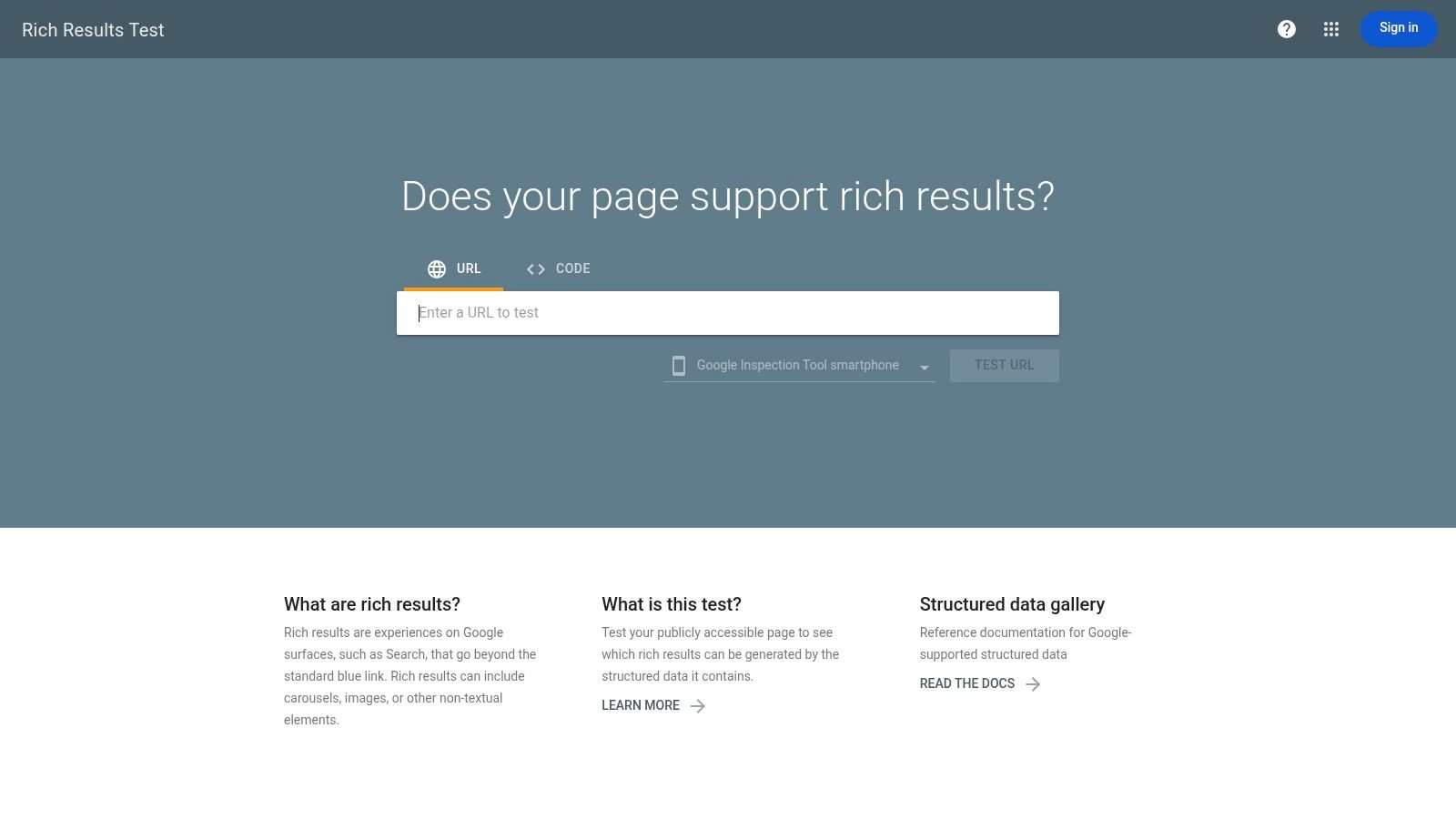
- Google Rich Results Test shows how Google interprets supported markup and whether there are issues affecting eligibility.
If you're reviewing local profile performance alongside on-site signals, a Google Business Profile audit tool is helpful for catching inconsistencies outside the page code itself.
What to check after validation
A result with no major errors is only the start. Also check these points:
- Page match: The entity in the schema should match the actual purpose of the page.
- Visible data: Hours, phone, and address should appear clearly on-page.
- No duplication: Avoid multiple plugins or scripts outputting competing business entities.
- Canonical alignment: The schema URL should align with the preferred page URL.
Clean validation means the code is readable. It doesn't automatically mean the implementation is strategically right.
That second layer matters. Many businesses validate perfectly while still marking up the wrong entity on the wrong page.
Common Pitfalls and Google Guidelines
The most common schema mistake isn't bad code. It's bad logic.
A business installs one sitewide LocalBusiness template and pushes it across every page, including blog posts, service pages, town pages, and generic brand pages. That creates ambiguity instead of clarity.
Don't force LocalBusiness onto every page
A poorly answered issue in local SEO is whether LocalBusiness schema should be treated as a sitewide template or a page-specific entity for multi-location brands. Guidance often says to add local business markup for each location and link it to a parent organisation, but it rarely explains what to do when only some pages have a physical address, or how to avoid duplicate or ambiguous entity IDs across location pages. The stronger takeaway is that more schema isn't automatically better. The best implementation is the one that most clearly matches visible on-page facts and business structure, especially when a homepage is really a headquarters page versus a generic brand page, as discussed in Schema App's LocalBusiness implementation guide.
That means a homepage may need Organization markup if it represents the brand generally, while a branch page may need a specific LocalBusiness subtype.
The homepage versus location page decision
Use this as a simple decision framework:
| Page type | Usually the better fit |
|---|---|
| Brand homepage with no customer-facing address | Organization |
| Headquarters page with a real public location | Specific LocalBusiness subtype |
| Individual branch page | Specific LocalBusiness subtype for that branch |
| Service page for a town with no physical office | Usually not a fake local branch entity |
Other mistakes that break trust
These are the issues I see most often in audits:
- Mismatched NAP details: The schema says one thing, the visible page says another.
- Duplicate
@idvalues: Multiple location pages claim to be the same entity. - Hidden details: Markup includes hours, addresses, or contacts that users can't find on the page.
- Overly generic typing: A venue, clinic, or trades business defaults to
Organizationor plainLocalBusinesswhen a more precise type fits.
Google can tolerate a simple implementation. It's much less forgiving of a misleading one.
If you're unsure, simplify. Use fewer fields, match the page exactly, and keep each entity tied to a page that accurately represents it.
Measuring Impact and Best Practices for 2026
The cleanest place to monitor impact is still Google Search Console. Watch the Performance report for the pages where you added or corrected schema. Look for changes in impressions, clicks, and the search queries tied to those local pages. You're not trying to prove schema worked in isolation. You're checking whether better entity clarity is supporting stronger local visibility.
For businesses tracking lead value rather than just clicks, pairing local SEO performance with a commercial model gives better context. If you need that business-case view, a self-storage ROI calculator for SEO shows the kind of thinking that matters when measuring search work against actual return.
Best practices to carry forward
- Choose the most specific type: Generic markup is easier to write, but precise typing gives search engines better context.
- Match the page exactly: Visible content and structured data should line up without exceptions.
- Keep entity IDs distinct: Especially on multi-location websites.
- Review seasonal details: Holiday closures and changed trading periods need updating.
- Audit regularly: Schema isn't a set-and-forget task if your locations, hours, or page structure change.
The practical standard for 2026 is simple. Clear entity definition beats excessive markup. If your website tells Google exactly which page represents which business location, you're giving your local SEO a much stronger foundation.
If you want help auditing or implementing schema markup for local business properly, Bare Digital can review your site structure, location pages, and Google Business Profile alignment, then turn that into a local SEO setup that's accurate, maintainable, and built to generate enquiries.