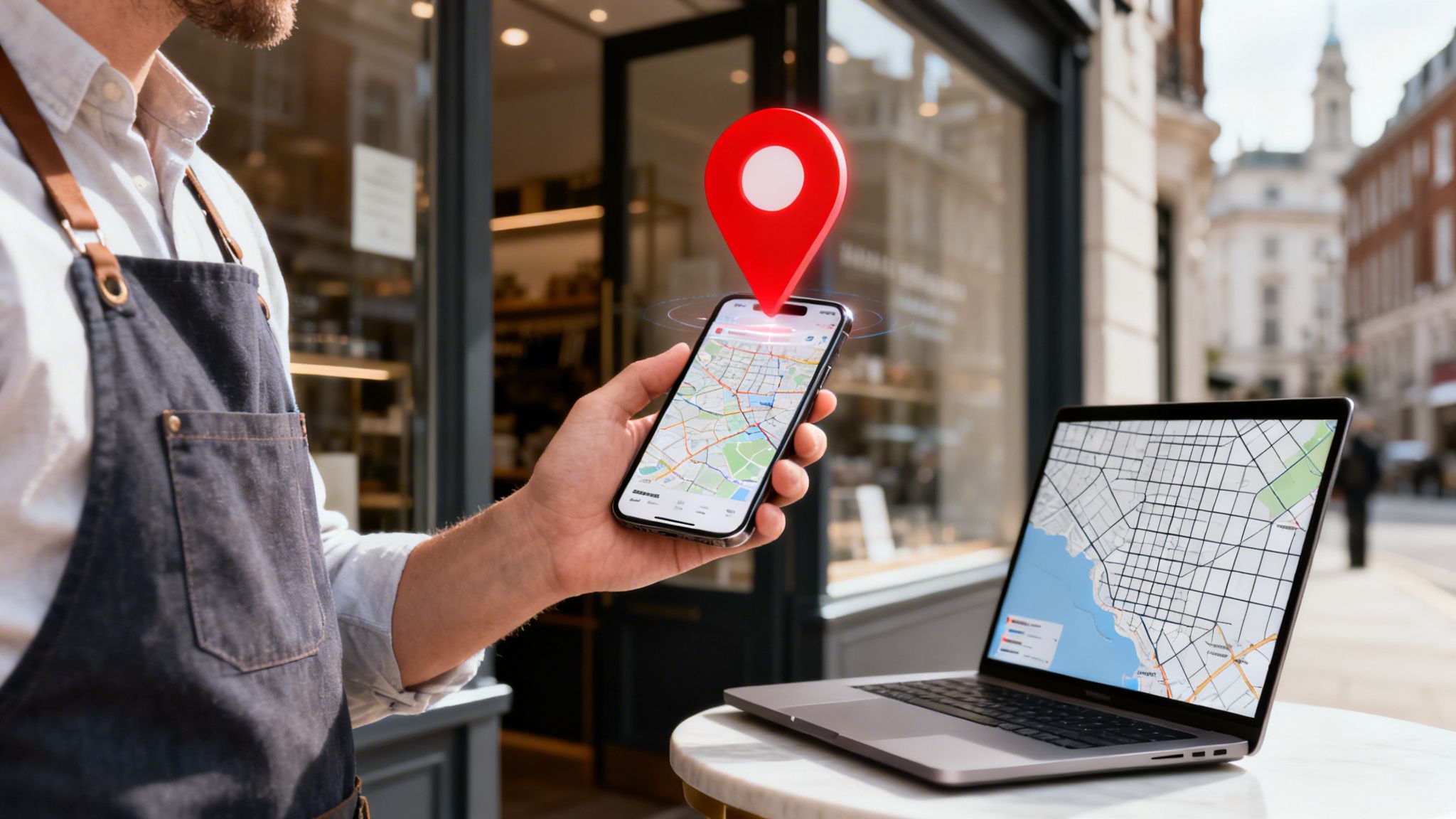

Right, let's get your business on the map. The quickest way to show up in Google Maps is by creating and verifying a Google Business Profile (GBP). This is a completely free tool from Google that takes your business details and transforms them into a public listing that appears in both Google Search and on the map itself.
Your First Steps to Winning Local Search
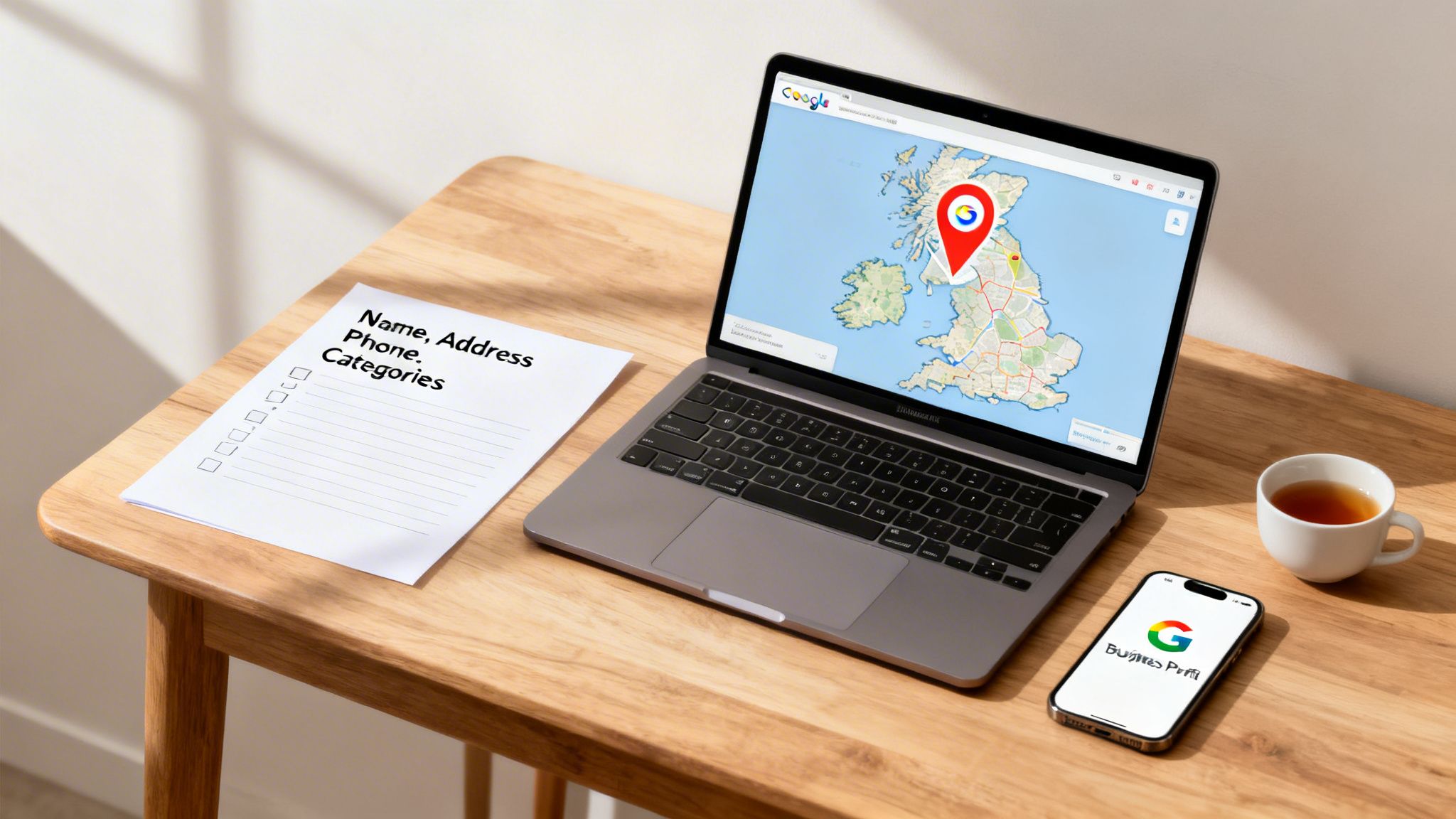
Getting your business onto Google Maps isn't just another box to tick on your marketing to-do list; it's the absolute foundation of modern local search. It's how a couple hunting for a wedding venue in Manchester finds your listing, or how a homeowner in London discovers your plumbing firm when a pipe bursts.
Think of the potential customers you’re missing out on right now if you don't appear where they are actively looking. For any business across the UK, being visible on Google Maps is no longer a nice-to-have. It's essential.
Why Google Maps Is a Non-Negotiable Tool
The shift to online discovery is undeniable. The data shows that a huge 87% of UK consumers now use Google to find local businesses. Your customers are online, right now, searching for exactly what you offer. You can see more on this trend in the full survey results on Blogging Wizard.
This journey from local invisibility to prominence starts with one thing: your Google Business Profile (GBP). Think of it as the control panel for your business on Google. It's the central hub that feeds all your information directly into Google Maps and, crucially, into the "Local Pack"—that box of three map listings at the top of the search results.
Key Takeaway: Your Google Business Profile isn't just a listing. It's the engine that powers your visibility on Google Maps and your ability to get in front of high-intent local customers.
Before you jump in, it's smart to get all your key information ready to go. A little prep work here makes the entire setup process much smoother and faster.
GBP Setup Checklist: Your Essential Information
This quick table outlines the core details you'll need on hand to create your profile without any hitches.
| Information Type | Example | Why It's Critical |
|---|---|---|
| Business Name | "Smith & Jones Plumbing Ltd" | Must match your real-world, official business name to avoid verification issues. |
| Address | "123 High Street, Bristol, BS1 1AA" | A verifiable address or defined service area is needed for Google to trust your location. |
| Phone Number | "0117 496 0123" | A direct, local number is a huge trust signal for both customers and Google. |
| Business Category | "Plumber" or "Wedding Venue" | This tells Google exactly what you do, helping you appear in relevant searches. |
Having these details prepared ensures a quick and accurate setup, laying the solid foundation your business needs. To help you cover all the bases, our comprehensive local SEO checklist breaks down every element needed for success.
Alright, you've got your business basics sorted. Now for the most important part of getting your business on Google Maps: creating or claiming your Google Business Profile (GBP). This is where you either build a brand-new listing or take control of one that Google might have already created for you.
First things first, you'll need a Google account. It's always best to use one dedicated to your business, rather than your personal Gmail. Once you're signed in, head over to Google’s business profile manager and search for your exact business name.
You might find a profile already exists at your address. This is pretty common; Google often auto-generates "unclaimed" listings from public data. If you see one, your job is to claim it. If nothing shows up, you'll be creating a fresh profile from scratch.
Choosing Your Business Name and Categories
This is where so many businesses stumble right out of the gate. Your business name on Google must be your real-world business name. Simple as that. If your company is "Bloom & Petal Floristry," that’s exactly what you should put.
Don't be tempted to add extra keywords, like "Bloom & Petal Floristry – Best Wedding Flowers Bristol." This tactic, known as keyword stuffing, is a fast track to getting penalised or even having your profile suspended. Google is more than smart enough to figure out what you do from your categories, not a doctored business name.
Next, you'll pick your primary business category. This is arguably the single most critical setting in your entire profile.
Expert Insight: Your primary category tells Google the main service you provide. Choosing "Plumber" instead of "General Contractor" or "Massage Therapist" instead of "Day Spa" makes a world of difference. Getting this right is fundamental to ranking for the searches that actually bring you customers.
You can, and absolutely should, add several secondary categories. Think about every related service you offer. A wedding venue, for example, could add "Corporate Events Venue" and "Conference Centre" to show up for a wider range of searches.
Handling Address and Service Area Businesses
Google will then ask about your location. This is where you tell it how you serve your customers, and it's a crucial distinction.
- Physical Location: If you have a bricks-and-mortar shop, office, or showroom that customers visit (like a café, a retail store, or a solicitor’s office), you'll enter your full address. This makes your address public and puts a pin on Google Maps.
- Service-Area Business: If you go out to your customers and don't have a public-facing storefront (think mobile dog groomers, plumbers, or online-only consultants), you'll select that you serve customers at their location. You then define your service area by listing postcodes, towns, or a radius. Crucially, your home address will not be displayed publicly.
Many businesses are a hybrid. A pizzeria with both dine-in and delivery is a perfect example. In that scenario, you would list your physical address and define a delivery service area. Getting this correct ensures you appear for the right kind of local searches. It’s a foundational step that many overlook, but it’s key for building local authority and can be supported by expert SEO services in Cambridge to maximise your reach.
Ensuring Your NAP Consistency
Finally, you’ll be prompted to add your phone number and website. The information you enter here—your Name, Address, and Phone number (NAP)—needs to be perfectly consistent everywhere it appears online.
This means the details on your GBP must be an exact match for what's on your website's footer, your contact page, and other directories like Yelp or your local chamber of commerce. Even a tiny difference, like using "Ltd" in one place and "Limited" in another, can confuse Google and weaken your local authority.
Think of it like this: every time Google finds your identical NAP across the web, it's another vote of confidence that your business is legitimate and located where you say it is. This consistency is a simple but powerful trust signal that helps solidify your position on Google Maps.
You’ve put in the work and filled out your profile details. Now comes the final checkpoint separating you from a live listing on Google Maps: verification.
This isn’t a hurdle to dread. It’s simply Google’s way of making sure your business is real, legitimate, and actually located where you say it is. It’s a crucial step for maintaining trust in the Maps ecosystem.
One thing to get your head around from the start: you don’t get to pick your favourite verification method. Google decides which options you’re eligible for based on things like your business category, how old your account is, and your location. You just have to work with the choices they give you.
This flowchart maps out the journey, whether you're creating a profile from scratch or taking control of one that already exists.
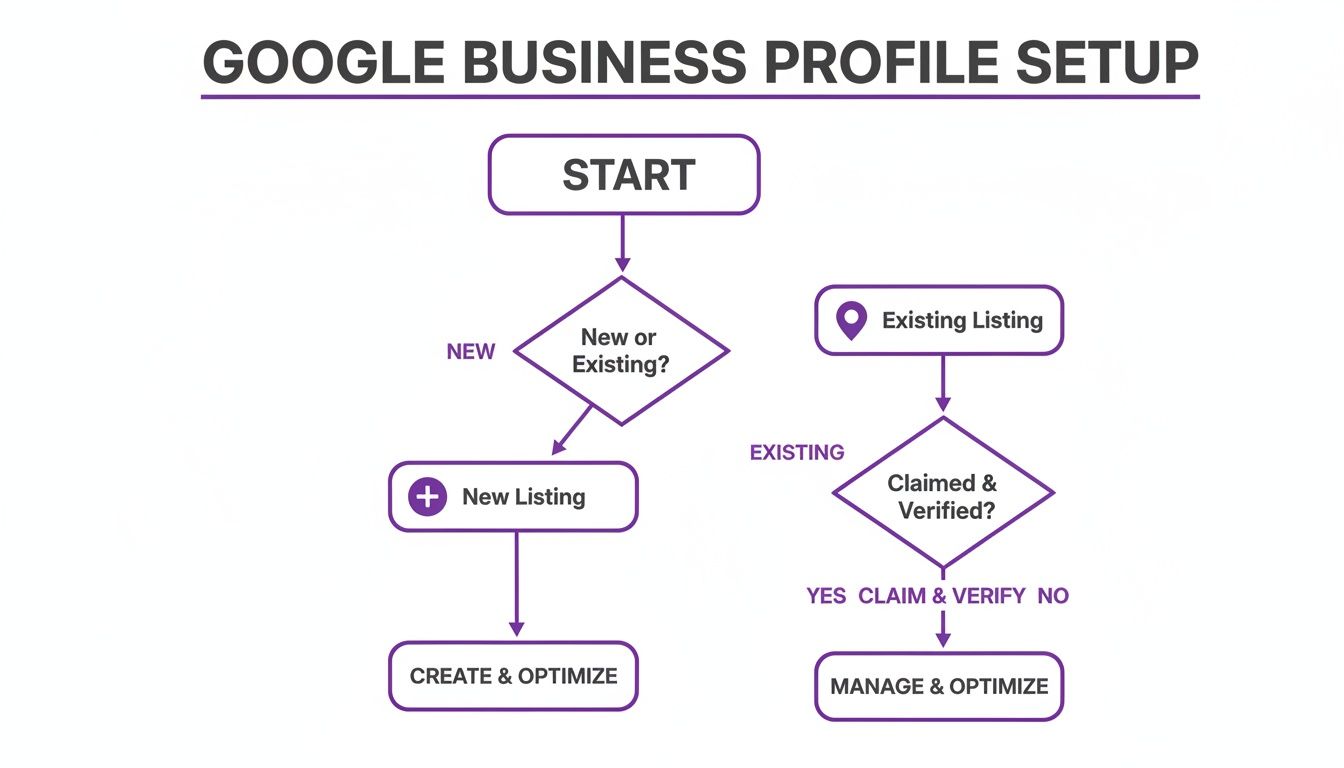
As you can see, the first move is always to check if a listing already exists. That single check determines whether your next step is to claim an existing profile or build a brand-new one.
The Most Common Verification Methods
For years, the postcard was the go-to method. Google mails a postcard with a unique five-digit code to your registered business address. Once it arrives, you just log in and enter the code. Simple. Just be prepared to wait—it can take up to 14 days to land on your doormat here in the UK.
Expert Tip: Whatever you do, don't start fiddling with your business name, address, or categories while you wait for that postcard. Any changes can cancel the code and you’ll have to request a new one, sending you right back to the start.
Sometimes, especially for more established businesses or those in less spam-prone industries, Google offers more instant options.
- Phone or Text: The quickest and easiest method. Google will either call or text your official business phone number with a code.
- Email: Similar to the phone method, a code is sent to an email address at your business domain (e.g., you@yourcompany.co.uk). A generic Gmail address won’t cut it.
- Live Video Call: You’ll hop on a call with a Google representative to give them a virtual tour proving your business is real.
How to Master Video Verification
Video verification is becoming far more common, particularly for new profiles or businesses that operate within a service area instead of at a fixed address. It might sound a bit intimidating, but it’s actually very straightforward if you know what they’re looking for.
Google wants to see undeniable proof. Here’s a quick checklist of what you’ll need to capture in your video:
- Your Location: Start outside. Film your street sign and business address, then pan over to any permanent signage you have on the building.
- Your Workspace: Head inside and show them your business environment. This could be your shop floor, your office, or for a service-area business, even your branded work van parked at your home address.
- Proof of Management: Show you have control of the business. The easiest way is to film yourself unlocking the front door with a key. Alternatively, have company-headed paperwork or a business utility bill ready to show on camera.
The key is to record one single, continuous video showing all these elements. Don't stop and start, and definitely don't try to edit it. A smooth, uninterrupted recording is what they need to see.
If your chosen method fails—say the postcard gets lost in the mail—you can request a new one after 14 days. If you’re still stuck, you can contact Google’s support team directly through your Business Profile dashboard.
Getting verified is just the first step. To really make the most of local search, you need a solid grasp of the entire platform. You can get a fantastic overview by reading through this What Is Google My Business: A UK Guide. Nailing these fundamentals is what makes for a smooth setup and a powerful local presence.
Right, so you’ve got your business on Google Maps. That’s a great start, but getting verified is only the first hurdle. The real work—and the real results—come from what you do next.
Think of it this way: verification gets you into the race, but optimisation is what helps you win it. A lot of business owners treat their Google Business Profile as a one-and-done job. They set it up, get the postcard, and then let it gather dust. That's a massive missed opportunity.
An un-optimised profile is like a silent salesperson. A fully optimised one, on the other hand, is out there 24/7, actively pulling in new customers for you.
Optimising Your Profile for Maximum Visibility
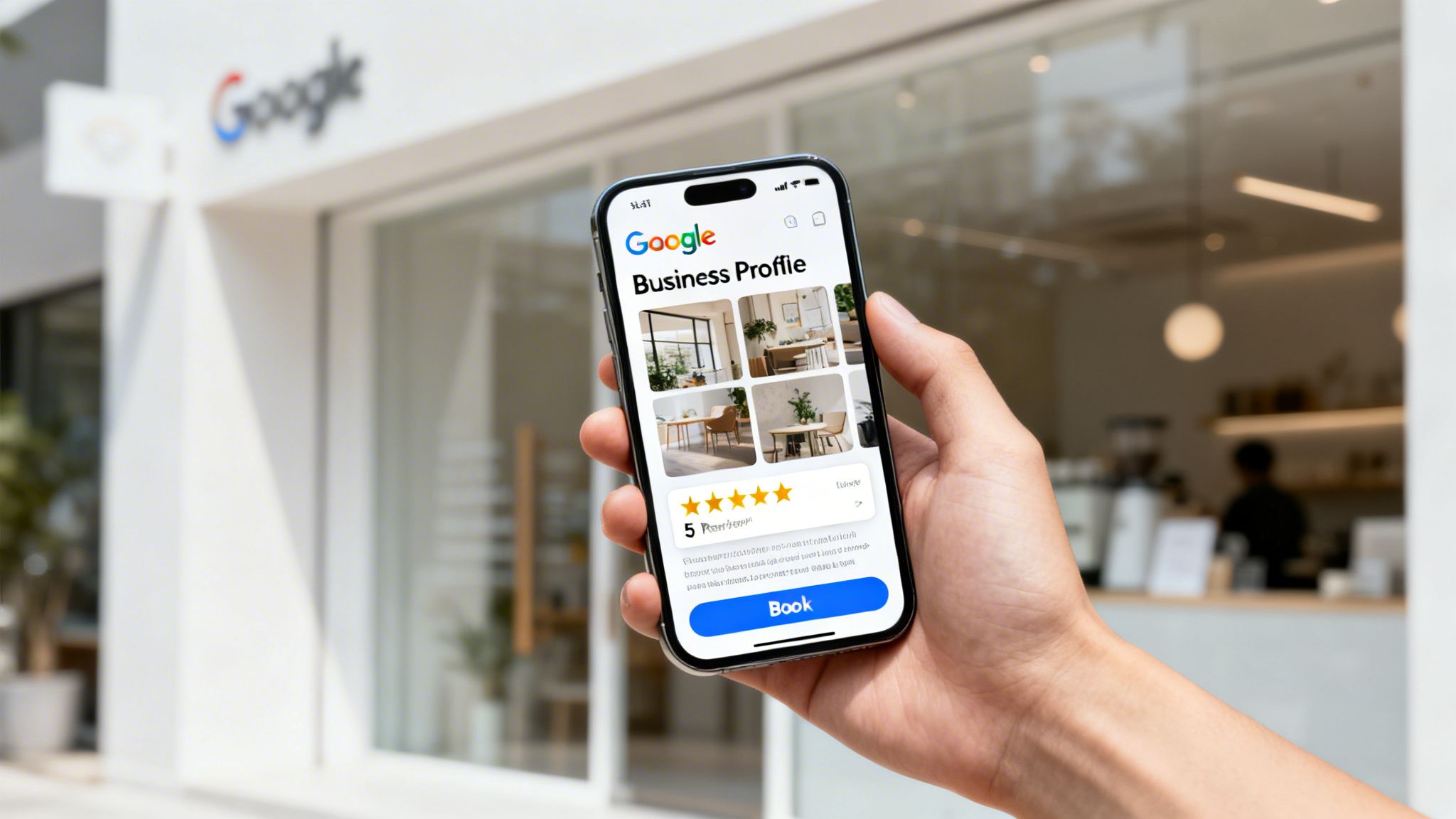
Let's dive into the practical steps that turn a simple map pin into a powerful customer magnet.
Writing a Business Description That Converts
Your business description is prime digital real estate. You’ve got 750 characters to tell potential customers who you are, what you do, and why you’re the best choice for them. This isn't the place for corporate waffle; it’s your chance to connect with a real person.
Don't just list what you do—tell a story. Lead with what matters most to your ideal customer. Are you a family-run bakery famous for its award-winning sourdough? Say that first. An emergency plumber offering 24/7 call-outs across Manchester? Make sure that's the first thing people read.
A description that says, "We provide architectural services" is fine, but it’s completely forgettable. Something like, "Award-winning Bristol architects specialising in sustainable home extensions and bespoke new builds" tells a much more compelling story. It's specific and instantly qualifies the right kind of client.
Expert Insight: Weave your main services and the areas you cover into the description naturally. The goal is to be helpful, not to cram in keywords. Think about what a customer would type into Google to find you. Optimising your profile with the right local SEO keywords is crucial for making sure you show up for the searches that actually matter.
The Power of Visuals: Photos and Videos
In a world of endless scrolling, photos and videos stop thumbs. They give people a genuine peek into your business that words just can't match, building trust before they even contact you.
Google’s own data is clear on this: businesses with photos get 42% more requests for directions on Google Maps and 35% more clicks through to their websites. The numbers don't lie.
So, what photos should you be adding?
- Exterior Shots: Show your storefront from a few different angles. Make it easy for people to spot you from the street.
- Interior Shots: Give a feel for your atmosphere. Show off your clean office, your cosy café, or your well-organised workshop.
- Team Photos: Putting a face to the name makes your business feel so much more human and approachable.
- Work in Action: Show your team doing what they do best—a chef plating a dish, a builder on site, a stylist at work.
- Products: If you sell physical goods, high-quality product shots are absolutely essential.
And don’t just upload a batch of photos and call it a day. Add new ones regularly. It signals to Google that your profile is active and well-managed, which is a powerful freshness signal.
To get a sense of how different actions impact your ranking, it helps to see it all laid out. This table breaks down what matters most.
GBP Optimisation Impact on Local Rank
| Optimisation Action | Impact Level (High/Medium/Low) | Why It Matters |
|---|---|---|
| Completing Core Info (NAP, Cats) | High | This is the foundation. It tells Google who you are, where you are, and what you do. Inaccuracies kill trust. |
| Gathering New Reviews | High | Reviews are a massive ranking factor and the ultimate social proof. They show Google you're a trusted, active business. |
| Responding to Reviews | Medium | Shows you're engaged and care about customer service. Google sees this interaction as a positive signal. |
| Uploading Photos Regularly | Medium | Fresh visuals increase user engagement and signal to Google that your listing is current and well-maintained. |
| Using Google Posts | Medium | These short updates are a powerful "freshness" signal that can boost visibility for time-sensitive offers and news. |
| Answering Q&As | Low | While not a huge ranking factor, it's a great way to proactively address customer questions and control the narrative. |
As you can see, it's the consistent, ongoing activity that really moves the needle. Focusing on high-impact actions like gathering reviews and keeping your visual content fresh will deliver the best returns.
Keeping Your Profile Fresh with Google Posts
Google Posts are like mini-adverts or social media updates that show up directly on your Business Profile. They are one of the most under-utilised features out there, yet they're a direct line to anyone looking at your listing.
Use them to announce things like:
- Special Offers: A 10% discount for new customers this month.
- New Products: Showcase the latest additions to your inventory.
- Events: Promote an upcoming sale, workshop, or open day.
- Company News: Share a recent award or welcome a new team member.
Posts usually expire after seven days (unless tied to an event), which encourages you to keep your content fresh. This regular activity sends strong signals to Google that you're an active business, which can absolutely help your visibility in the Map Pack. To make sure you're not missing any tricks, running a quick check with a free Google Business Profile audit tool can highlight exactly where to focus your efforts.
The Critical Role of Customer Reviews
Reviews are the lifeblood of any local business profile. They are a massive ranking factor and your most powerful form of social proof. A steady stream of positive reviews tells Google your business is active, trusted, and delivering a quality service.
But it's more than that. The actual content of the reviews is pure gold. When a customer writes, "The team at Smith's Electrical provided a fantastic emergency call-out service in Brighton," they are naturally embedding valuable keywords and location signals right into your profile for you.
You need to be proactive here. Ask every single happy customer for a review. Make it ridiculously easy for them by sending a direct link to your review page via email or text. Don't be shy—most people are happy to help if you've done a good job.
Just as important is responding to every single review—the good and the bad. Thank people for positive feedback. For negative reviews, address their concerns professionally and calmly. It shows everyone looking that you're engaged and genuinely care about customer satisfaction.
Solving Common Google Maps Problems
Even with a perfectly optimised profile, things can still go wrong. Knowing how to fix the common snags is a massive part of managing your Google Maps presence and making sure your business stays visible.
Sudden profile suspensions or a string of dodgy reviews can feel like a proper disaster, but almost every issue has a logical fix. The secret is to act methodically instead of panicking.
Let's walk through the most common headaches UK business owners run into and give you clear, actionable steps to sort them out. We'll start with the one that causes the most sleepless nights.
The Dreaded Profile Suspension
Waking up to a big red "Suspended" notice on your Google Business Profile is a gut-wrenching moment. It means your business has just vanished from Google Maps and search, effectively switching off a huge source of new customers.
A suspension usually means Google thinks you've broken its rules. Common tripwires include stuffing keywords into your business name ("Best Plumber in London" instead of "Smith's Plumbing"), using a PO Box as your address, or suspicious review patterns. The first step is to take a breath and carefully read the guidelines to figure out where you might have gone wrong.
Once you’ve got a good idea of the problem, you have to fix it. For instance, if you did add extra keywords to your business name, change it back to just your official, registered name. Only after you've corrected the issue should you even think about submitting a reinstatement request.
Crucial Tip: When you fill out that reinstatement form, be concise and honest. Explain what you think the mistake was and the exact steps you took to fix it. Upload proof, like your business registration documents or a utility bill that shows your correct address. A well-prepared, honest request has a much higher chance of getting you back online.
Dealing with Duplicate Listings
Duplicate listings are a surprisingly common and confusing problem. They can pop up if an employee accidentally creates a new profile, or sometimes Google auto-generates one from old business data it finds online. These duplicates split your ranking power and confuse customers, often showing an old phone number or a previous address.
To fix this, you need to merge them. First, do a search on Google Maps to find all the listings for your business. If you're able to claim the rogue duplicate profile, do it. Once you have control of both, you can contact Google support through your main profile's dashboard and ask for a merge.
Just be aware that you can't pick and choose which reviews get kept; Google makes that call. The goal is simply to get everything under one single, authoritative profile that you control.
Managing Negative and Fake Reviews
Negative reviews are an unavoidable part of doing business. How you deal with them says a lot about your company. Always respond publicly, professionally, and quickly. Acknowledge the customer’s complaint, apologise for their bad experience, and offer to take the conversation offline to resolve it. This shows potential customers you actually care and take feedback seriously.
Fake reviews, however, are a different beast entirely. If you get a review from someone who was clearly never a customer, or one that is obvious spam, you can and should flag it for removal.
Here's how to report a fake review:
- Find the review in your Google Business Profile dashboard.
- Click the three dots next to the review and select "Report review."
- Choose the reason it violates Google's policies (e.g., "Spam," "Conflict of interest").
It might take a while, but if the review is a clear violation, Google will often take it down. This is vital for keeping your profile fair and accurate. Managing a profile for a business with a unique service, like a self-storage facility, often involves specific tactics; you can learn more by checking out our guide on SEO for self-storage businesses.
Advanced Strategies for UK Businesses
So, your business is on the map and the basics are sorted. What's next? For ambitious UK businesses, especially those with several locations or a sprawling service area, it's time to move beyond a single profile and start thinking bigger.
When you're running a brand with multiple branches, like a chain of estate agents or dental clinics, managing several Google Business Profiles becomes the name of the game. The goal is simple: create a distinct, powerful listing for each location without them accidentally competing with one another.
Managing Multiple Locations Effectively
The secret to multi-location success boils down to two things: consistency and control. Each profile absolutely must have a unique address and a local phone number specific to that branch. Using one central number for all your locations is a classic mistake that just waters down the local authority of each one.
You’ve really got two main paths for managing this:
- Google's Own Bulk Tools: Google gives you a "Business Group" feature that lets you handle multiple profiles from a single dashboard. For small-to-medium chains, this is a solid, free place to start.
- Third-Party Platforms: For larger brands, tools like BrightLocal or Semrush are lifesavers. They offer more advanced features for scheduling posts, tracking rankings, and handling reviews across hundreds of listings at once, making them invaluable for efficiency.
Which one is right for you? It all comes down to scale. If you're juggling fewer than ten locations, Google's built-in tools are usually more than enough. For anything more, investing in a third-party platform will save you a staggering amount of time.
Key Takeaway: For multi-location businesses, you must treat each profile as its own local entity. Individual phone numbers, addresses, and locally-focused content aren't just nice-to-haves; they are non-negotiable for building genuine authority in each community you serve.
Dominating as a Service Area Business
If you run a service-area business—think plumbers, mobile valeters, or freelance photographers—the big challenge is getting seen across multiple postcodes or towns. Just listing a wide service area in your profile is nowhere near enough to truly dominate.
The advanced play here involves mirroring your service areas on your own website. You need to create a dedicated landing page for each key town or postcode you want to rank in (for example, "Emergency Plumber in Cambridge" or "Wedding Photographer in Suffolk"). These pages need to be filled with unique, helpful content relevant to that specific area.
Then, you line up the services on your GBP to perfectly match these new landing pages. This synergy between your profile and your website sends incredibly powerful signals to Google about where you operate, helping you show up in Google Maps searches across a much wider region. To see how these strategies are paying off, it’s well worth exploring a free GBP report to get a clear picture of what’s working.
Frequently Asked Questions
Trying to get your head around Google Business Profile can feel like you're chasing a moving target. To cut through the noise, we've rounded up the most common questions we hear from business owners just like you about getting listed and staying visible on Google Maps.
How Long Until I Appear on Google Maps?
Once you’ve jumped through the hoops and successfully verified your profile, your business can show up on Google Maps almost instantly. But here's the catch: simply appearing on the map is just the first step.
Gaining any real visibility and ranking high enough for customers to actually find you can take several weeks or even a few months. Your final position really depends on things like how fierce the competition is in your area, your specific location, and how much effort you put into optimising your profile.
Can I Use a PO Box for My Address?
Absolutely not. Google's guidelines are crystal clear on this one: you cannot use a PO Box or a virtual office address for your Google Business Profile. Your listing has to be tied to a real, physical address where you either meet customers or have a legitimate service-area setup if you travel to them.
Using a PO Box is a fast track to getting your profile suspended. Always use your genuine business location or set up a proper service-area business to stay on the right side of the rules.
How Do I Move Address Without Losing My Reviews?
If your business is relocating, you don't have to start from scratch and lose all your hard-earned history. It's a fairly straightforward process: just edit the address directly in your Google Business Profile dashboard.
Google will almost certainly ask you to re-verify the new address, most likely with a postcard or a video call. But the good news is that all your existing reviews, photos, and profile history will be preserved. They’ll transfer over to the new location as soon as the verification is complete.
Ready to stop troubleshooting and start dominating local search? Bare Digital has over 15 years of experience helping UK businesses like yours turn their Google Maps presence into real, measurable growth. We handle all the complexities so you can get back to running your business. Get your free SEO health check today and see what a bespoke local strategy can do for you. Find out more at https://www.bare-digital.com.