

Ever wondered what that handy little box is that pops up in Google when you search for a local business? That’s a Google Business Profile, and for any local business, it’s your digital welcome mat.
It’s a completely free tool from Google that lets you control how your business shows up on Google Search and Maps. Think of it as a quick snapshot for potential customers: who you are, what you do, and exactly where they can find you.
Your Digital Welcome Mat Explained
Imagine the old Yellow Pages, but supercharged for the digital age. When someone in Cambridgeshire searches for "plumber near me" or "best café in Ely," Google pulls information straight from these profiles to give them answers. It's far more than just a listing; it’s a dynamic hub for all your essential business details.
This tool has had a few names over the years—you might remember it as Google Places or, more recently, Google My Business. Today, as Google Business Profile, it's more deeply integrated into Google's ecosystem and absolutely vital for connecting with local customers.
A well-managed profile is the cornerstone of your online presence. It pulls all your key details into one highly visible panel that customers instinctively trust. It’s your first and best chance to make a great impression before someone even clicks through to your website.
So, what exactly does this digital front door show people? It’s a neat summary of everything a potential customer needs to make a decision on the spot:
- Core Details: Your business name, address, and phone number (the classic NAP).
- Visuals: Photos of your shop, your products, or your team hard at work.
- Customer Feedback: Star ratings and genuine reviews from past customers.
- Operational Info: Your opening hours, a link to your website, and the areas you serve.
In short, it answers a searcher’s most urgent questions, giving them the confidence to take the next step—whether that’s calling you, visiting your location, or heading to your website. Getting this profile right is a non-negotiable part of any solid local SEO strategy. If you're new to this, understanding what local search optimisation is will show you exactly why your GBP is such a game-changer for attracting nearby customers.
How GBP Puts Your Business on the Map
Ever wonder how some businesses just magically appear at the top of Google when you're looking for something nearby? It’s not magic. It’s their Google Business Profile doing the heavy lifting. This is the tool that transforms your business from just another name in a directory into a prominent pin on Google’s map, right when local customers are searching.
Think about it. Someone in Cambridge pulls out their phone and types in "best coffee near me". In that split second, Google scans their location and query to serve up the most helpful, relevant results. Your profile is what gets you into that game, putting you front and centre.
Your Prime Real Estate on Google
The beauty of a well-managed GBP is that it doesn’t just show up in one place. It gets you featured in the most valuable spots on the local search results page—the places designed to give people quick, actionable information.
- The Local Pack: This is the holy grail. It's that box at the top of the results page showing a map and three businesses. Getting in here means you're one of the very first options a potential customer sees.
- The Local Finder: When someone clicks "More businesses" from the Local Pack, they land in the Local Finder. This is an expanded list where your full profile is displayed, letting customers compare you directly against the competition.
- The Knowledge Panel: This is your digital business card, appearing on the right-hand side of the search results when someone looks up your business by name. It’s a clean, detailed snapshot with your photos, reviews, opening hours, and more.
This visual shows exactly how your profile acts as the central hub connecting your business to customers across both Search and Maps.
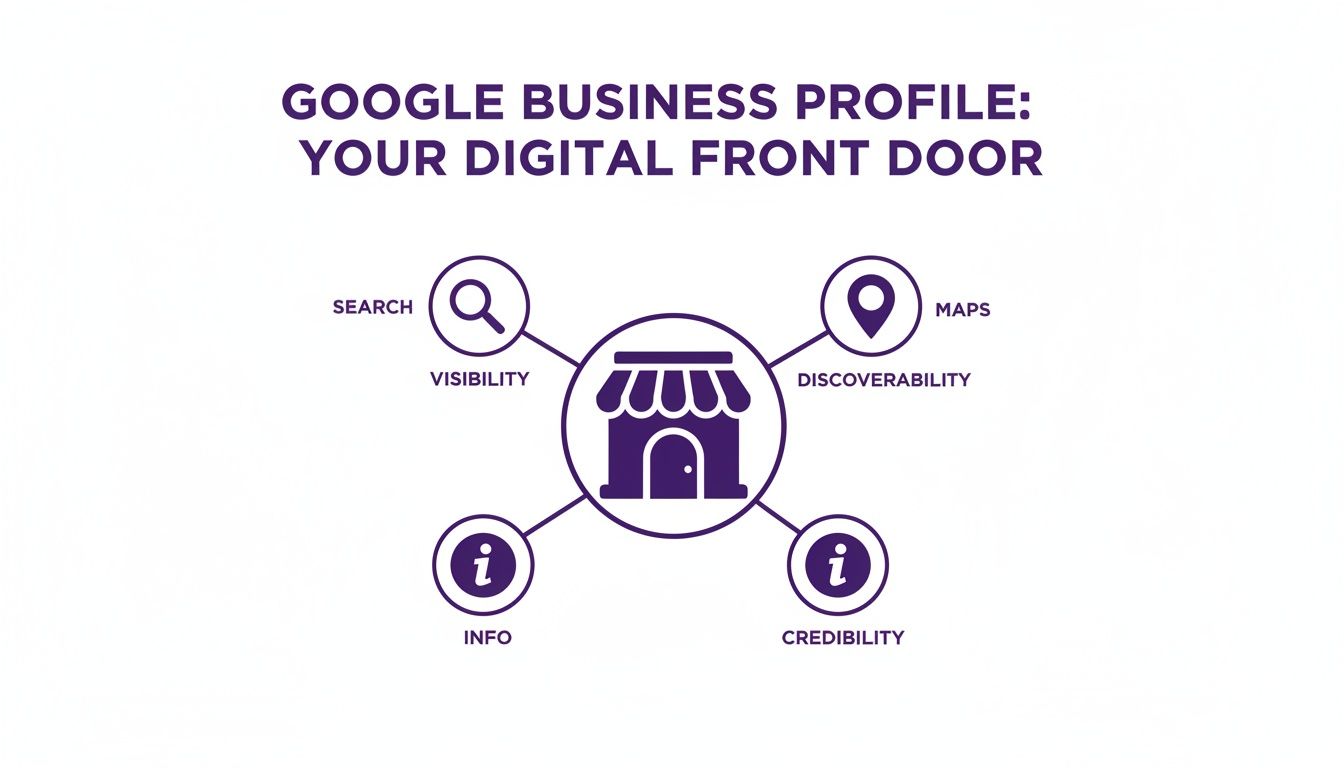
It’s not just a listing; it’s a dynamic tool that broadcasts all your essential information across Google's most powerful platforms.
From Search to Footfall
For businesses here in the UK, landing these spots is fiercely competitive. The United Kingdom makes up 3.84% of Google's total traffic, so standing out is crucial. Factors like your proximity to the searcher, your star rating, and simply having a verified profile are non-negotiable for ranking well. If you want a deeper dive into the mechanics, our guide on how to rank in Google Maps breaks it all down.
A well-optimised GBP can single-handedly turn a simple search query into a real-world customer. It's the bridge between someone discovering you online and taking action—whether that’s a phone call, a visit to your website, or them walking straight through your front door.
Securing a spot in the Local Pack immediately puts your business ahead of the competition, capturing the attention of customers who are ready to make a decision, right now.
Essential Features You Should Be Using Now
Treating your Google Business Profile as just another online directory listing is a bit like buying a Swiss Army knife and only ever using the bottle opener. Sure, it does the job, but you're missing out on all the other tools that could make your life easier. To really get noticed, you need to unlock its dynamic features—the ones that turn a passive profile into an active magnet for customers.
Moving beyond the basics is what tells Google your business is active, relevant, and worth showing to people.
It all starts with a complete and consistently updated profile. Your core details—Name, Address, and Phone Number (what we call NAP in the industry)—absolutely must be identical everywhere online. But the real magic happens when you start using the features designed to show off your business's personality and day-to-day buzz.
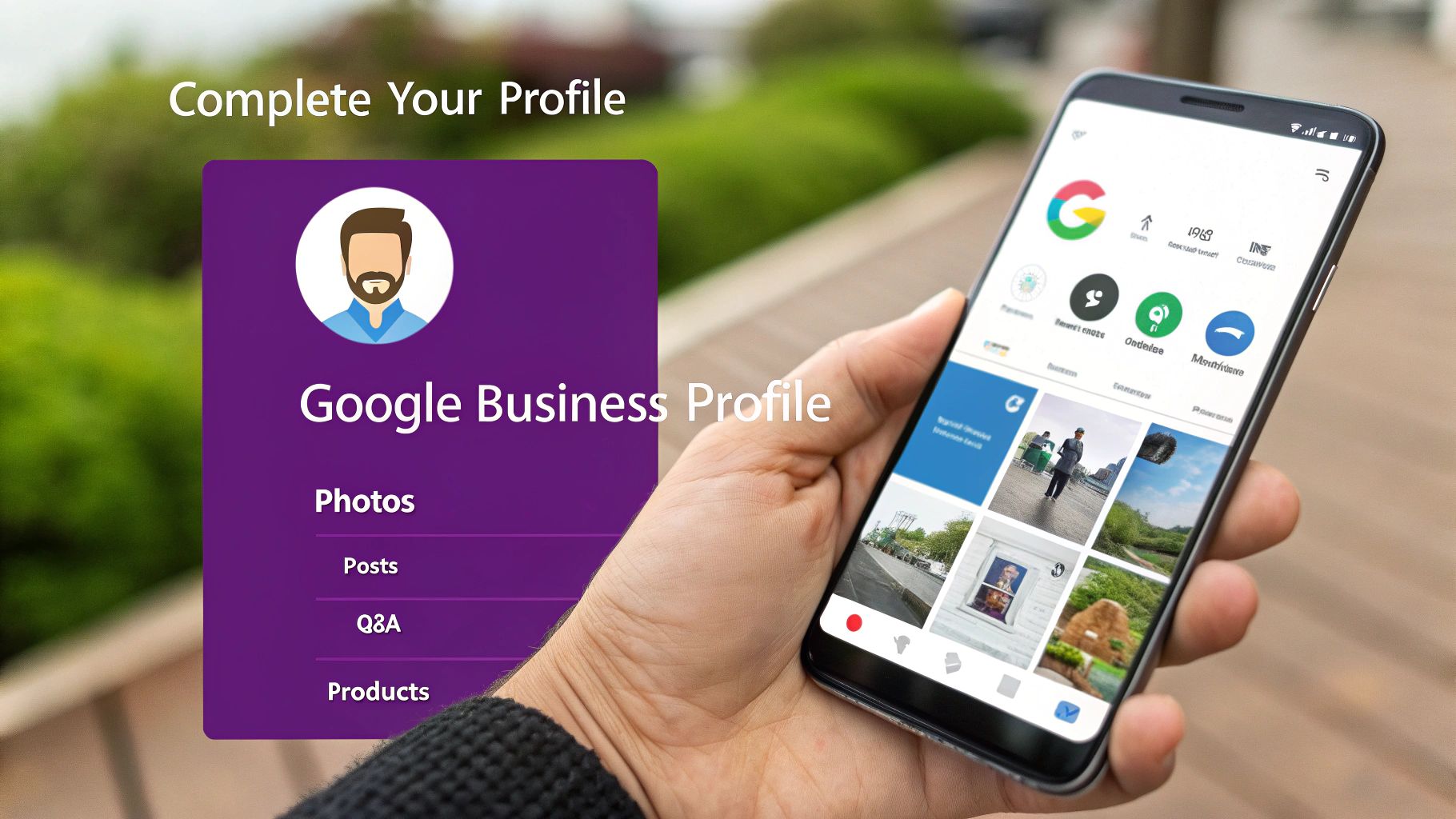
Bring Your Business to Life
A static profile gets you on the map, but an active one gets customers walking through your door. The features below are built to provide fresh, timely information that people searching online find incredibly useful. Using them regularly shows both customers and Google that you’re open, active, and ready for business.
- Google Posts: Think of these as free mini-adverts displayed right on your profile. You can create Posts to announce a special offer, show off a new product, share company news, or promote an upcoming event. They’re perfect for driving immediate action and keeping your profile looking fresh.
- Products and Services: This is your digital shop window. You can list specific products with photos and prices, or detail the services you offer with helpful descriptions. A well-organised list helps potential customers see exactly what you do at a glance.
- Questions & Answers (Q&A): This feature lets anyone ask a question about your business, which then appears publicly on your profile. A really smart move is to proactively manage this by asking and answering common questions yourself. You can address customer queries before they even have to ask.
An active Google Business Profile is a massive signal to Google's algorithm. Every update, post, or photo you add reinforces your relevance, which can directly improve your local search rankings and help you grab the attention of customers who are ready to buy.
The Critical Role of Visuals and Reviews
Text tells, but visuals sell. And here in the UK, the power of photos and videos in a Google Business Profile is huge. Businesses that add photos to their profiles see 45% more requests for directions and 31% more clicks through to their website. These aren't just vanity metrics; they matter, especially in a market where 48% of local searches lead to a real-world interaction within 24 hours. You can dig into more of these stats over at SQ Magazine.
High-quality photos of your shop, your team, and your work give potential customers a genuine feel for what you're all about.
Alongside visuals, customer reviews provide the social proof needed to build trust. It's crucial to respond to every single review—good and bad—to show you value customer feedback. If you're looking to build your online reputation, have a look at our practical guide on how to get more reviews to really strengthen your profile's authority.
Claiming and Verifying Your UK Business Profile
Before you can start using all the powerful features we've talked about, you need to get the keys to your own profile. This first step—claiming and verifying your business—is what proves to Google you’re the rightful owner and unlocks full control.
Think of an unverified profile like an empty shopfront on the high street. People can see it exists, but you can’t get inside to arrange the displays, change the opening times, or chat with customers. Verification is the moment you unlock the door. It lets you manage your details, respond to reviews, and see how people are finding you online.
Your Path to Gaining Control
Getting started is refreshingly straightforward. You'll either create a new profile from scratch or claim an existing one that Google may have already auto-generated for your business.
The journey is simple:
- Find Your Business: Head to Google and search for your business name and location. If a profile already exists, you should see a link that says something like, "Own this business?" Click it to start the process.
- Create a New Profile: If nothing pops up, no problem. You can easily create one by visiting Google's Business Profile page and following the on-screen prompts.
- Complete the Details: You’ll be asked for the essentials—business name, address, category, and other core info to build the foundation of your profile.
The last and most crucial step is verification. This is how Google confirms your business is a real, legitimate operation at the address you’ve provided.
Verification is non-negotiable. It’s the security check that stops anyone else from making rogue changes to your profile and damaging your reputation. Without it, your profile is just a placeholder.
Common Verification Methods in the UK
Google has several ways to verify your business, making the process as painless as possible. The most common methods you'll come across include:
- Postcard Verification: This is the classic method. Google mails a postcard with a unique code to your business address.
- Phone or Text: Some businesses are eligible to get a verification code instantly via a phone call or text message.
- Email Verification: If your business email domain matches your website (e.g., you@yourbusiness.co.uk), this option might be available.
- Video Verification: You may be asked to record a short video showing things like your physical location, branding, and proof that you manage the business.
Once you receive your code and enter it, your profile is officially yours. You now have full admin access to start optimising your listing and connecting with customers in your local area.
Smart Optimisation Tips for Local Success
Claiming your profile is just the beginning. To really stand out in a crowded local market like Cambridgeshire, you need to stop thinking of your Google Business Profile as a static listing. Instead, treat it like an active, ongoing marketing project.
Smart optimisation is all about making continuous, strategic improvements that tell both Google and your potential customers that you're relevant and active. This isn't a one-off task you can tick off a list. It’s a process of refining your information, engaging with your audience, and keeping everything fresh and accurate.
A well-oiled profile is your best tool for climbing local search rankings and catching the eye of people who are ready to buy.
Fine-Tune Your Core Information
Getting the small details right can make a huge difference. These foundational bits and pieces help Google understand precisely what you do and who you serve, making sure you show up in the right searches.
- Choose the Right Categories: Your primary category is the single most important field for telling Google what your business is all about. Be as specific as you can. Don't just pick "contractor"; choose "plumber" or "electrician." From there, add secondary categories to cover all the other services you offer.
- Craft a Keyword-Rich Description: Your business description is your chance to speak directly to your customers. Use this space to naturally weave in terms people might search for, like "emergency call-outs in St Neots" or "family-run bakery in Cambridge." Think about what makes you unique and get it in there.
Actively Manage Customer Interactions
Your profile isn't a billboard; it's a two-way communication channel. Proactively engaging with customers shows that you're an active, customer-focused business, which builds trust and boosts your visibility.
A huge part of this is managing your reviews. Responding to all of them—both the glowing and the critical—is non-negotiable. Thank positive reviewers personally and address any negative feedback constructively. It demonstrates excellent customer service and shows you actually care what people think.
Another powerful, and often overlooked, tool is the Q&A feature. Don't just wait for customers to ask things. Get ahead of the game by adding and answering your own common queries. Think "Do you offer free parking?" or "What are your weekend hours?" This provides immediate value and removes little barriers that might stop someone from visiting.
Optimisation is an ongoing cycle of refinement and engagement. Each update, review response, and Google Post you publish strengthens your profile's authority and keeps your business competitive in local search results.
You should also be using Google Posts to share timely updates. Think of them as free, hyper-local adverts right on your profile. You can promote a special offer, announce a new product, or share news about a local event you're involved in. This keeps your profile dynamic and encourages people to check back.
While optimising your GBP is crucial for local digital visibility, it's also important to integrate it into broader marketing efforts. For more insights on diverse strategies to attract customers and foster business growth in the UK, consult this a comprehensive guide to customer acquisition. By treating your profile as an active part of your marketing strategy, you turn it from a simple listing into a powerful lead-generation machine.
Measuring Success With Performance Insights
So, you’ve put in the work to get your Google Business Profile looking sharp. That’s a brilliant first step. But here’s the million-pound question: is any of it actually working?
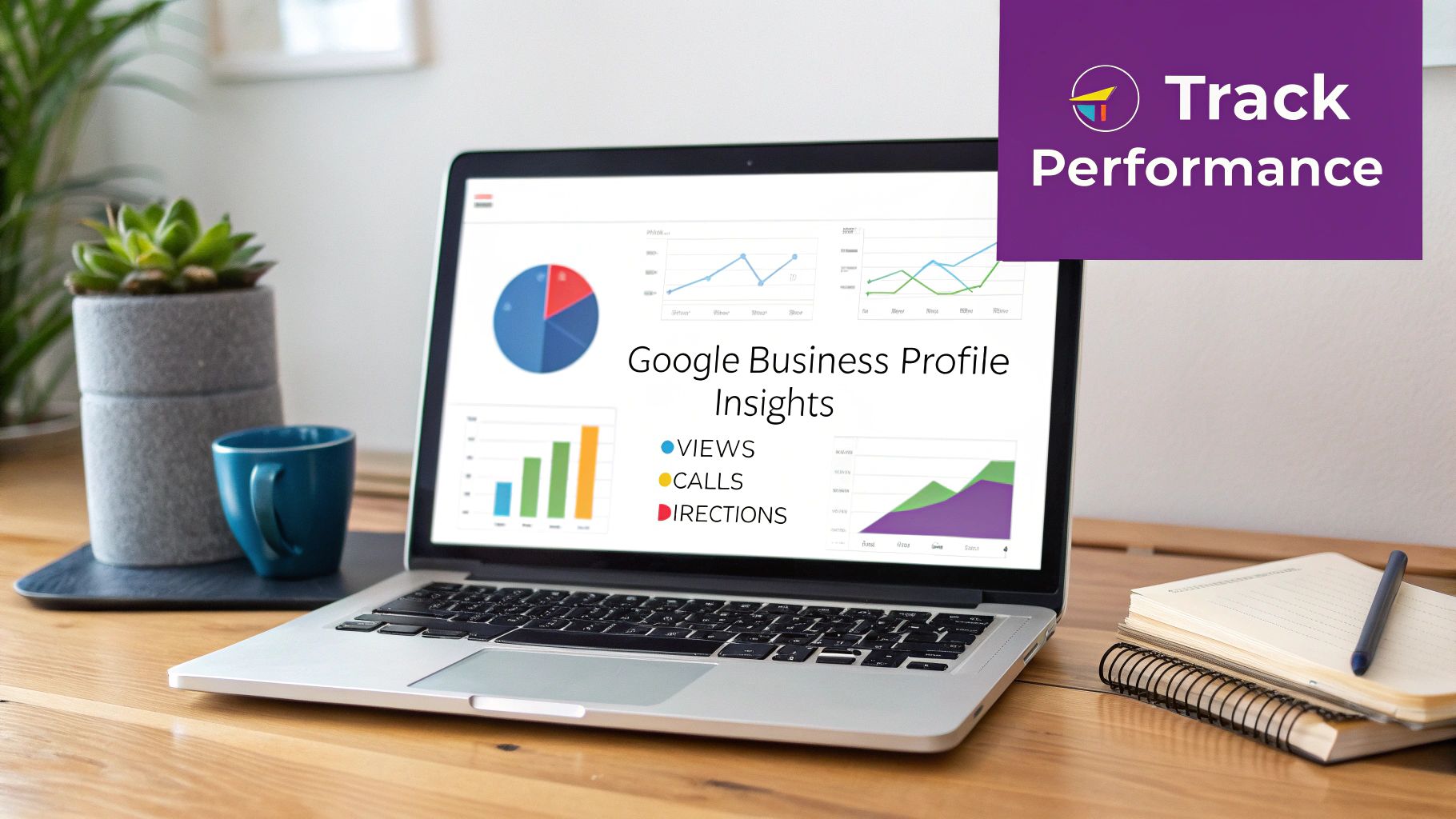
This is where Performance Insights comes in. Think of it as the dashboard for your profile, turning all that clicking, calling, and searching into data you can actually use. It’s what takes you from guesswork to a proper strategy, showing you exactly how people are finding and interacting with your business online.
By keeping an eye on these metrics, you can figure out what’s hitting the mark and what needs a rethink. It's the only real way to prove the value of the time you're investing and make smarter moves to bring in even more local customers.
Decoding Your Customer Journey
Performance Insights clears up the mystery of how customers stumble across your profile. Google breaks the data down into a few simple categories, but together they tell a powerful story about your local visibility.
- Direct Searches: These are people who searched specifically for your business name, like "Bare Digital Cambridgeshire." A lot of these means your brand recognition is strong. People already know who you are.
- Discovery Searches: This is the good stuff. It’s when someone searches for a service you offer, like "SEO agency near me," and your profile pops up. High numbers here are a massive win, proving your local SEO is doing its job.
- Branded Searches: This one catches searches for your brand or a brand related to your business, helping you see how your name is performing in broader searches.
This data tells you whether your reputation is bringing people straight to your door or if your optimisation work is successfully catching new customers who didn’t even know you existed.
Your Performance Insights are more than just numbers on a screen; they are direct feedback from your target market. A spike in ‘Calls’ after running a Google Post promotion shows a direct link between your activity and new leads.
Turning Clicks Into Customers
Beyond how people find you, Insights tracks the actions they take once they land on your profile. These are the metrics that really matter—the ones that translate directly into new business.
You can easily see things like:
- Website Clicks: How many people clicked through to your website to dig a little deeper.
- Direction Requests: The number of users who hit the button to get directions from Google Maps straight to your door.
- Calls: How many people tapped the "Call" button right from your profile. This is a huge signal of immediate interest.
Getting to grips with this data is fundamental. By tracking these trends over time, you can see the real-world impact of your efforts. Compiling these findings using a good monthly SEO report template helps you keep a clear record of progress. When you connect these actions to your business goals, you can finally measure the true value your Google Business Profile is delivering.
Got questions about Google Business Profile? You're not the only one. Here are some of the most common queries we get from businesses here in Cambridgeshire.
Is a Google Business Profile Really Free?
Yes, it’s completely free to set up and manage your profile. You don't have to pay a penny to get your business listed on Google Search and Maps. If anyone tries to charge you a fee just for the listing itself, they have nothing to do with Google.
How Is GBP Different From a Website?
Good question. Think of your Google Business Profile as your shop window and your website as the entire department store inside.
Your profile gives people the quick, essential facts they need on the go—your opening hours, address, and what other customers think. Your website is where you tell your full story, show off everything you offer, and control the entire experience from start to finish. They’re a perfect team: your profile grabs the attention of local searchers, and your website turns that interest into business.
Can I Have a Profile Without a Physical Address?
Absolutely. This is a must-have feature for any business that travels to its customers. If you're a service-area business—like a plumber in St Neots or a mobile dog groomer covering all of Cambridgeshire—you can set up your profile to display the areas you serve instead of a single street address.
Your home address stays hidden from the public, but your business will still pop up for relevant searches in the locations you cover.
Ready to turn your local search presence into a real business asset? The experts at Bare Digital specialise in optimising Google Business Profiles for businesses across Cambridgeshire. Get your free SEO Health Check today and discover how we can help you get seen by more local customers.