
Climbing the Google Maps rankings all boils down to a simple truth: you have to prove your relevance, distance, and prominence to Google. The most direct route to doing this starts with a perfectly tuned Google Business Profile (GBP). Getting your primary category right and building a strong review profile are the fastest ways to send trust signals, and they have the single biggest impact on your local visibility.
Foundations for Dominating Google Maps Rankings
Before we get into advanced tactics or backlink strategies, let's nail the low-hanging fruit. These are the foundational steps that give you the biggest bang for your buck. Your Google Business Profile isn't just another listing; it's the control panel for how your business appears in local searches. For anyone serious about ranking higher in Google Maps, getting this right from day one is non-negotiable.
Think of it as the foundation of your local SEO house. If that foundation is shaky—say, you’ve picked a vague business category—everything you build on top of it, from reviews to local content, will be less stable and far less effective.
The Power of Your Primary Category
Your primary business category is arguably the most powerful signal you can send to Google. It tells the algorithm your core function and pretty much decides which search queries you’re even eligible to show up for. A generic category makes you invisible; a specific one makes you a real contender.
This isn't just a minor detail; it's a huge factor in who gets seen and who doesn't. This table breaks down the most critical signals for Google Maps, showing exactly where you should focus your efforts.
Top Ranking Factors for Google's Local Pack
| Ranking Factor | Expert Score (out of 200) | Why It Matters for UK Businesses |
|---|---|---|
| Primary GBP Category | 193 | This is the top signal. Choosing 'Plumber' over 'Contractor' directly impacts your eligibility for high-value searches. |
| Keywords in GBP Title | 181 | Adding a keyword like 'Emergency Plumber London' can provide a significant, immediate ranking boost if done carefully. |
| Proximity to Searcher | 175 | While you can't change your location, you can ensure all your other signals are strong enough to compete in your service area. |
| Physical Address | 168 | A real, verifiable address in the city you're targeting is a massive trust signal for local search. |
| High-Quality Reviews | 162 | Consistent, positive reviews with keyword-rich text tell Google that you're a trusted choice for local customers. |
As you can see, getting the fundamentals of your profile right carries enormous weight. It’s the difference between being a top contender and not even being in the game.
Imagine you're a wedding venue in Manchester, desperate to appear for those "wedding venues near me" searches. Your primary GBP category is the undisputed king of Local Pack ranking factors, accounting for a massive 32% of your visibility. With over 1.2 million small businesses competing locally in the UK, Google uses your category to filter the results ruthlessly.
Key Takeaway: Choosing 'Wedding Venue' instead of 'Event Space' isn't just a small tweak. It’s the difference between showing up for high-intent bridal searches and getting lost in a sea of corporate event queries. Always choose the most specific category that accurately describes your main service.
The process is straightforward: nail your category, keep your business name consistent, and link to a well-optimised website.
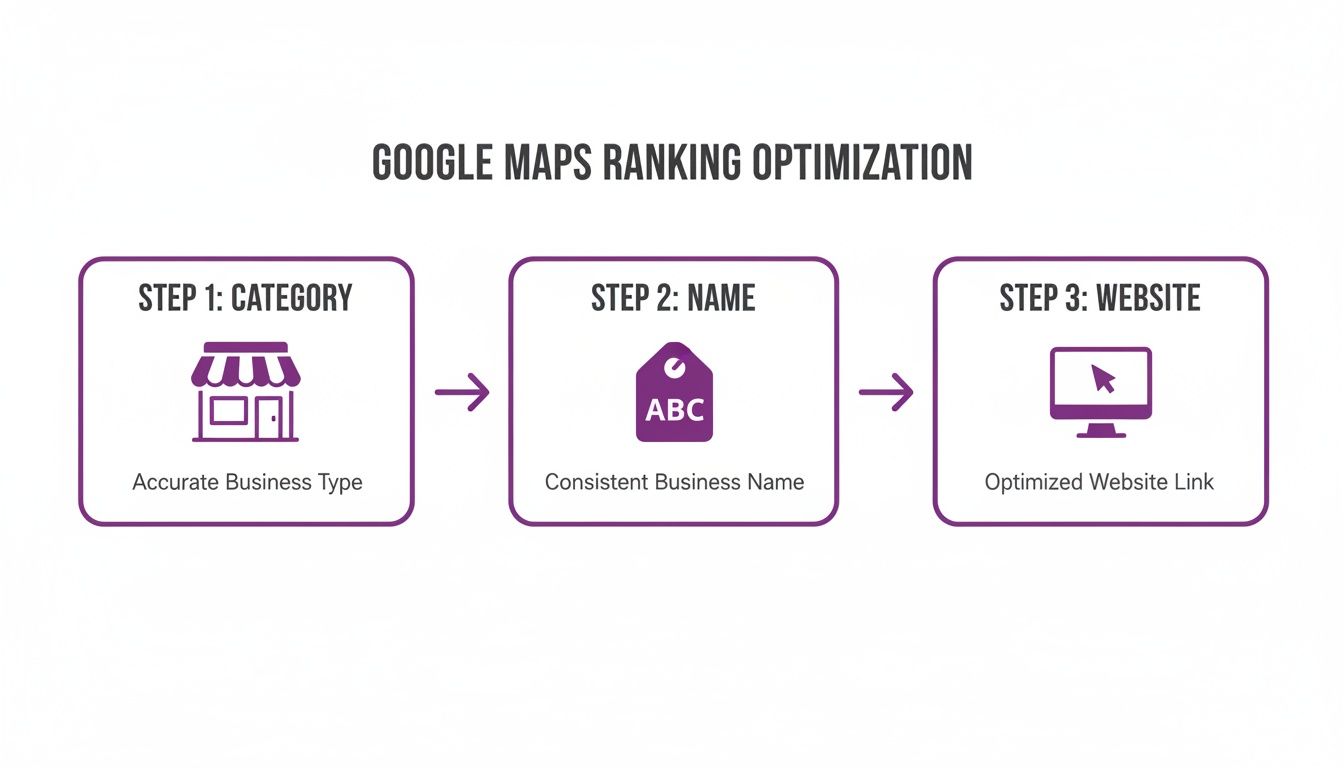
This simple flow shows that your journey to the top of Google Maps begins with getting these three pillars of your Google Business Profile absolutely right.
Using Keywords in Your Business Name
Here’s another powerful, though slightly delicate, tactic. While Google’s official line is to use your real-world business name, experience shows that adding a relevant keyword or location can still give you a significant ranking boost—if you do it correctly.
For example, a business called "Gracie's Bakes" might struggle to get noticed. But rebranding online to "Gracie's Bakes – Wedding Cakes Manchester" immediately tells Google two critical things: what you do and where you do it.
However, you have to handle this with care:
- Be Subtle: The addition needs to look natural, not like you're trying to game the system.
- Stay Consistent: The name you use on your GBP must be used consistently across all your online profiles, from your website to your directory listings.
- Avoid Suspension: Aggressive keyword stuffing (e.g., "Best Plumber Emergency 24/7 London") is a fast track to getting your profile suspended. Don't do it.
To build a strong presence and truly improve local SEO rankings for your small business, you need to get these foundations solid. These first steps are just the beginning. To make sure you've covered all your bases, you can grab our complete local SEO checklist and ensure no stone is left unturned.
Build Local Authority with Customer Reviews
Once your profile is set up and optimised, it’s time to focus on building trust. In the world of local search, there’s no currency more valuable than your customer reviews. Forget the generic advice to just "get more reviews." If you really want to climb the rankings on Google Maps, you need a proper strategy for managing your reputation.
It’s not just about having a five-star average. Google's algorithm is far smarter than that. It looks at a whole host of review signals to work out how prominent you should be, including the sheer number of reviews, how quickly you get them (velocity), how recent they are, and even the words people use in their feedback.
Go Beyond Star Ratings
A steady flow of genuine, detailed reviews tells Google that your business is active, relevant, and trustworthy. For a local funeral home in Bristol competing against big national chains, this is an absolute lifeline. The urgency is real: review signals, including volume and the quality of the text, make up a huge 16% of your Local Pack ranking weight.
Here in the UK, where 92% of consumers read reviews before picking a local service, getting over that 10+ Google review mark can deliver a measurable boost in visibility. This isn't just theory. One UK business we saw jumped 22% in their primary keyword rankings right after crossing that threshold.
Your goal should be a consistent drip-feed of 2-3 new reviews every week. A sudden, massive spike can look unnatural and flag your profile for spam, which does more harm than good. You can see the full breakdown of these local search signals on LocalDominator.co.
Expert Insight: Google’s AI now analyses the sentiment and content of reviews for topical relevance. For a funeral home, a review saying, "The team provided a compassionate and dignified service for our family," carries far more weight than a simple "Great service."
This means encouraging your customers to leave detailed feedback is a core part of climbing the Google Maps rankings.
Create a System for Generating Reviews
You can't just sit back and hope for the best. You need a simple, repeatable process for asking customers to leave feedback. The perfect time to ask is right after they’ve had a positive experience, when their satisfaction is at its peak.
Here are a few practical, non-pushy ways to do it:
- Personalised Emails: After the service is done, send a follow-up email. Thank them personally and pop in a direct link to your Google review page. Don't just send a generic blast; mention the specific service they received to make it feel personal.
- Simple Text Messages: For many service-based businesses, a quick SMS with a review link is incredibly effective. It's convenient, and people are more likely to tap a link on their phone.
- Small Business Cards: At the point of sale, hand them a small, professionally designed card with a QR code that goes straight to your Google review page. It makes it dead simple.
Just be sure to avoid offering discounts or other incentives in exchange for reviews. That’s a clear violation of Google’s policies. The real key is making it as frictionless as possible for happy customers to share their experience.
The Critical Importance of Responding
This one is non-negotiable. You have to respond to every single review you get—good and bad. It is one of the strongest engagement signals you can possibly send to Google.
When you reply, you’re not just talking to that one customer. You're showing every single person who reads your reviews that you care about customer service.
Here’s a quick guide to getting your responses right:
| Review Type | Response Strategy | Example |
|---|---|---|
| Positive | Thank the customer by name and echo a positive point they made. | "Thank you, Sarah! We're so glad you were pleased with the floral arrangements for your mother's service." |
| Negative | Apologise for their experience, take the conversation offline, and show you're taking action. | "We're very sorry we didn't meet your expectations. Please contact our manager, David, so we can resolve this for you." |
By actively managing your reviews, you turn customer feedback into a powerful engine that builds local authority and drives you up the Google Maps rankings. If you’re not sure how your profile is performing right now, our free Google Business Profile audit tool can give you a clear snapshot of your review health and overall optimisation.
Create Hyper-Local Content for Your Service Areas
Think of your Google Business Profile as the sign above your shop door. It gets you noticed. But it’s what’s inside—your website content—that truly proves you’re the local expert people are looking for. Your GBP acts as the digital storefront, but your website is the showroom, providing the depth and authority that Google needs to see to confirm you’re relevant for a specific area.
This is where you connect the dots for the algorithm. It’s how you go from being just another pin on a map to demonstrating genuine local expertise.
This strategy is a game-changer for service-area businesses. If you don't rely on a single physical location—think of a construction firm working across several towns or a mobile photographer covering an entire county—then proving your relevance in each target area is how you win those all-important ‘near me’ searches.
Build Dedicated Service Area Landing Pages
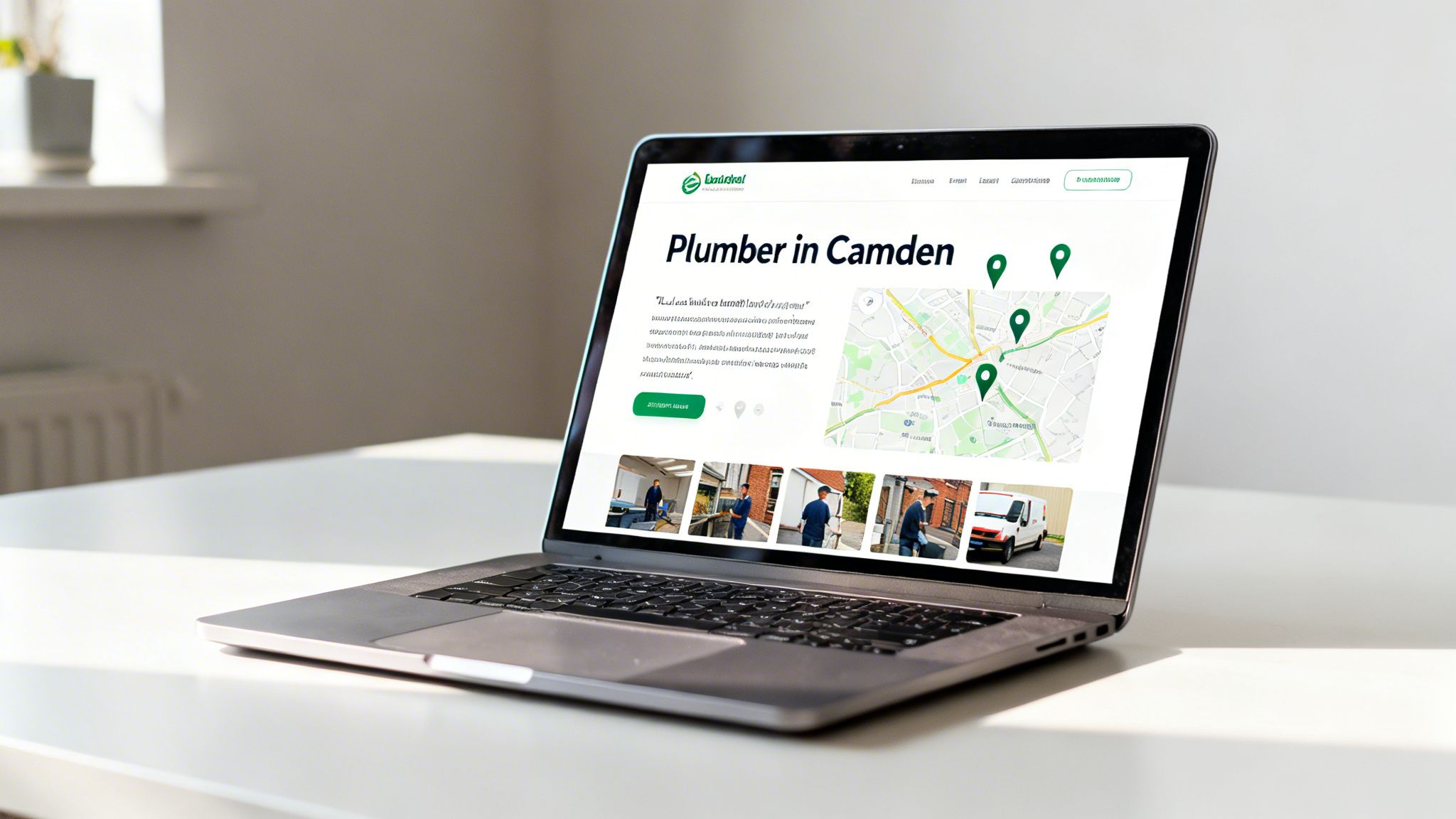
The single most powerful way to signal your geographic authority is to build dedicated landing pages for each key area you serve. A generic "services" page just won't cut it. It simply can't convince Google you're the best "plumber in Camden" when your office is actually registered on the other side of London.
A dedicated page for Camden, however, lets you create a hub of hyper-local information. It sends a clear message to both users and search engines: "We don't just work here; we’re part of this community."
Think of it like this: your main website is your flagship store, but each local landing page is a pop-up shop, perfectly tailored to the neighbourhood it's in.
Here’s a blueprint for what every hyper-local landing page needs:
- Location-Specific Keywords: Weave terms like "emergency plumber in Camden" or "Camden boiler repair" naturally into your page titles, headings, and body copy.
- Local Testimonials: Feature reviews from clients specifically within that area. A review mentioning a familiar local landmark or street is powerful social proof.
- Photos from Local Jobs: Show your team at work on projects in that town or neighbourhood. Geotagging these photos before you upload them adds another powerful layer of location data.
- An Embedded Google Map: Embed a map zoomed in on the specific service area. It’s a simple visual that reinforces your connection to that location.
- Area-Specific Content: Talk about local challenges or unique features. For a roofer targeting the Cotswolds, this might mean discussing the nuances of working with traditional Cotswold stone.
This approach transforms your website from a general brochure into a collection of highly relevant, localised resources that Google can confidently serve to users in those specific areas.
Use Your Blog to Answer Local Questions
Beyond your static landing pages, your blog is an incredible tool for capturing local search intent. People aren't just searching for services; they're looking for answers. By creating blog posts that solve local problems, you establish your business as a helpful, go-to authority.
Key Takeaway: Answering local questions through your blog doesn't just drive traffic; it sends strong relevance signals back to your Google Business Profile. When Google sees your website is a trusted source for information about a specific area, it boosts your entire local presence, including your Maps ranking.
So instead of writing a generic post about "how to choose an electrician," you target a long-tail local keyword like, "What to know before hiring an emergency electrician in Leeds."
Get inspired with these examples:
- For a Wedding Photographer in Devon: "Top 5 Outdoor Wedding Photo Locations near Salcombe."
- For an Interior Designer in Cambridge: "How to Honour Period Features in a Cambridge Victorian Terrace." You can learn more about how specialised SEO services in Cambridge help businesses nail this kind of local intent.
- For a Pest Control Company in Manchester: "Are Wasps a Big Problem in Manchester This Year? A Local Guide."
Each of these articles directly answers a question a potential customer in a specific location might have. This strategy consistently reinforces your geographic authority, sending powerful relevance signals that make you the obvious choice when someone searches for your services "near me."
Master Your Citations for NAP Consistency
While your Google Business Profile is the cornerstone of your local presence, Google’s algorithm doesn't just take your word for it. Think of it as a cautious detective. It scours the web, looking for other mentions of your business to cross-reference and verify the information you’ve provided.
This is where citations and NAP consistency become absolutely critical for climbing the Google Maps rankings.
NAP is your business's unique digital fingerprint: Name, Address, and Phone number. When these three details are identical across every directory, social media profile, and website mention, you send a powerful signal of trust and legitimacy to Google.
When they’re not, it creates confusion. It erodes the search engine's confidence in your listing, which can seriously stall your ranking potential. Imagine one listing for "Smith's Plumbing Ltd" and another for "Smiths Plumbing Limited." To us, it’s obviously the same business. To an algorithm, it’s two separate entities, splitting your authority and diluting your ranking power.
Why Every Detail Matters
The tiniest discrepancies can cause big problems. We’re not just talking about an old address on a long-forgotten directory; it’s the subtle variations that sneak in over time that are often the hidden culprits behind stagnant Maps rankings.
These small errors create digital doubt. Common NAP inconsistencies we see holding businesses back include:
- Name Variations: "Joe's Cafe" on one site vs. "Joe's Cafe & Grill" on another.
- Address Formatting: "St" vs. "Street," or having "Unit 4" in some places and "#4" in others.
- Phone Number Issues: An old landline floating around on one directory while a new mobile number is on your website.
- Company Suffixes: Inconsistent use of "Ltd" vs. "Limited" or "Co" vs. "Company."
Fixing these isn’t just a bit of digital housekeeping. It’s a direct, actionable step you can take to build the trust needed to break into that coveted local 3-pack.
Auditing and Cleaning Up Your Digital Footprint
Your first job is to conduct a citation audit. This means getting out there and searching for your business online, then compiling a spreadsheet of every single place your NAP details appear. Don't just search for your main business name; look for common variations, old phone numbers, and previous addresses to uncover all those rogue listings.
Expert Tip: Start with the heavy hitters. A consistent listing on a major UK directory like Yell carries far more weight than one on an obscure, low-traffic site. Prioritise your cleanup efforts on high-authority sources first to get the biggest bang for your buck.
For businesses that aren't sure where to begin, our team can give you a clear, data-driven picture of your online footprint. Our comprehensive Google Business Profile report is designed to highlight these damaging inconsistencies quickly.
Once you have your list, the cleanup begins. You’ll need to contact each site owner or use their admin dashboard to correct the information. Yes, it can be a tedious process, but it’s absolutely vital. The goal is to make every single listing an exact mirror of the information on your Google Business Profile.
The Power of UK-Specific Directories
While global platforms are important, having a strong presence on trusted, UK-specific directories is crucial for signalling local relevance. These are the sites that UK consumers—and therefore Google—know and trust. Making sure your NAP is perfect here is non-negotiable.
This table highlights some of the most important citation sources you should be focusing on as a UK business.
Essential UK Citation Sources for Local Businesses
| Citation Source Category | Examples | Why It's Important |
|---|---|---|
| Major UK Directories | Yell, Thomson Local, Scoot | These are the modern-day Yellow Pages. A consistent presence here is a fundamental trust signal for Google in the UK. |
| Industry-Specific Sites | Checkatrade, Houzz, TrustATrader | Listings on sites relevant to your niche (e.g., trades, design, hospitality) send powerful topical authority signals. |
| Hyper-Local Directories | Your local Chamber of Commerce, city-specific business directories | These prove your genuine connection to a specific community, boosting your relevance for crucial "near me" searches. |
Getting these structured citations right will build a strong foundation for your local SEO efforts.
Beyond these formal listings, you should also be aware of "unstructured" citations. These are organic mentions of your business in places like local news articles, blog posts, or event sponsorship pages. Even if they only mention your business name and town, they all contribute to your digital footprint and reinforce your local prominence.
Amplify Your Rankings with On-Page SEO Signals
While your Google Business Profile and local citations get a lot of the limelight, your website plays a crucial supporting role. It’s the on-page SEO signals from your site that provide the hard evidence Google needs to see you as a legitimate, authoritative local player.
Think of it this way: your GBP makes a claim ("I'm an emergency plumber in Birmingham"), but it's your website that backs it up with proof.
Getting these signals right is the final, critical piece of the puzzle. It ensures your entire digital presence is pulling in the same direction, working together to push you up the Google Maps rankings. Without this alignment, all your other efforts can be held back.
Weave Local Keywords into Your Website
Your website needs to speak the same language as your local customers. This means strategically weaving your city, county, or even specific neighbourhood names into key places across your site. It’s a direct, no-nonsense way to confirm your service area.
This isn’t about clumsy keyword stuffing. It’s about natural, logical integration into the most important on-page elements. Start by looking at your:
- Title Tags: Your homepage title should scream who you are and where you operate (e.g., "Artisan Wedding Cakes & Desserts in York").
- Meta Descriptions: While not a direct ranking factor, a well-written meta description that includes your location can seriously boost your click-through rate from local searchers.
- H1 Headings: This is your main page heading—a hugely powerful signal. A clear "Expert Dog Grooming Services in Bath" leaves absolutely no doubt about what you do and where you do it.
Every time Google crawls your website, these local signals reinforce your geographic relevance, strengthening that all-important connection to your Google Maps listing.
Embed a Google Map and Use Schema Markup
You can communicate your location directly to Google through your website's code, but two of the most effective ways are often overlooked. The good news is they are both simple to get done.
First, embed a Google Map directly onto your contact page. This is more than just a handy tool for visitors; it's a direct, visible confirmation of your physical address. When you embed the map generated from your own GBP listing, you create a powerful digital thread between the two properties.
Key Insight: Embedding a Google Map from your GBP is like pointing a big, digital arrow from your website back to your Maps listing, telling the algorithm, "Yes, this is us. We are located right here."
Second, you absolutely need to implement Local Business schema markup. This is a small snippet of code added to your website’s backend that "speaks" directly to search engines in their native language. It explicitly confirms your business name, address, phone number, opening hours, and business type. For businesses like photographers who specialise in specific events like weddings, using schema can add another powerful layer of topical and local relevance, a topic we explore in our guide to SEO for photographers.
Prioritise Mobile-Friendliness and Page Speed
Most local searches happen on a mobile device, often when a customer is out and about and needs a service right now. In fact, over 60% of all Google searches happen on mobile. If a user clicks from your GBP to your website and is hit with a slow, clunky, hard-to-navigate site, they will leave immediately.
This poor user experience sends a powerful negative signal straight back to Google. It suggests your business isn't a good answer for searchers, which can quietly poison your rankings over time.
Your website must be:
- Responsive: It has to automatically adjust to fit any screen size, from a huge desktop monitor down to a small smartphone.
- Fast: Your pages need to load in three seconds or less. Slow load times are a major cause of user frustration and high bounce rates.
A fast, mobile-friendly website isn't an optional extra; it's non-negotiable. It’s what ensures you can convert the visibility you earn on Google Maps into actual enquiries and paying customers.
Common Questions on How to Improve Your Google Maps Ranking
Navigating the world of Google Maps SEO can throw up a lot of questions. Even with a solid plan, you're bound to hit a few roadblocks or wonder about the finer details. This section cuts through the noise and gives you straight answers to the most common queries we get from businesses trying to climb the local search rankings.
How Long Does It Take to See Results?
This is always the first question, and the honest answer is: it depends. Some quick wins, like fixing your primary business category or tweaking your business name, can give you a noticeable bump in just a few weeks. But a proper local SEO strategy is a long game.
Building up a strong portfolio of reviews and methodically cleaning up your business citations across the web simply takes time and consistent effort. In most realistic scenarios, you should expect to see sustainable, meaningful improvements in your Google Maps ranking within three to six months. This is the typical timeframe needed for all the positive signals from reviews, content, and authority-building to really compound and take effect.
Does Adding Keywords to My GBP Name Still Work?
Yes, but you have to handle this one with care. Officially, Google wants your Business Profile name to be an exact match for your real-world, registered business name. That said, strategically adding a core service or location keyword is a well-known tactic that can often deliver a quick ranking boost.
For example, changing a business name from "Smith's Plumbing" to "Smith's Plumbing & Heating Bristol" can work wonders. The trick is to make it look completely natural and avoid violating Google’s clear guidelines against keyword stuffing.
Crucial Warning: Don't get greedy. A name like "Best Emergency Plumber Bristol 24/7 Fast" is a massive red flag for Google. This aggressive approach is a fast track to getting your profile suspended, which will instantly wipe out your hard-earned visibility.
What to Do If My Business Has Multiple Locations?
For any business with more than one physical branch, the rule is simple and non-negotiable: you absolutely must create a separate, fully optimised Google Business Profile for each and every address. Never try to manage multiple locations from a single profile.
Each individual GBP needs to have:
- Its own unique, local phone number (not a central call centre number).
- A dedicated landing page on your website specific to that location (e.g., yourwebsite.co.uk/cambridge).
- Perfect NAP (Name, Address, Phone) consistency for that specific branch across all of its online citations.
You have to treat each location as its own distinct business entity. This is fundamental to building authority and ranking well in each of your respective local areas.
Can I Rank in a City Without a Physical Address?
This is probably the single biggest challenge in local SEO. While it's not completely impossible, ranking in the Google Maps "Local Pack" for a city where you don’t have a verified physical address is extremely difficult. Proximity is a huge ranking factor, and Google will almost always give preference to businesses that are physically located in the target city.
Your best shot is to focus your efforts on creating hyper-local landing pages for that city, actively chasing reviews from clients who live there, and building local backlinks from websites based in that area. Just be realistic and know that you will always be at a significant disadvantage compared to competitors with a local postcode.
At Bare Digital, we help UK businesses navigate these challenges every day, turning local visibility into measurable growth. If you're ready to move beyond questions and start seeing results, get in touch for your free SEO health check and a clear plan to dominate your local market. Learn more at https://www.bare-digital.com.