
You're probably here because you've noticed the same thing many local business owners notice. Search your own service on Google, and video keeps appearing. Search on YouTube, and smaller firms with decent explanations, project walk-throughs, and customer-facing advice are winning attention that used to go only to directories and big brands.
That shift matters if you want enquiries, not just impressions. A YouTube channel can support your website, reinforce your Google Business Profile, answer sales questions before a phone call, and help people decide you look credible before they ever contact you. The mistake is treating it like a dumping ground for old clips. If you want to create a YouTube page that helps a UK business grow, it needs to be built as part of your local marketing system.
Why Your Local Business Needs a YouTube Page
A prospect in Bristol watches a two-minute video on blocked drains before calling anyone. Another in Glasgow checks YouTube for kitchen extension ideas, then clicks through to a company site that shows recent work nearby. Those are not casual views. They are early buying moments, and a YouTube page gives your business a way to show up before the shortlist is formed.
For a local business, YouTube works as a trust asset and a search asset. It helps people judge whether you sound credible, explain things clearly, and understand the kind of job they need done. That matters in the UK, where many enquiries still come down to confidence. People want to know who they are inviting into their home, who will handle their case, or who will carry out the work without hassle.
The benefit is not reach for its own sake. The benefit is that video can answer the questions that slow down local conversions. A dentist can explain treatment options before a patient books. An estate agent can walk through the selling process in the local area. A heating engineer can show what happens during a boiler service, which reduces uncertainty and filters out poor-fit leads.
Why generic setup advice misses the core business issue
Most YouTube setup guides are written for creators building an audience from zero. Small businesses usually have a different job to do. The channel needs to support enquiries, strengthen branded search, and fit around assets you already have, including your website, Google Business Profile, and service pages.
Generic advice falls short in this area. A UK business does not need a channel built around vanity metrics first. It needs a page that looks established, matches the business name customers already search, and gives prospects enough confidence to make contact. That is also why YouTube should sit inside a wider social media strategy for small business marketing, rather than being treated as a side platform.
Your channel should look like an extension of your business, not a spare account that happens to hold videos.
There is also a practical lead-generation angle many articles ignore. Video often improves the quality of the enquiry, not just the volume. Someone who has already watched your explanation of pricing, process, timescales, or common mistakes tends to arrive better informed. Calls are shorter. Expectations are clearer. Close rates are often better because trust work has already started before the first conversation.
Production standards matter, but not in the way many owners assume. Prospects do not expect television-grade editing from a local firm. They do expect clear audio, a steady picture, and enough polish to suggest competence. If your current footage looks weak, this guide to better live streams is a useful starting point for improving video quality without overcomplicating your setup.
If you run a solicitors' practice, clinic, trade business, venue, or agency, the point of a YouTube page is simple. It helps local people find you, assess you, and contact you with more intent. That is a much better use of the platform than treating it as a storage folder for old clips.
Building Your Channel's Technical Foundation
Before logos, thumbnails, or content ideas, get the account structure right. This is the part frequently rushed, then regretted later when staff access is needed or the channel is found to be tied to the owner's personal login.
For a business, the setup should stay separate from your private Google identity as much as possible. Even if one person starts the process, the channel should be created with business continuity in mind.
The setup sequence that actually works
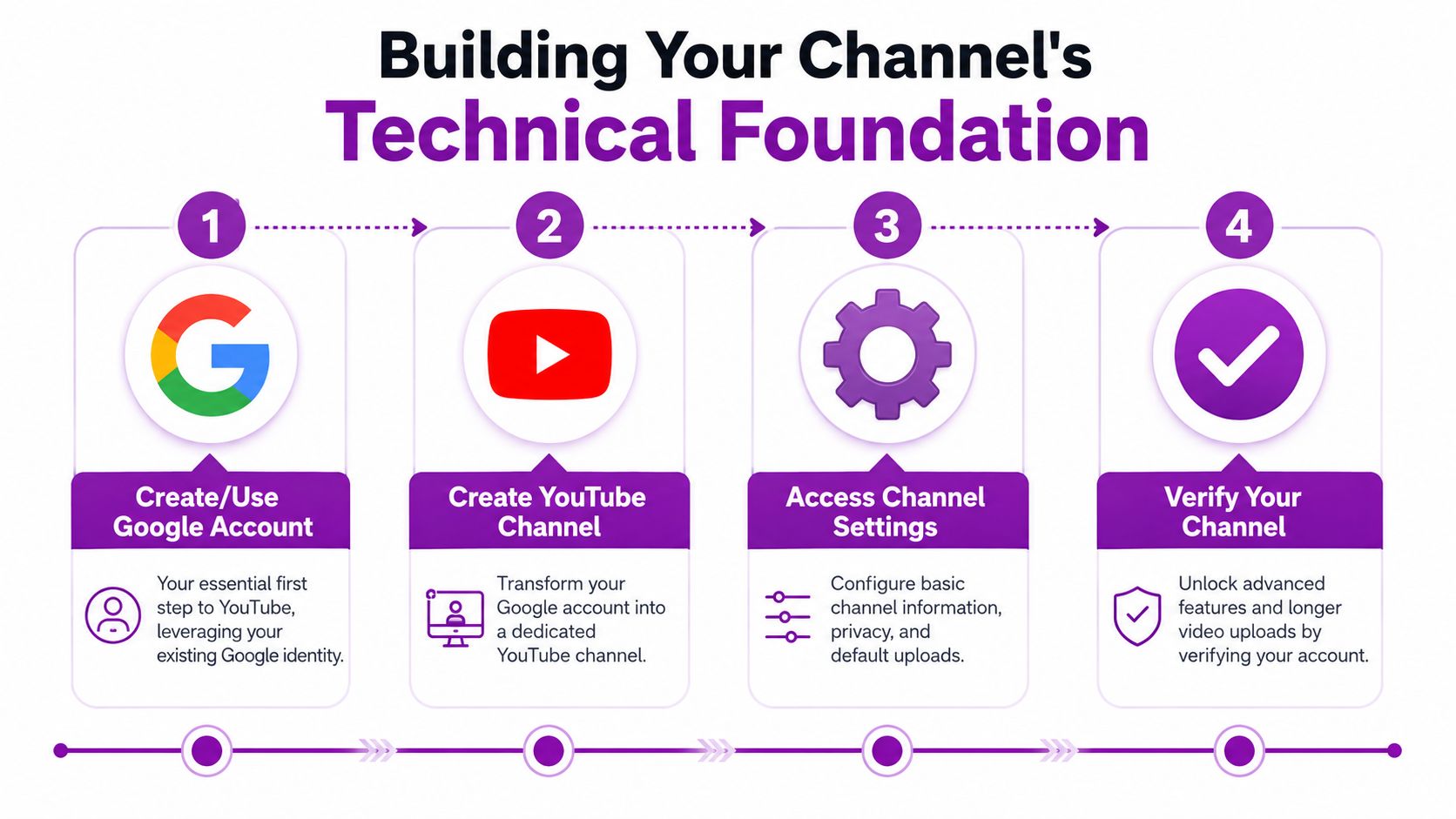
YouTube's own guidance is clear on the order. Create the channel through a Google account, then move straight into YouTube Studio. Verification should happen early because it enables key features such as videos longer than 15 minutes and custom thumbnails, as covered in YouTube's official setup guidance.
Use this order:
Sign in with your Google account
Use the business-owned Google login where possible. If your company already uses Google Workspace, that usually makes ownership and future handover simpler.Create the channel from the YouTube profile menu
Don't overthink the name at this point. In most cases, your trading name is the right answer.Open YouTube Studio immediately
Studio manages the essential setup, controlling your branding, channel details, upload defaults, permissions, and analytics.Verify the channel early
Don't leave this until upload day. Businesses often need custom thumbnails straight away because a default still frame rarely looks professional enough.
What to sort before anyone uploads a video
This is the point where I see local firms save themselves future hassle. The channel exists, but it isn't ready until access, defaults, and publishing standards are set.
A practical checklist:
Ownership and access
Decide who needs admin rights, who only needs upload rights, and who should never touch core settings.Basic channel details
Add your business name consistently so it matches your website and Google Business Profile.Upload workflow
Set a simple process for file naming, thumbnail creation, review, and publishing approval.Video quality expectations
If your team plans to do webinars, Q&As, or live walkthroughs, this guide to better live streams is useful because poor sound and weak lighting make a business look less credible very quickly.
Practical rule: Fix access and verification before you discuss content strategy. A channel that's easy to manage will actually get used.
Personal setup versus business setup
Here's the trade-off most small firms need to understand:
| Setup choice | What works | What causes problems |
|---|---|---|
| Owner creates everything personally | Fast to launch | Harder to hand over later |
| Business-led Google login | Cleaner long-term control | Needs a bit more admin at the start |
| Studio configured on day one | Consistent publishing | Less “we'll sort it later” chaos |
| Verification done early | Unlocks key upload features | Delays if left until campaign launch |
If you want to create a YouTube page properly, think like you're setting up a business asset, not a social profile.
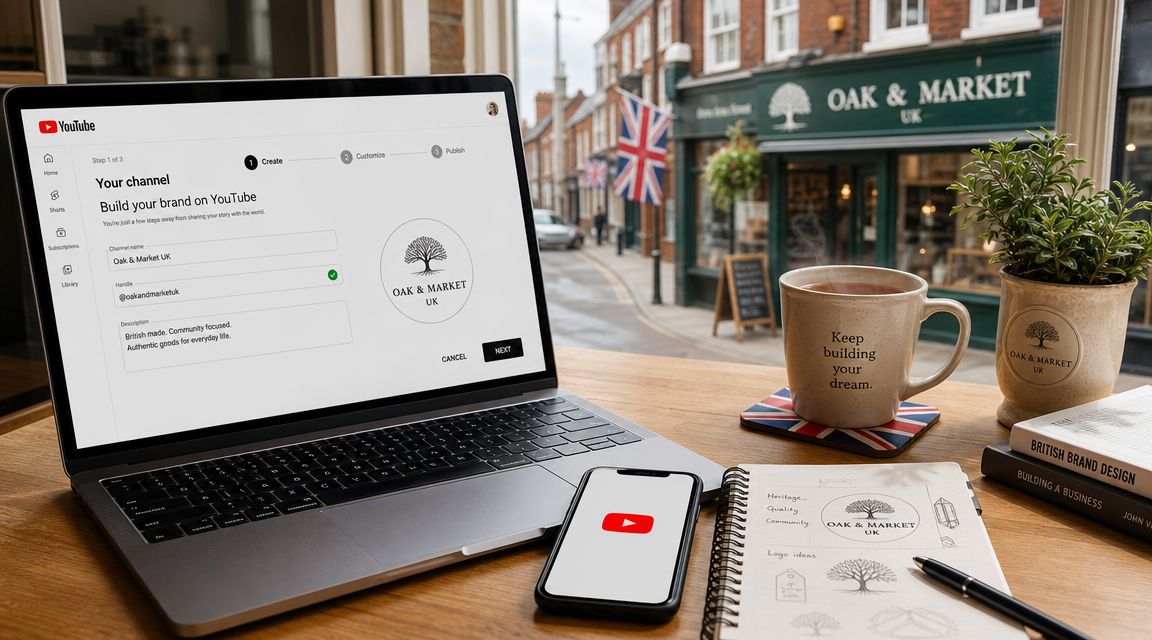
Branding Your Page to Build Local Trust
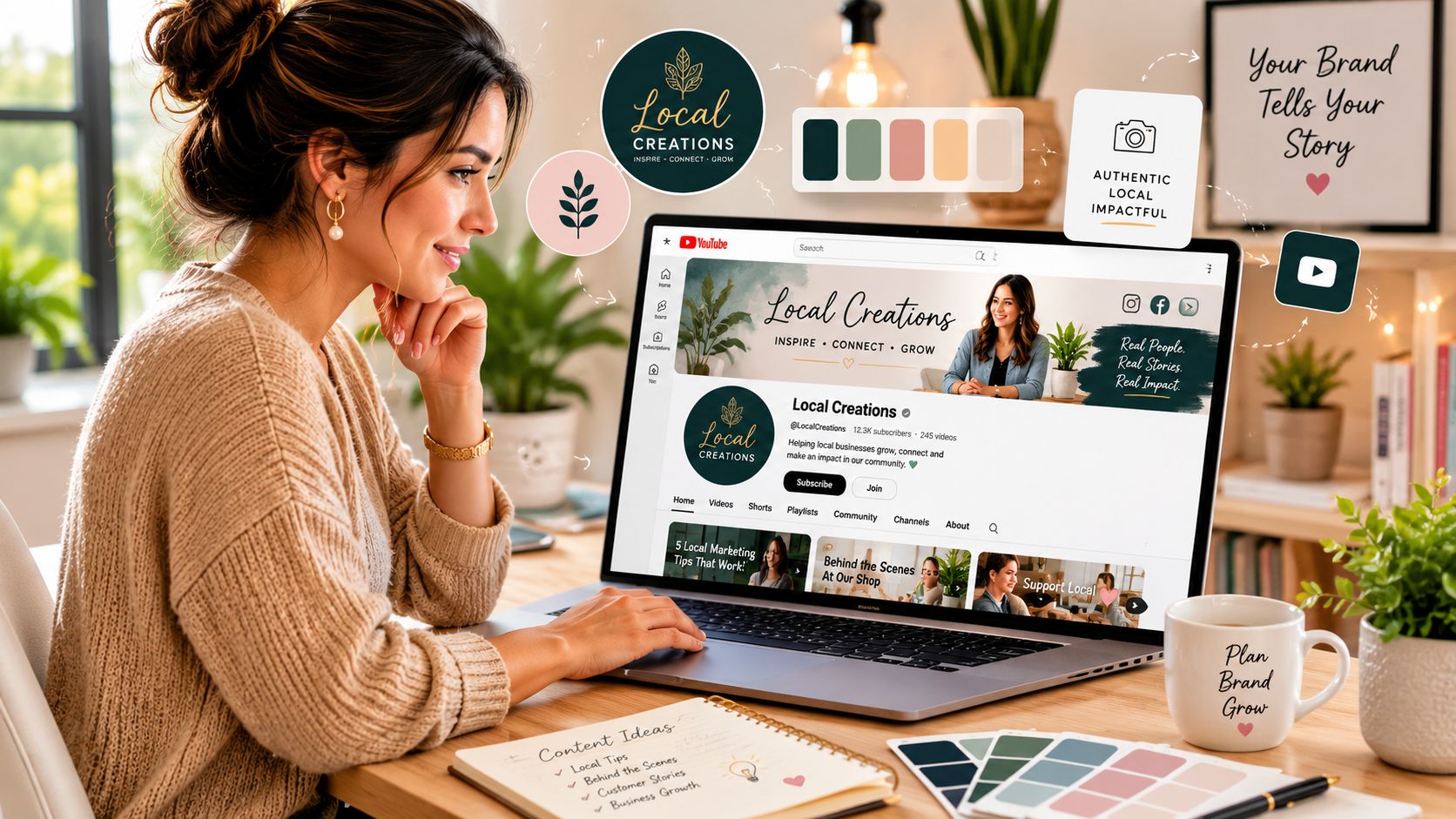
A local business doesn't get much grace on presentation. If your channel banner is cropped badly, the logo is fuzzy, and the description reads like an afterthought, prospects assume the service will feel the same.
Your channel page needs to reassure people quickly. They should know who you are, where you work, and why they should trust you within seconds of landing there.
Start with the visual identity
Expert setup guidance treats the channel page as a conversion asset, not just a profile. Commonly cited branding specs include a profile image of at least 98 x 98 pixels and a banner of at least 2560 x 1440 pixels, which helps the page stay consistent across devices, according to Milanote's YouTube channel setup guide.
That matters more than people think because YouTube displays your brand in different contexts. The profile image might appear tiny beside a comment, while the banner carries more weight on the channel homepage.
A few practical examples:
Trades business
Use a clean logo mark, not a van photo packed with text no one can read on mobile.Wedding venue
A strong panoramic image can work well in the banner, but keep the text minimal and readable.Clinic or consultancy
A sharp logo with restrained colours often builds more trust than over-designed graphics.
If your current identity looks dated or inconsistent, reviewing examples of brand positioning and visual direction can help you tighten the look before you publish anything.
The About tab does more work than most businesses realise
Most businesses underwrite this part by accident. They add one line, maybe a phone number, and leave.
That wastes a strong intent signal. The About section should state:
What you do
Be specific about services.Where you do it
Mention towns, counties, or regions you cover.Who you help
Homeowners, couples, commercial clients, families, patients, landlords.What action to take next
Call, email, book, request a quote, visit the website.
A weak About section says, “Welcome to our channel.” A useful one says, “We provide kitchen renovations across Exeter and nearby areas, sharing project walk-throughs, planning advice, and answers to common homeowner questions.”
If someone lands on your channel without context, your branding and About section need to do the job your receptionist would normally do.
Three branding decisions that affect trust
Not every business should brand the same way. Here's the simpler test I use.
| Element | Good choice | Poor choice |
|---|---|---|
| Profile image | Recognisable logo or professional headshot | Tiny text, clutter, low contrast |
| Banner | Clear service message and visual quality | Stock-looking design with no local relevance |
| About text | Service-led, location-aware, contact-ready | Generic slogan with no next step |
When you create a YouTube page for lead generation, polish matters because viewers are making quick trust decisions. They won't always say, “This banner looks amateur.” They'll just leave.
Optimising Your Channel for Local Search
Most businesses think YouTube SEO starts when the first video goes live. It starts earlier, inside the channel settings.
If your page doesn't tell YouTube where you operate, what you do, and how every video connects back to your business, you're making discovery harder than it needs to be. This part is less glamorous than content creation, but it directly affects whether the channel supports local visibility or just floats around without focus.
Set local relevance at channel level
Think of your channel as a mini local entity. The language in your setup should reinforce your geography and service scope.
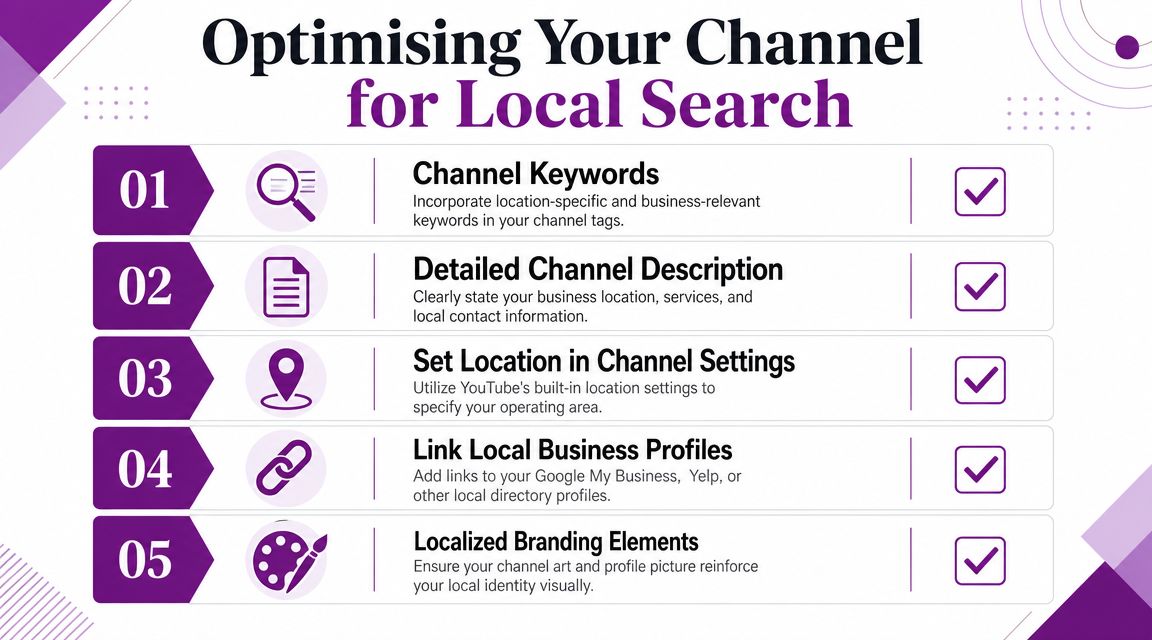
Use channel keywords that reflect how customers search. A Bristol plumber, for example, shouldn't rely only on “plumbing” or “home services”. Better signals are combinations of service and area. Keep them realistic and tied to your offer.
A useful channel checklist:
Channel keywords
Include core service terms plus location phrases that match your market.Channel description
Mention your primary service area naturally, not as a spam list of towns.Location settings
Complete any available location details inside YouTube settings where relevant.Links out
Connect the channel to your website and key business profiles.
Use upload defaults so every video sells quietly
Upload defaults are one of the most underrated features for local businesses. They stop every new upload from starting as a blank page.
A sensible default description might include:
Your trading name and service summary
One or two lines only.Your contact route
Website link first, then phone or enquiry path if appropriate.Your service area
Keep it natural.A short disclaimer if needed
Especially in regulated or safety-sensitive sectors.
Here, operational discipline beats creativity. If every description includes your website, area, and core service language, every video becomes a more consistent marketing asset.
Connect the channel to your wider local presence
YouTube shouldn't be isolated from the rest of your search presence. Link the channel to the places where people already evaluate your business.
That usually includes your website and your Google Business Profile. If you're already refining your local presence, this guide to Google Business Profile optimisation is worth reviewing because the strongest results come when your service messaging aligns across both platforms.
For businesses that publish advice-led videos, transcripts can also help repurpose content into web copy, FAQs, and supporting text. This resource on transcription for content creators is useful if you want to turn spoken video into usable written assets.
Local SEO shortcut: Don't optimise each video as if it exists alone. Build channel settings and upload defaults so local relevance is baked into every future upload.
What good channel optimisation looks like
| Channel area | What to include | Common mistake |
|---|---|---|
| Keywords | Service and location combinations | Broad generic terms only |
| Description | Services, areas, contact route | Empty or vague copy |
| Links | Website and business profiles | No outbound paths |
| Defaults | Reusable contact and service text | Writing every upload from scratch |
When you create a YouTube page with local search in mind, you're making it easier for YouTube and Google to understand the same business signals your website already sends.
Planning Your First Videos and Content Strategy
A polished channel with no videos feels unfinished. People won't say that out loud, but they'll sense it. The first uploads are what turn the page from a branded profile into proof.
Many local firms often stall because they think every video needs to be a polished ad. It doesn't. Some of the most useful business videos are simple answers to real sales questions.
YouTube's current scale shows why both formats matter. Users upload more than 20 million videos every day, and Shorts were watched 70 billion times daily on average in 2024, according to Sprout Social's YouTube statistics roundup. For a local business, that means long-form and short-form content both have a place.
Start with content that removes buying friction
The strongest early videos usually sit close to the sales process. They answer what buyers already ask before they commit.
Examples that work well:
Trades and construction
Project walk-throughs, repair explanations, what to expect during a job, before-and-after commentary.Wedding and events businesses
Venue tours, setup timelapses, supplier coordination clips, seasonal showcases.Professional services
“How the process works” videos, common mistakes, scope explanations, and screen-recorded explainers.Healthcare and wellness
Introductions to treatment approaches, clinic tours, practitioner Q&As, booking guidance.
These videos don't need theatrical production. They need clarity, relevance, and a clear next step.
A practical way to choose your first five uploads
I usually advise businesses to avoid random posting. Build an opening set that covers trust, process, proof, and visibility.
A good first batch might include:
| Video type | Why it helps |
|---|---|
| Business introduction | Puts a face and voice to the name |
| Service explainer | Clarifies what you actually offer |
| Common question video | Captures pre-enquiry searches |
| Project or case walk-through | Shows real-world proof without needing formal “case study” claims |
| Short-form clip | Gives you a lightweight format for regular visibility |
If you need a planning framework before filming, this guide on how to create a content strategy is useful because it forces you to align topics with business goals rather than posting whatever feels easiest that week.
A local YouTube channel works best when each video has a job. Build trust, answer a question, show the process, or prompt an enquiry.
Use playlists like service categories
Playlists are often ignored, but they help organise the channel in a way that mirrors your website.
A kitchen fitter might use playlists such as:
- Kitchen Renovation Advice
- Completed Projects
- Materials and Finishes
- Customer Questions
- Short Tips
A photographer might split by Weddings, Engagement Shoots, Venue Guides, and Client Advice.
This gives viewers a route into the content that matches intent. It also stops the channel homepage from looking random.
Long-form versus Shorts
The wrong way to think about this is “Which format is better?” The useful question is “What job does each format do?”
- Long-form helps with explanation, trust, and objection handling.
- Shorts help with reach, recall, and repeated exposure.
- Playlists help viewers self-qualify by topic.
A caterer, for example, might publish a full video about planning food for a wedding, then cut shorter clips showing setup details, plating, or behind-the-scenes prep. An architect might post a longer screen recording explaining planning constraints, then use shorter clips to highlight design decisions.
If you want to create a YouTube page that generates leads, your content mix should reflect the actual buying journey. People discover you in snippets, then decide through depth.
Connecting YouTube to Your Marketing Engine
A plumber in Leeds posts helpful videos for six months, gets a few views, then wonders why none of it turns into calls. The usual problem is not the videos. It is the lack of connection between the channel, the website, Google Business Profile, and enquiry tracking.
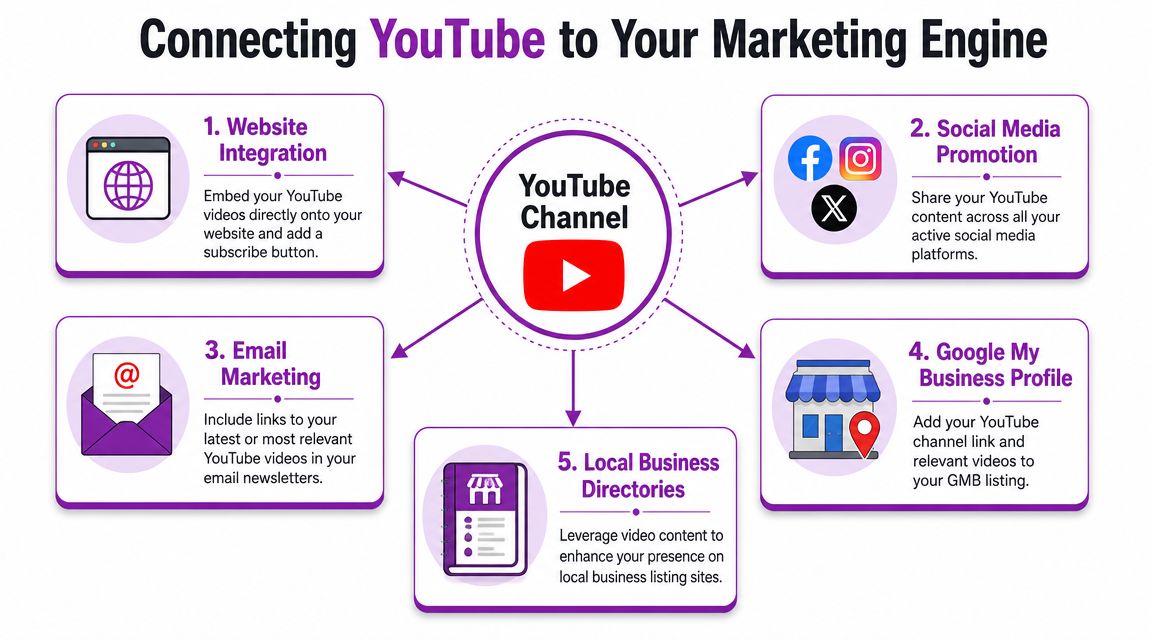
A YouTube page starts producing commercial value when it supports the rest of your marketing instead of sitting beside it. For a UK local business, that usually means helping a prospect move from search to service page to contact form, or from a Google Business Profile visit to a phone call. Used properly, video gives people more confidence before they enquire, especially for higher-trust services like legal work, home improvement, healthcare, property, and weddings.
Put videos on the pages that already attract intent
The best place for a business video is often the page where a customer is deciding whether to contact you.
Embed videos where they reduce hesitation and answer the question that usually delays conversion:
- Boiler service page with a short explanation of common faults and what happens during a visit
- Wedding venue page with a walkthrough of the ceremony space, parking, and guest flow
- Architect service page with a clear explanation of planning drawings, timelines, or approvals
- Funeral service page with a calm overview of the process and what families can expect
This works well because the visitor does not need to leave your site to build trust. They can watch, understand the service, and act.
Connect YouTube with Google Business Profile and paid traffic
YouTube should support the places where local prospects already check your credibility. Add the channel to your website, reference useful videos in email follow-ups, and use relevant video content in Google Business Profile updates where it helps explain a service or answer a common question.
There is also a practical paid media angle. If someone clicks a local search ad after already seeing your team, your process, or your previous work on video, the click is warmer. Businesses already investing in Google Ads for local businesses often get better results when the landing page includes a relevant video that handles objections early.
Measure enquiries and assisted conversions
Subscriber count has limited value for a local firm serving a specific town, city, or region. A solicitor in Bristol does not need broad reach across unrelated audiences. They need the right viewer to trust them enough to call.
Track the actions that matter:
- Which videos drive visits to service pages
- Which embedded videos improve form submissions or phone clicks
- Which topics lead to quote requests, bookings, or consultation enquiries
- Which videos assist conversion even if they are not the final touchpoint
Use YouTube Studio to spot viewing patterns and drop-off points. Then check your website analytics, call tracking, and form data to see whether those views contribute to leads. That is the standard to judge against.
A useful business video supports discovery, trust, or conversion. If it does none of the three, it is probably filling space.
One final warning. Shortcuts usually create weak audience signals and poor engagement. If you are weighing options like buy YouTube subscribers, treat that choice carefully and put audience quality ahead of inflated numbers. Local businesses do not need vanity metrics. They need relevant viewers in the right locations, watching the right videos, and taking the next step.
When you create a YouTube page as part of your marketing engine, the job is simple. Turn local attention into measurable enquiries.